Can I run NVIDIA NemoClaw on Apple Silicon?
TL;DR: The short answer is yes. Here's exactly what works, what doesn't, and why.

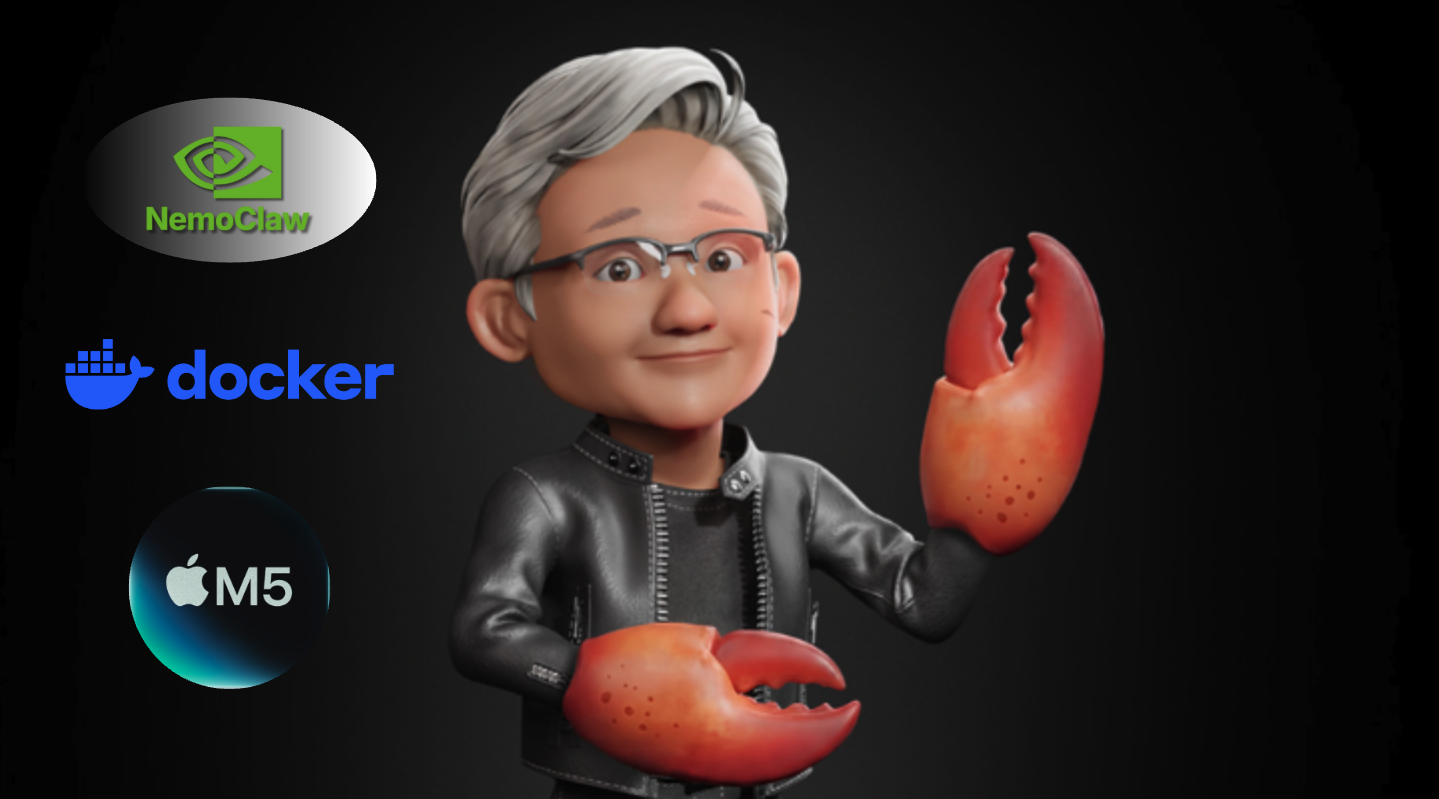
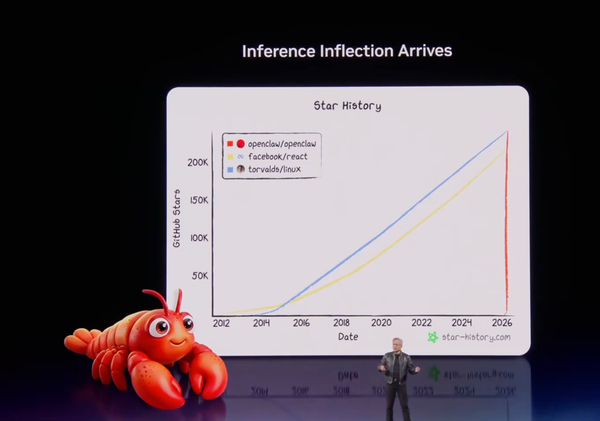
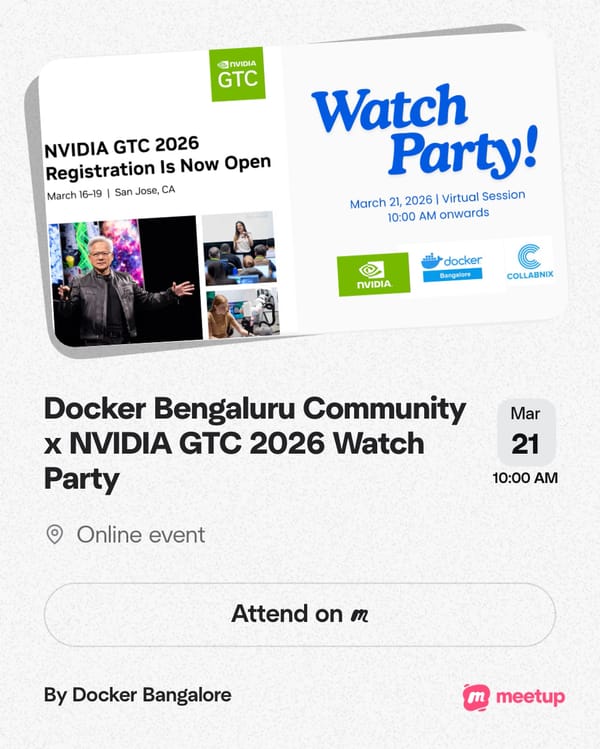
NVIDIA announced NemoClaw at GTC 2026 on March 16, 2026 literally yesterday as I write this. Jensen Huang described it as the enterprise-hardened version of OpenClaw: a secure, open-source AI agent platform that brings policy-based security, network isolation, and multi-agent orchestration to autonomous AI agents.
The moment I saw the announcement, I had one question: can I run this on my Apple M5 Max MacBook Pro?
I spent a full day running the installer, debugging every error, and pushing every configuration option to its limit. The short answer: yes, NemoClaw runs on Apple Silicon, the sandbox and security model work beautifully, and the NVIDIA Cloud NIM inference works perfectly. But local inference via Ollama is broken due to a DNS bug in the sandbox setup, and Docker Model Runner can't reach through the sandbox's network namespace isolation. Here's exactly what happened — every command, every error, every finding.
Apple Silicon Status at a Glance
| Feature | Status | Notes |
|---|---|---|
| Install & sandbox creation | ✅ Works | Full Docker-based sandbox |
| NVIDIA Cloud NIM (120B) | ✅ Works | Auto-configured, free tier |
| Security model (Landlock + seccomp + netns) | ✅ Works | Full isolation |
| Policy management | ✅ Works | Versioned, hashed audit trail |
| Claude Code integration | ✅ Works | Whitelisted by default |
| Ollama local inference | ❌ Broken | inference.local DNS missing from /etc/hosts |
| Docker Model Runner | 🔜 Pending | Host bridge mechanism not yet in NemoClaw |
| NVIDIA GPU | Not required | Cloud inference handles it |
My Setup
| Component | Detail |
|---|---|
| Machine | MacBook Pro, Apple M5 Max |
| GPU | Apple M5 Max (32 cores), 36864 MB unified memory |
| OS | macOS (aarch64) |
| Docker | Running (Docker Desktop) |
| Node.js | Not installed (installer handled it) |
NVIDIA NemoClaw is an open source stack that adds privacy and security controls to OpenClaw. With one command, anyone can run always-on, self-evolving agents anywhere.
NemoClaw uses NVIDIA Agent Toolkit software to secure OpenClaw. It installs NVIDIA OpenShell to enforce policy-based privacy and security guardrails, giving users control over how agents behave and handle data.
It also evaluates available compute resources to run high-performance open models like NVIDIA Nemotron™ locally for enhanced privacy and cost efficiency.
Step 1: Run the Installer
curl -fsSL https://nvidia.com/nemoclaw.sh | bash
The installer is self-contained — it detects your environment, installs Node.js via nvm if needed, pulls the NemoClaw CLI from npm, and then installs the OpenShell CLI which is the sandboxing runtime underneath.
Here's what happened on my machine:
[INFO]  === NemoClaw Installer ===
[INFO]  Node.js not found — installing via nvm…
[INFO]  nvm installer integrity verified
=> Downloading nvm from git to '/Users/ajeetraina/.nvm'
Downloading and installing node v24.14.0...
Checksums matched!
Now using node v24.14.0 (npm v11.9.0)
[INFO]  Node.js installed: v24.14.0
[INFO]  Installing NemoClaw from npm…
added 638 packages in 48s
[INFO]  Verified: nemoclaw is available at /Users/ajeetraina/.nvm/versions/node/v24.14.0/bin/nemoclaw
[INFO]  Running nemoclaw onboard…
Then the OpenShell CLI installation kicked in:
[install] Detected macOS (aarch64)
[install] Node.js manager: nvm
[install] Installing Node.js 22...
Downloading and installing node v22.22.1...
Checksums matched!
[install] openshell openshell 0.0.7 installed
Key observation: The installer detected my Apple M5 Max GPU but correctly noted:
ⓘ NIM requires NVIDIA GPU — will use cloud inference
NemoClaw is hardware-agnostic. On Apple Silicon it falls back to cloud inference via NVIDIA's NIM endpoints, or can optionally use Ollama locally (though that has issues — more on that below).
Step 2: Fix the PATH Issue
After the installer completed, running nemoclaw failed. Here's why:
The installer used two different Node.js versions via nvm — v24 for NemoClaw and v22 for OpenShell. When OpenShell switched the active version to v22, nemoclaw (installed under v24) disappeared from PATH.
Diagnosis:
export NVM_DIR="$HOME/.nvm"
[ -s "$NVM_DIR/nvm.sh" ] && \. "$NVM_DIR/nvm.sh"

node --version
# v22.22.1  ← wrong version active

which nemoclaw || echo "not in PATH"
# not in PATH

nvm use 24
# Now using node v24.14.0

which nemoclaw
# /Users/ajeetraina/.nvm/versions/node/v24.14.0/bin/nemoclaw ✅
Permanent fix — run this once:
nvm alias default 24
echo 'export NVM_DIR="$HOME/.nvm"' >> ~/.zshrc
echo '[ -s "$NVM_DIR/nvm.sh" ] && \. "$NVM_DIR/nvm.sh"' >> ~/.zshrc
echo 'nvm alias default 24 > /dev/null' >> ~/.zshrc
source ~/.zshrc
After this, every new terminal will have nemoclaw available automatically.
Step 3: Explore the CLI
nemoclaw help
nemoclaw — NemoClaw CLI

Getting Started:
  nemoclaw onboard                 Interactive setup wizard (recommended)
  nemoclaw setup-spark             Set up on DGX Spark (fixes cgroup v2 + Docker)

Sandbox Management:
  nemoclaw list                    List all sandboxes
  nemoclaw <name> connect          Connect to a sandbox
  nemoclaw <name> status           Show sandbox status and health
  nemoclaw <name> logs [--follow]  View sandbox logs
  nemoclaw <name> destroy          Stop NIM + delete sandbox

Policy Presets:
  nemoclaw <name> policy-add       Add a policy preset to a sandbox
  nemoclaw <name> policy-list      List presets (● = applied)

Deploy:
  nemoclaw deploy <instance>       Deploy to a Brev VM and start services
Worth noting: nemoclaw setup-spark is a dedicated command for DGX Spark hardware, which has Docker/cgroup v2 quirks on Linux that NVIDIA has already baked a fix for. A similar command for Apple Silicon would be welcome.
Step 4: Run the Onboarding Wizard
nemoclaw onboard
[1/7] Preflight Checks
✓ Docker is running
✓ openshell CLI: openshell 0.0.7
✓ cgroup configuration OK
✓ Apple GPU detected: Apple M5 Max (32 cores), 36864 MB unified memory
ⓘ NIM requires NVIDIA GPU — will use cloud inference
Docker is the first preflight check — NemoClaw requires Docker to be running. The sandbox is built as a Docker container.
[2/7] Starting OpenShell Gateway
✓ Checking Docker
✓ Downloading gateway
✓ Initializing environment
✓ Starting gateway
✓ Gateway ready

  Name: nemoclaw
  Endpoint: https://127.0.0.1:8080

✓ Active gateway set to 'nemoclaw'
✓ Gateway is healthy
The OpenShell gateway is the control plane — it manages sandbox lifecycle, policy enforcement, and inference routing.
[3/7] Creating the Sandbox
When prompted for a sandbox name, I used collabnix:
Sandbox name [my-assistant]: collabnix
Creating sandbox 'collabnix' (this takes a few minutes on first run)...
Building image openshell/sandbox-from:1773722910 from Dockerfile
  Step 1/22 : FROM node:22-slim
  ...
  Successfully built b8ea3f351a0b
  Successfully tagged openshell/sandbox-from:1773722910
  [progress] Exported 485 MiB
  [progress] Uploaded to gateway
✓ Image is available in the gateway.

Created sandbox: collabnix

[0.0s] Requesting compute...
[0.6s] Sandbox allocated
[1.9s] Image pulled
[gateway] openclaw gateway launched (pid 111)
[gateway] Local UI: http://127.0.0.1:18789/
✓ Sandbox 'collabnix' created
The sandbox is a Docker image built from node:22-slim in a 22-step Dockerfile. This is NemoClaw's isolation layer — your agent runs entirely inside this container.
[4/7] Configuring Inference
Inference options:
  1) NVIDIA Cloud API (build.nvidia.com)
  2) Install Ollama (macOS) [experimental]
I chose Option 2 — Ollama hoping to keep inference local. The installer appeared to set it up:
✓ Using Ollama on localhost:11434
✓ Created provider ollama-local
  Route: inference.local
  Provider: ollama-local
  Model: nemotron-3-nano
  Version: 1
✓ Inference route set: ollama-local / nemotron-3-nano
⚠️ Spoiler: This doesn't actually work on Apple Silicon yet. See the Known Issues section below. Choose Option 1 (NVIDIA Cloud API) for a working setup.
[5/7] OpenClaw Inside Sandbox
✓ OpenClaw gateway launched inside sandbox
OpenClaw is the agent runtime. NemoClaw is essentially OpenClaw + enterprise security layer.
[6/7] Policy Presets — The Enterprise Security Layer
Each policy preset whitelists specific external APIs the agent is allowed to reach. Everything else is blocked.
Available policy presets:
  ○ discord — Discord API, gateway, and CDN access
  ○ docker — Docker Hub and NVIDIA container registry access
  ○ huggingface — Hugging Face Hub, LFS, and Inference API access
  ○ jira — Jira and Atlassian Cloud access
  ● npm — npm and Yarn registry access (suggested)
  ○ outlook — Microsoft Outlook and Graph API access
  ● pypi — Python Package Index (PyPI) access (suggested)
  ○ slack — Slack API and webhooks access
  ○ telegram — Telegram Bot API access
I applied the suggested presets plus docker and huggingface:
# Suggested presets applied automatically
✓ Policy version 2 submitted (hash: 6fa9c625721b) — pypi
✓ Policy version 3 submitted (hash: 969e5739a280) — npm

# Additional presets added manually
nemoclaw collabnix policy-add docker
✓ Policy version 4 submitted (hash: a8b151c28e8e) — docker

nemoclaw collabnix policy-add huggingface
✓ Policy version 5 submitted (hash: 9157aee7f190) — huggingface
Every policy change is versioned and cryptographically hashed — a full audit trail for enterprise compliance.
Final Summary Screen
──────────────────────────────────────────────────
Sandbox      collabnix (Landlock + seccomp + netns)
Model        nemotron-3-nano (ollama-local)
NIM          not running
──────────────────────────────────────────────────
Run:         nemoclaw collabnix connect
Status:      nemoclaw collabnix status
Logs:        nemoclaw collabnix logs --follow
──────────────────────────────────────────────────
Three security primitives running simultaneously:
- Landlock — Linux kernel-level filesystem access control
- seccomp — system call filtering (agent cannot make arbitrary kernel calls)
- netns — network namespace isolation (agent has its own isolated network stack)
Step 5: Inspect the Sandbox
nemoclaw collabnix status
Filesystem Policy
filesystem_policy:
  include_workdir: true
  read_only:
    - /usr
    - /lib
    - /proc
    - /dev/urandom
    - /app
    - /etc
    - /var/log
  read_write:
    - /sandbox
    - /tmp
    - /dev/null
The agent can only write to /sandbox and /tmp. System directories are read-only. It runs as user sandbox with no root access.
Network Policy — Per-Binary Enforcement
This is the standout feature. Each network rule is tied to specific binaries:
clawhub:
  endpoints:
    - host: clawhub.com
      port: 443
      rules:
        - allow: { method: GET, path: /** }
        - allow: { method: POST, path: /** }
  binaries:
    - path: /usr/local/bin/openclaw
Only the openclaw binary can talk to clawhub.com. A rogue process cannot hijack those network paths. This is zero-trust at the process level, not just the container level.
Bonus discovery — Claude Code is a first-class citizen:
claude_code:
  endpoints:
    - host: api.anthropic.com
      port: 443
      rules:
        - allow: { method: '*', path: /** }
  binaries:
    - path: /usr/local/bin/claude
api.anthropic.com is whitelisted by default in every sandbox. Claude Code works inside NemoClaw sandboxes out of the box — no additional configuration needed.
Policy audit trail:
| Version | Hash | Preset |
|---|---|---|
| 2 | 6fa9c625721b |
pypi |
| 3 | 969e5739a280 |
npm |
| 4 | a8b151c28e8e |
docker |
| 5 | 9157aee7f190 |
huggingface |
Step 6: Connect to the Sandbox
# Load nvm first (required in every new terminal)
export NVM_DIR="$HOME/.nvm"
[ -s "$NVM_DIR/nvm.sh" ] && \. "$NVM_DIR/nvm.sh"
nvm use 24

# Connect
nemoclaw collabnix connect
You are now inside the isolated container:
sandbox@collabnix:~$
Important: Once you're inside the sandbox,nemoclawcommands must be run from a second terminal on your host. The sandbox is isolated — it doesn't have the host's nemoclaw binary. Also:ps,nano,lsof,fuser, andsystemdare not available inside the sandbox.
Testing Policy Enforcement
# Git is whitelisted — works
git ls-remote https://github.com/docker/model-runner.git HEAD
# b57c1e05a165292c5505564ea2179a2a9ac66935 HEAD ✅

# npm reaches registry but hits auth wall (network policy working)
npm ping
# npm error code E403 — reaches registry.npmjs.org but 403 on ping endpoint ✅

# curl is NOT a whitelisted binary — silently blocked
curl -s https://slack.com
# (empty — connection silently denied) ✅
The policy enforcement is working exactly as designed. Curl is blocked not because of the destination, but because curl itself isn't in any binary allowlist.
OpenClaw Binary
ls -la /usr/local/bin/openclaw
# lrwxrwxrwx 1 root root 41 Mar 17 04:49
# /usr/local/bin/openclaw -> ../lib/node_modules/openclaw/openclaw.mjs
OpenClaw is a Node.js application — a .mjs script at its core.
Step 7: Launch the Agent TUI
openclaw tui
🦞 OpenClaw 2026.3.11 (29dc654)

openclaw tui - ws://127.0.0.1:18789 - agent main - session main

session agent:main:main
gateway connected | idle
agent main | session main | nvidia/nemotron-3-super-120b-a12b | tokens ?/131k
Key finding: Even though I configured nemotron-3-nano via Ollama, the NemoClaw plugin auto-registered nemotron-3-super-120b-a12b on build.nvidia.com as well. You get the cloud model automatically:
NemoClaw registered
Endpoint:  build.nvidia.com
Model:     nvidia/nemotron-3-super-120b-a12b
Commands:  openclaw nemoclaw <command>
The cloud model works immediately — 131k context window, free on build.nvidia.com. This is actually a great model to work with while the local inference issues get resolved.
Known Issues on Apple Silicon (Early Alpha)
NemoClaw is labeled early alpha, and I hit three significant issues on Apple Silicon that are worth documenting in detail.
Issue 1: Ollama Local Inference Broken — DNS Bug
The onboarding wizard sets up Ollama inference via a route called inference.local. But this hostname is never added to /etc/hosts inside the sandbox:
# Inside sandbox
getent hosts inference.local
# (empty — doesn't resolve)

cat /etc/hosts
# 127.0.0.1 localhost
# 192.168.65.254 host.docker.internal host.openshell.internal
# ← inference.local is missing!
Without DNS resolution, the gateway can't route inference requests to Ollama on your host. The workaround of pointing directly at host.docker.internal:11434 also fails because the sandbox netns blocks that port:
curl -s http://host.docker.internal:11434/api/tags
# (empty — blocked by netns)
There's also a secondary authentication issue: OpenClaw requires OLLAMA_API_KEY to be set as an environment variable before the gateway starts. The fix:
# Add to ~/.bashrc inside sandbox
echo 'export OLLAMA_API_KEY="ollama-local"' >> ~/.bashrc
source ~/.bashrc
But even with auth fixed, the DNS issue prevents the connection.
Root cause: The inference.local DNS entry should be added to /etc/hosts during sandbox creation on macOS. This appears to work correctly on Linux (DGX Spark/Station) but not on Apple Silicon.
Workaround: Use Option 1 (NVIDIA Cloud API) during onboarding instead of Ollama. It works immediately with no configuration needed.
Issue 2: Docker Model Runner — An Exciting Integration Opportunity
Docker Model Runner (DMR) is a compelling local inference option for NemoClaw on Apple Silicon. It runs models natively via Metal GPU acceleration, exposes an OpenAI-compatible API at localhost:12434, and is already running as part of Docker Desktop — no extra setup required.
The current challenge is that the NemoClaw sandbox uses netns (network namespace) isolation for security, and the sandbox and host need a dedicated bridging mechanism to communicate. Right now, localhost inside the sandbox refers to the sandbox itself, not the host:
# Current state inside sandbox
curl -s http://localhost:12434/v1/models
# (not yet reachable — sandbox localhost ≠ host localhost)

curl -s http://host.docker.internal:12434/v1/models
# (not yet reachable — bridge mechanism needed)
The openshell forward command currently forwards sandbox ports outward to the host, which is great for exposing agent services. The reverse direction — bringing host inference endpoints into the sandbox — is the missing piece:
openshell forward start 12434 collabnix
# Error: Port 12434 is already in use by another process (Docker Desktop)
Why this matters: Docker Model Runner's vllm-metal backend brings high-performance LLM inference to Apple Silicon using Metal GPU acceleration ~ the same GPU that NemoClaw already detects. Connecting the two would give NemoClaw users on Apple Silicon a fully local, GPU-accelerated inference stack with no NVIDIA hardware required.
What's coming: A dedicated Docker Model Runner policy preset or an --allow-host-inference option in openshell forward would enable this integration cleanly. Given the deep existing relationship between Docker and NVIDIA, this feels like a natural next step. I'll flag this as a feature request.
Issue 3: No Gateway Restart Mechanism Inside Sandbox
The sandbox lacks systemd, fuser, lsof, and ps. This makes restarting the OpenClaw gateway after config changes difficult:
openclaw gateway --force
# Error: fuser not found; required for --force when lsof is unavailable
The only way to find and kill the gateway process:
cat /proc/*/cmdline 2>/dev/null | tr '\0' ' ' | grep gateway
# Find the PID, then:
kill <PID>
openclaw gateway &
Workaround: Exit the sandbox and reconnect. This triggers a clean gateway restart:
exit                          # from inside sandbox
nemoclaw collabnix connect    # reconnect from host
openclaw tui                  # relaunch
The Working Path: NVIDIA Cloud NIM
Despite the local inference issues, the NVIDIA Cloud NIM path works perfectly on Apple Silicon. Here's what you get:
- Model:
nvidia/nemotron-3-super-120b-a12b— 120B parameter model - Context: 131,072 tokens
- Cost: Free on
build.nvidia.com(free tier) - Latency: Fast — NVIDIA's inference infrastructure
- Setup: Zero configuration — auto-registered by NemoClaw plugin
To use it, simply choose Option 1 during nemoclaw onboard, or if you already chose Ollama, update the config:
# Inside sandbox
openclaw config set agents.defaults.model.primary "nvidia/nemotron-3-super-120b-a12b"
kill <gateway-pid>
openclaw gateway &
openclaw tui
Summary
| Component | Detail |
|---|---|
| Hardware | Apple M5 Max, 36GB unified memory |
| Working inference | nvidia/nemotron-3-super-120b-a12b (cloud) |
| Broken inference | nemotron-3-nano via Ollama (DNS bug) |
| Pending integration | Docker Model Runner (host bridge needed) |
| Gateway | OpenShell 0.0.7 on localhost:8080 |
| Sandbox | collabnix — Landlock + seccomp + netns |
| Active policies | pypi, npm, docker, huggingface |
| NVIDIA GPU | Not required |
Key Takeaways
1. NemoClaw runs on Apple Silicon with caveats. The installer works, the sandbox builds correctly, and the cloud inference path is solid. Local inference is broken in this early alpha on macOS.
2. The security model is genuinely impressive. Landlock + seccomp + netns gives three independent isolation layers. Per-binary network enforcement means individual processes inside the sandbox can only reach whitelisted endpoints — a rogue library can't exfiltrate data even if it tries.
3. Docker is central to the architecture. The sandbox is a Docker image. The gateway is Docker-managed. Preflight check number one is ✓ Docker is running.
4. Claude Code is a first-class citizen. api.anthropic.com is whitelisted by default in every sandbox. You can run Claude Code as your agent's coding brain inside a NemoClaw sandbox without any additional configuration.
5. The policy audit trail is enterprise-grade. Every policy change gets a version number and a cryptographic hash. This is exactly what security and compliance teams need for regulated environments.
6. Docker Model Runner is a natural fit for NemoClaw on Apple Silicon and the integration is coming. DMR already runs on Apple Silicon via Metal GPU, exposes an OpenAI-compatible API, and is part of Docker Desktop which NemoClaw requires anyway. The missing piece is a host-to-sandbox bridge in the openshell forward command or a dedicated DMR policy preset. Once that lands, NemoClaw on Apple Silicon will have a best-in-class local inference story.
7. It's early alpha ~ rough edges are expected. NVIDIA said so explicitly. The DNS bug and missing Ollama policy preset are fixable issues, not fundamental blockers. File issues, contribute fixes, and watch this space.
Bug Reports Filed
Based on this testing, these issues should be reported to NVIDIA:
inference.localnot added to sandbox/etc/hostson macOS- No
ollamapolicy preset for netns ~ feature request - Docker Model Runner host-to-sandbox bridge ~ feature request
nemoclaw setup-applecommand missing (analogous tosetup-spark)openclaw gateway --forcefails withoutfuser/lsofin sandbox
Resources
- NVIDIA NemoClaw official page
- OpenClaw documentation
- Docker Model Runner documentation
- Collabnix community
- File NemoClaw issues
Tested on March 17, 2026 — one day after the GTC 2026 announcement. NemoClaw is currently in early alpha. All findings are based on openshell 0.0.7 and OpenClaw 2026.3.11.