docker dhi Cheatsheet: Every Command You Need to Manage Docker Hardened Images

Docker Hardened Images (DHI) are minimal, secure, and production-ready container images maintained by Docker. They're designed to reduce vulnerabilities, simplify compliance, and integrate seamlessly into your existing Docker-based workflows.
With the release of Docker Desktop 4.65.0, the docker dhi CLI plugin ships built-in, no manual installation required. This cheatsheet covers every docker dhi command, validated against the live CLI.
dhictl is a command-line interface (CLI) tool for managing Docker Hardened Images:
- Browse the catalog of available DHI images and their metadata
- Mirror DHI images to your Docker Hub organization
- Create and manage customizations of DHI images
- Generate authentication for enterprise package repositories
- Monitor customization builds
Installation
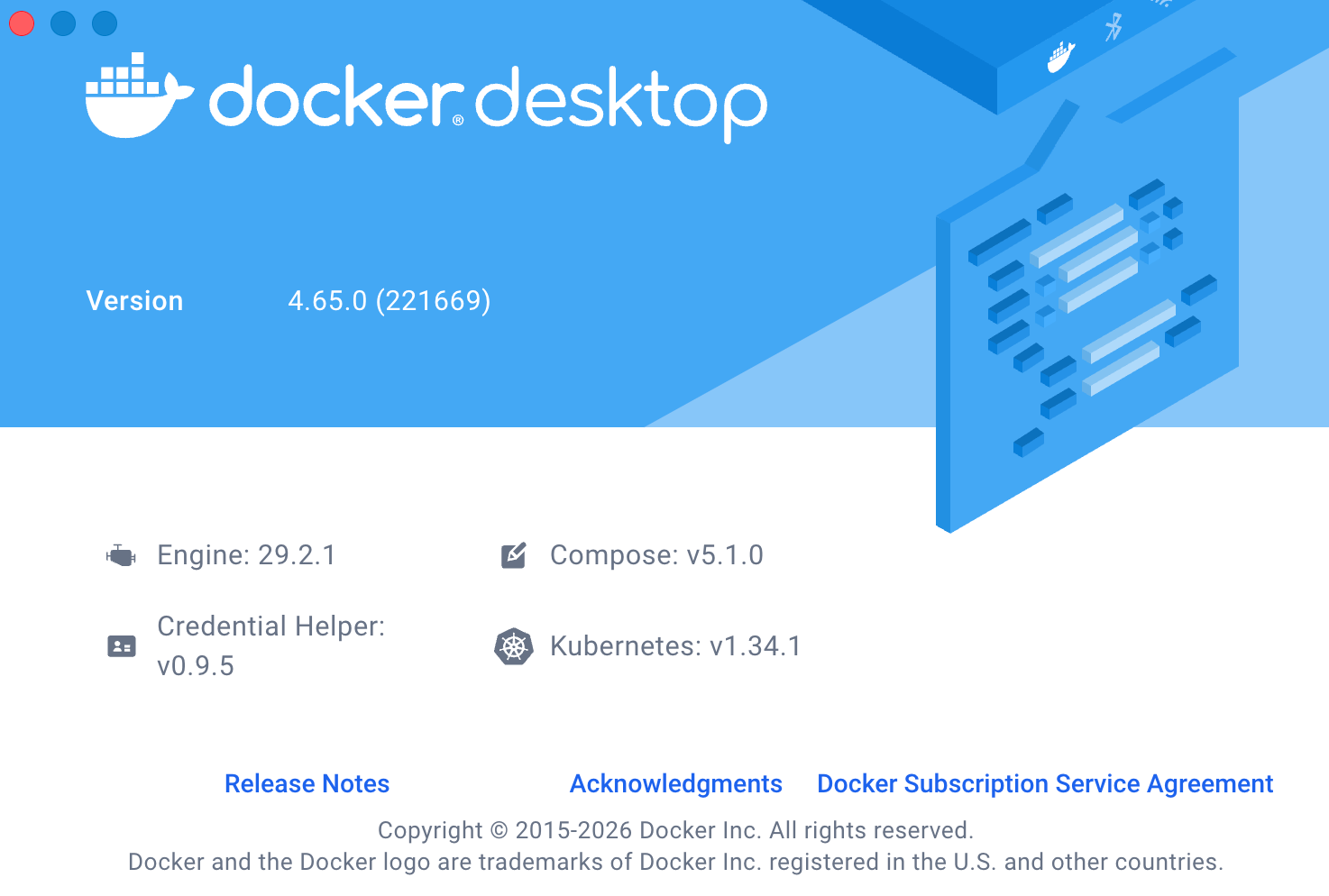
Docker Desktop (Recommended)
Upgrade to Docker Desktop 4.65.0 or later. The docker dhi plugin is included out of the box.
docker dhi --help
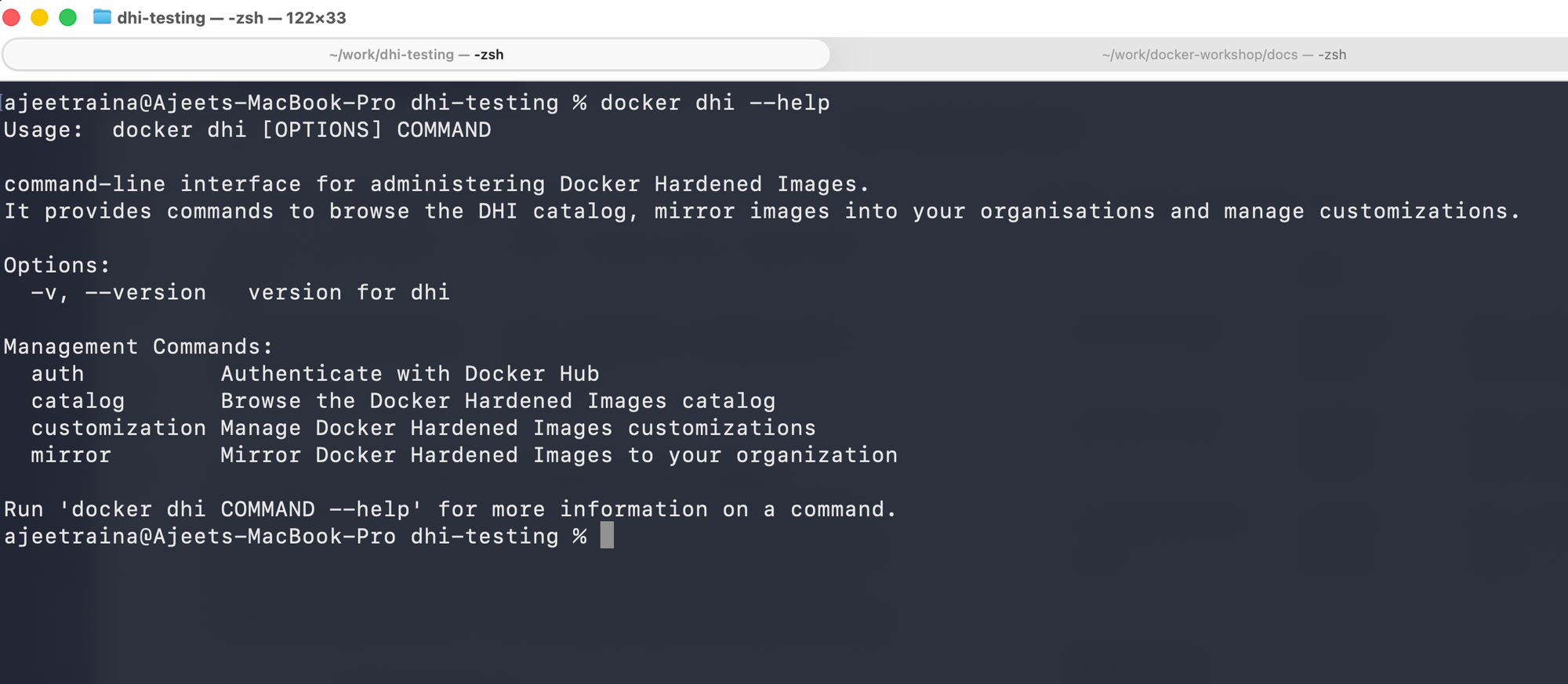
Docker CLI Plugin (Manual)
Download the binary from the releases page, rename it, and place it in the plugins directory.
Linux / macOS:
mv dhictl-linux-amd64 $HOME/.docker/cli-plugins/docker-dhi
chmod +x $HOME/.docker/cli-plugins/docker-dhi
docker dhi --help
Windows:
Move-Item dhictl.exe "$env:USERPROFILE\.docker\cli-plugins\docker-dhi.exe"
docker dhi --help
Auto-update Notifications
When a new version of dhictl is available, the CLI will notify you after each command:
A new version of dhictl is available: v0.0.1 → v0.0.2
To upgrade, download the latest release from:
  https://github.com/docker-hardened-images/dhictl/releases/latest
To disable this notice:
# Via environment variable
export DHI_NO_UPDATE_NOTIFIER=1

# Or via config file
echo "disable_update_notifier: true" >> ~/.config/dhictl/config.yaml
Configuration
Before running commands, configure your Docker Hub organization and API token.
Config File Location
| Platform | Path |
|---|---|
| Linux / macOS | $HOME/.config/dhictl/config.yaml |
| Windows | %USERPROFILE%\.config\dhictl\config.yaml |
| XDG override | $XDG_CONFIG_HOME/dhictl/config.yaml |
Config File Example
org: my-dockerhub-org
api_token: dckr_pat_xxxxxxxxxxxx
disable_update_notifier: true
Environment Variables
Environment variables take precedence over the config file.
| Variable | Description |
|---|---|
DHI_ORG |
Default Docker Hub organization |
DHI_API_TOKEN |
Docker token (generate in Docker Hub settings) |
DHI_NO_UPDATE_NOTIFIER |
Set to 1 to disable update notices |
export DHI_ORG=my-org
export DHI_API_TOKEN=dckr_pat_xxxxxxxxxxxx
Built-in Help
Every command supports the --help flag.
docker dhi --help
docker dhi --version
docker dhi auth --help
docker dhi catalog --help
docker dhi mirror --help
docker dhi customization --help
docker dhi customization build --help
Auth Commands 🟣 DHI Enterprise
Generate authentication credentials for the enterprise hardened package repository. Used when configuring your package manager to install compliance-specific packages in your own images.
docker dhi auth --help
Create APK Authentication Details
docker dhi auth apk
For more options:
docker dhi auth apk --help
See Use hardened packages for full setup instructions.
Catalog Commands 🟢 All Tiers
Browse the full catalog of available Docker Hardened Images and their metadata.
docker dhi catalog --help
List All Images
docker dhi catalog list
Output columns: REPOSITORY, TYPE, DESCRIPTION, FIPS, STIG, MIRRORED
Filter by Type
docker dhi catalog list --type image
docker dhi catalog list --type helm-chart
Filter by Name
docker dhi catalog list --filter golang
docker dhi catalog list --filter nginx
docker dhi catalog list --filter postgres
Show FIPS-Compliant Images Only
docker dhi catalog list --fips
JSON Output
docker dhi catalog list --json
Get Details of a Specific Image
Returns available tags, CVE counts, platforms, distributions, and metadata.
docker dhi catalog get <image-name>
Supported name formats:
docker dhi catalog get golang
docker dhi catalog get dhi/golang
docker dhi catalog get dhi.io/golang
Example output includes:
- FIPS Compliant, STIG Certified, ELS Available flags
- Platforms:
linux/amd64,linux/arm64 - Distributions:
alpine 3.22,debian 12, etc. - CVE counts per tag: CRITICAL / HIGH / MEDIUM / LOW / TOTAL
docker dhi catalog get --json dhi/golang
Mirror Commands 🔵 DHI Select & Enterprise
Mirror DHI images from Docker's registry to your own Docker Hub organization.
docker dhi mirror --help
Start Mirroring Images
The source namespace defaults to dhi when not specified. The destination namespace defaults to your configured org.
Supported formats:
# Auto-generate destination as <org>/dhi-<name>
docker dhi mirror start --org my-org golang

# Explicit source and destination
docker dhi mirror start --org my-org dhi/golang,my-org/dhi-golang

# Mirror multiple images at once
docker dhi mirror start --org my-org \
  dhi/golang,my-org/dhi-golang \
  dhi/nginx,my-org/dhi-nginx \
  dhi/prometheus-chart,my-org/dhi-prometheus-chart

# Also mirror any existing dependencies
docker dhi mirror start --org my-org --dependencies golang
Flags:
| Flag | Description |
|---|---|
-d, --dependencies |
Also mirror any existing dependencies |
--json |
Output in JSON format |
--org string |
Docker Hub organization |
List Mirrored Images
docker dhi mirror list --org my-org

# Filter by type
docker dhi mirror list --org my-org --type image
docker dhi mirror list --org my-org --type helm-chart

# Filter by name
docker dhi mirror list --org my-org --filter dhi-python

# JSON output
docker dhi mirror list --org my-org --json
Flags:
| Flag | Description |
|---|---|
-f, --filter string |
Filter by repository name (partial match) |
--type string |
Filter by type: image or helm-chart |
--json |
Output in JSON format |
--org string |
Docker Hub organization |
Stop Mirroring
# Stop mirroring a single repository
docker dhi mirror stop --org my-org dhi-golang

# Stop mirroring using fully qualified name
docker dhi mirror stop --org my-org my-org/dhi-golang

# Stop mirroring multiple repositories
docker dhi mirror stop --org my-org dhi-python dhi-golang dhi-node

# Stop and delete the repository
docker dhi mirror stop --org my-org dhi-golang --delete

# Stop and delete without confirmation
docker dhi mirror stop --org my-org dhi-golang --delete --force

# Stop all matching a filter (using shell substitution)
docker dhi mirror stop \
  $(docker dhi mirror list --org my-org --filter golang --json | jq -r '.[].repository') \
  --org my-org
Flags:
| Flag | Description |
|---|---|
--delete |
Delete the repositories after stopping mirroring |
-f, --force |
Skip confirmation prompt when deleting |
--org string |
Docker Hub organization |
Customization Commands 🔵 DHI Select & Enterprise
Create and manage customized variants of DHI base images — add packages, set environment variables, and more.
docker dhi customization --help
Prepare a Customization Scaffold
Generate a YAML scaffold from a DHI base image tag. Edit this before creating.
docker dhi customization prepare <dhi-repository> <tag>
Supported repository formats:
docker dhi customization prepare golang 1.25 ...
docker dhi customization prepare dhi/golang 1.25 ...
docker dhi customization prepare dhi.io/golang 1.25 ...
Full example:
docker dhi customization prepare --org my-org golang 1.25 \
  --destination my-org/dhi-golang \
  --name "golang with git" \
  --output my-customization.yaml
If --output is omitted, the YAML is printed to stdout.
Flags:
| Flag | Description |
|---|---|
-d, --destination string |
Destination repository (e.g. myorg/dhi-golang) |
-n, --name string |
Name for the customization |
-o, --output string |
Output file path (omit to print to stdout) |
--org string |
Docker Hub organization |
Create a Customization
docker dhi customization create --org my-org my-customization.yaml
Flags:
| Flag | Description |
|---|---|
-d, --destination string |
Override destination repository |
-n, --name string |
Override customization name |
-t, --tag-definition-id string |
Override the tag definition ID |
--json |
Output in JSON format |
--org string |
Docker Hub organization |
List Customizations
docker dhi customization list --org my-org

# Filter by name
docker dhi customization list --org my-org --filter "golang with git"

# Filter by destination repo
docker dhi customization list --org my-org --repo dhi-golang

# Filter by DHI source repo
docker dhi customization list --org my-org --source golang

# JSON output
docker dhi customization list --org my-org --json
Flags:
| Flag | Description |
|---|---|
-f, --filter string |
Filter by name (case-insensitive substring) |
-r, --repo string |
Filter by destination repository |
--source string |
Filter by DHI source repository |
--json |
Output in JSON format |
--org string |
Docker Hub organization |
Get a Customization
Retrieves the customization YAML by its ID (not name).
docker dhi customization get <customization-id>

# Save to file
docker dhi customization get <customization-id> --output my-customization.yaml
Flags:
| Flag | Description |
|---|---|
-o, --output string |
Output file path (omit to print to stdout) |
--org string |
Docker Hub organization |
Update a Customization
The YAML file must contain an id field to identify which customization to update.
# Step 1: Export current customization
docker dhi customization get <customization-id> --output my-customization.yaml

# Step 2: Edit the YAML file

# Step 3: Apply the update (also aliased as 'update')
docker dhi customization edit --org my-org my-customization.yaml
Flags:
| Flag | Description |
|---|---|
--json |
Output in JSON format |
--org string |
Docker Hub organization |
Delete a Customization
Delete uses the customization ID, not name. Supports multiple IDs at once.
# Delete a single customization
docker dhi customization delete <customization-id>

# Delete multiple customizations
docker dhi customization delete <id1> <id2> <id3>

# Delete without confirmation
docker dhi customization delete <id> --force
Flags:
| Flag | Description |
|---|---|
-f, --force |
Skip confirmation prompt |
--org string |
Docker Hub organization |
Customization Build Commands 🔵 DHI Select & Enterprise
Monitor the status and logs of your customization builds. Build commands use the customization ID.
docker dhi customization build --help
List Builds
docker dhi customization build list <customization-id> --org my-org

# JSON output
docker dhi customization build list <customization-id> --org my-org --json
Get Build Details
docker dhi customization build get <customization-id> <build-id> --org my-org

# JSON output
docker dhi customization build get <customization-id> <build-id> --org my-org --json
View Build Logs
docker dhi customization build logs <customization-id> <build-id> --org my-org

# JSON output
docker dhi customization build logs <customization-id> <build-id> --org my-org --json
Quick Reference Summary
| Command | Tier | Description |
|---|---|---|
docker dhi auth apk |
🟣 Enterprise | Create APK auth for enterprise package repos |
docker dhi catalog list |
🟢 All | List all available DHI images |
docker dhi catalog list --filter <n> |
🟢 All | Filter catalog by name |
docker dhi catalog list --type <type> |
🟢 All | Filter by type (image or helm-chart) |
docker dhi catalog list --fips |
🟢 All | Show FIPS-compliant images only |
docker dhi catalog list --json |
🟢 All | JSON output |
docker dhi catalog get <image> |
🟢 All | Get tags, CVE counts, and metadata |
docker dhi mirror start --org <org> <src>,<dst> |
🔵 Select+ | Start mirroring a DHI image |
docker dhi mirror start --org <org> --dependencies <image> |
🔵 Select+ | Mirror image + dependencies |
docker dhi mirror list --org <org> |
🔵 Select+ | List mirrored images |
docker dhi mirror stop --org <org> <repo> |
🔵 Select+ | Stop mirroring |
docker dhi mirror stop --org <org> <repo> --delete |
🔵 Select+ | Stop mirroring and delete repo |
docker dhi customization prepare <image> <tag> |
🔵 Select+ | Generate a YAML scaffold |
docker dhi customization create --org <org> <file> |
🔵 Select+ | Create customization from YAML |
docker dhi customization list --org <org> |
🔵 Select+ | List all customizations |
docker dhi customization get <id> |
🔵 Select+ | Export customization YAML by ID |
docker dhi customization edit --org <org> <file> |
🔵 Select+ | Update existing customization |
docker dhi customization delete <id> |
🔵 Select+ | Delete customization by ID |
docker dhi customization build list <cust-id> |
🔵 Select+ | List builds for a customization |
docker dhi customization build get <cust-id> <build-id> |
🔵 Select+ | Get build details |
docker dhi customization build logs <cust-id> <build-id> |
🔵 Select+ | View build logs |
Global Flags
| Flag | Description |
|---|---|
--help |
Show help for any command |
--json |
Output in machine-readable JSON format |
--org string |
Specify Docker Hub organization (overrides config) |
-v, --version |
Show version of the dhi plugin |
End-to-End Workflow Example
# 1. Verify the plugin is available
docker dhi --help

# 2. Browse the catalog
docker dhi catalog list

# 3. Filter for your base image
docker dhi catalog list --filter golang

# 4. Get full details including CVE counts and available tags
docker dhi catalog get dhi/golang

# 5. Mirror the image to your Docker Hub org (DHI Select+)
docker dhi mirror start --org my-org golang

# 6. Confirm mirroring is active
docker dhi mirror list --org my-org

# 7. Prepare a customization scaffold (DHI Select+)
docker dhi customization prepare --org my-org golang 1.25 \
  --destination my-org/dhi-golang-custom \
  --name "golang with git" \
  --output my-customization.yaml

# 8. Edit my-customization.yaml to add packages/env vars

# 9. (Enterprise only) Generate APK auth if using enterprise packages
docker dhi auth apk

# 10. Create the customization
docker dhi customization create --org my-org my-customization.yaml

# 11. Get the customization ID from the list
docker dhi customization list --org my-org --json

# 12. Monitor the build using the customization ID
docker dhi customization build list <customization-id> --org my-org

# 13. View build logs
docker dhi customization build logs <customization-id> <build-id> --org my-org