Docker Model Runner Now Supports Anthropic Messages API Format
Develop with Anthropic SDK locally, deploy to Claude in production

Docker Model Runner (DMR) now supports the Anthropic Messages API format. This means you can use the Anthropic Python/TypeScript SDK against local open-source models during development, then seamlessly switch to Claude in production.
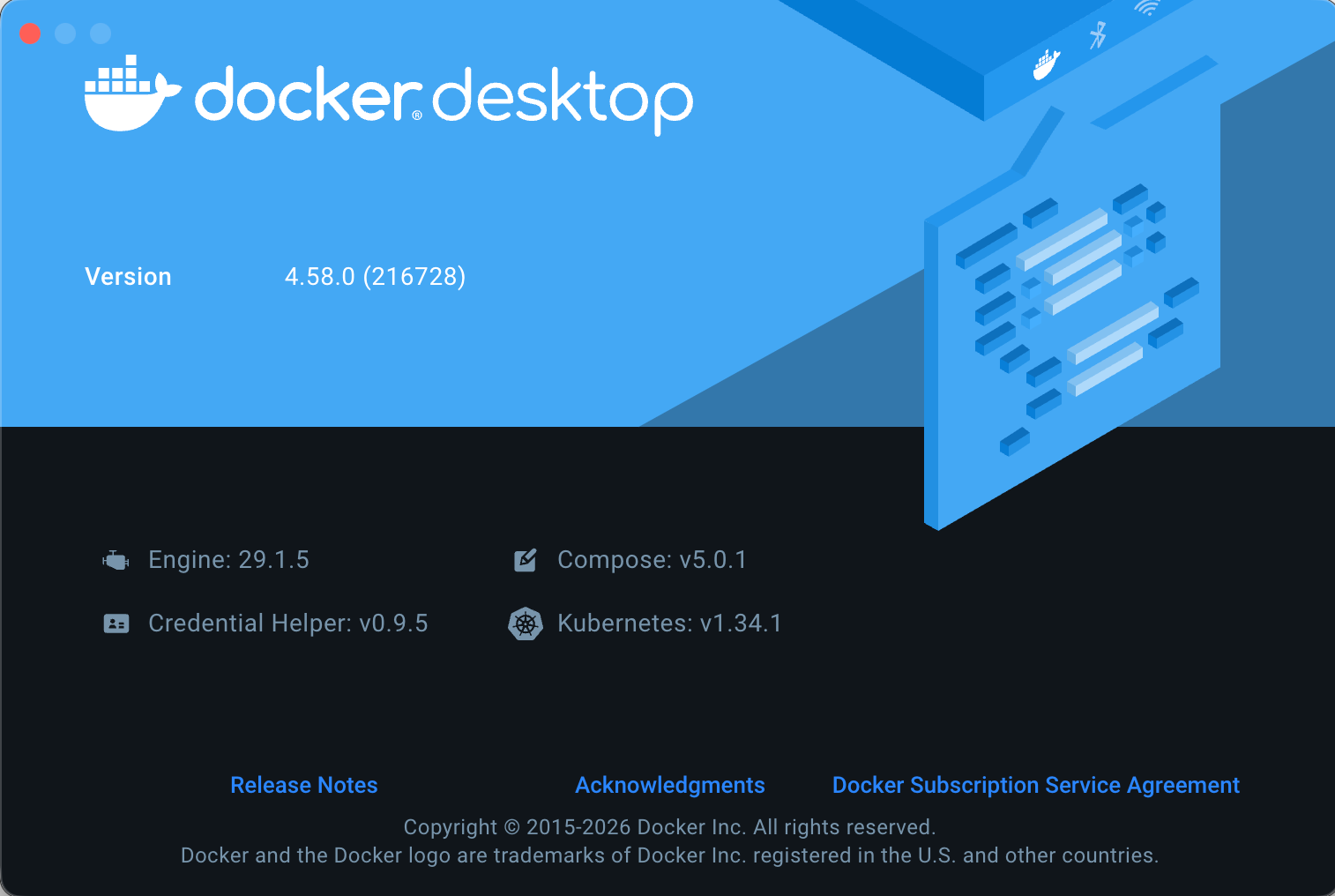
Minimum Requirement: Docker Desktop 4.58.0 or later
What This Is (And Isn't)
Let me be clear upfront about what this feature provides.
This is NOT:
- Running Claude, Opus, or Sonnet models locally
- Access to Anthropic's proprietary model weights
- A way to use Claude for free
This IS:
- Anthropic Messages API format compatibility
- Ability to use Anthropic SDKs against local open-source models
- A development workflow that mirrors your production Claude setup
| DMR Provides | DMR Does NOT Provide |
|---|---|
Anthropic API format (/v1/messages) |
Claude/Opus/Sonnet/Haiku models |
| Same request/response structure as Claude | Anthropic's proprietary weights |
| Anthropic SDK compatibility | Claude's specific capabilities |
| Local open-source models (Mistral, Llama, etc.) | Cloud-only Anthropic models |
Think of it like this: DMR speaks the same "language" as Claude's API, but the "brain" behind it is an open-source model running on your machine.
Why API Format Compatibility Matters
Here's the typical development workflow without DMR:
Write code → Call Claude API → Pay per request → Debug → Repeat
                   ↓
            $$$$ adds up fast
With DMR's Anthropic-compatible API:
Write code → Call local model (free) → Debug → Perfect your prompts
                                                      ↓
                                          Deploy → Call Claude API (production)
The key benefit: Your code uses the Anthropic SDK throughout. When you're ready for production, you only change the base_url – everything else stays identical.
Verified Endpoints
I tested these endpoints on Docker Desktop 4.58.0:
| Endpoint | Method | Description | Status |
|---|---|---|---|
/v1/messages |
POST | Create a message (chat completions) | ✅ Verified |
/v1/messages/count_tokens |
POST | Count tokens before sending | ✅ Verified |
Getting Started
Prerequisites
- Docker Desktop 4.58.0 or later (critical for Anthropic API support)
- Model Runner enabled with TCP access
Enable Model Runner
# Enable Model Runner with TCP access
docker desktop enable model-runner --tcp 12434

# Verify it's running
curl http://localhost:12434/models
Pull an Open-Source Model
Since we can't run Claude locally, we use capable open-source alternatives:
# Pull a local model to use during development
docker model pull ai/mistral      # Good all-rounder, 7B params
docker model pull ai/llama3.2     # Meta's latest, 3B params
docker model pull ai/qwen3        # Strong reasoning, 8B params
Using the Anthropic-Compatible API
Basic Message Request
curl http://localhost:12434/v1/messages \
  -H "Content-Type: application/json" \
  -d '{
    "model": "ai/mistral",
    "max_tokens": 1024,
    "messages": [
      {"role": "user", "content": "Explain Docker containers in simple terms"}
    ]
  }'
Response (Anthropic format):
{
  "id": "chatcmpl-PZCqL5nuw1Dm2h9JE85GAPQ2mT3UW3NZ",
  "type": "message",
  "role": "assistant",
  "content": [
    {
      "type": "text",
      "text": "Hello! How can I help you today?..."
    }
  ],
  "model": "model.gguf",
  "stop_reason": "end_turn",
  "usage": {
    "input_tokens": 5,
    "output_tokens": 65
  }
}
Notice the response follows Anthropic's format with content as an array of content blocks, stop_reason, and usage with input_tokens/output_tokens.
Token Counting
Before sending large prompts, count tokens to stay within limits:
curl http://localhost:12434/v1/messages/count_tokens \
  -H "Content-Type: application/json" \
  -d '{
    "model": "ai/mistral",
    "messages": [
      {"role": "user", "content": "Your long prompt here..."}
    ]
  }'
Response:
{"input_tokens": 5}
Using the Anthropic Python SDK
Here's where it gets powerful – using the official Anthropic SDK:
import anthropic

# Point the SDK at Docker Model Runner (development)
client = anthropic.Anthropic(
    base_url="http://localhost:12434",
    api_key="not-needed"  # DMR doesn't require authentication
)

message = client.messages.create(
    model="ai/mistral",  # Local open-source model
    max_tokens=1024,
    messages=[
        {"role": "user", "content": "What is Docker?"}
    ]
)

print(message.content[0].text)
The Development-to-Production Switch
Here's the workflow in action:
import os
import anthropic

def get_client():
    """
    Development: Use local model via DMR (free, offline)
    Production: Use Claude via Anthropic API (paid, cloud)
    """
    if os.getenv("ENVIRONMENT") == "production":
        # Production: Real Claude
        return anthropic.Anthropic(
            api_key=os.getenv("ANTHROPIC_API_KEY")
        ), "claude-sonnet-4-20250514"
    else:
        # Development: Local model via DMR
        return anthropic.Anthropic(
            base_url="http://localhost:12434",
            api_key="not-needed"
        ), "ai/mistral"

client, model = get_client()

# This code works identically in both environments!
response = client.messages.create(
    model=model,
    max_tokens=1024,
    messages=[
        {"role": "user", "content": "Analyze this code for security issues..."}
    ]
)

print(response.content[0].text)
What changes between dev and prod:
base_url: localhost:12434 → api.anthropic.comapi_key: not-needed → your real API keymodel: ai/mistral → claude-sonnet-4-20250514
What stays the same:
- All your application code
- Request/response handling
- Error handling patterns
- SDK methods and parameters
Multi-Turn Conversations
The Messages API format naturally supports conversations:
import anthropic

client = anthropic.Anthropic(
    base_url="http://localhost:12434",
    api_key="not-needed"
)

conversation = []

def chat(user_message):
    conversation.append({"role": "user", "content": user_message})

    response = client.messages.create(
        model="ai/mistral",
        max_tokens=1024,
        messages=conversation
    )

    assistant_message = response.content[0].text
    conversation.append({"role": "assistant", "content": assistant_message})

    return assistant_message

# Develop and test your conversation flow locally
print(chat("What is Kubernetes?"))
print(chat("How does it relate to Docker?"))
print(chat("Give me a simple example"))
Streaming Responses
For real-time output:
import anthropic

client = anthropic.Anthropic(
    base_url="http://localhost:12434",
    api_key="not-needed"
)

with client.messages.stream(
    model="ai/mistral",
    max_tokens=1024,
    messages=[{"role": "user", "content": "Write a haiku about containers"}]
) as stream:
    for text in stream.text_stream:
        print(text, end="", flush=True)
From Container Context
When calling from within a Docker container:
client = anthropic.Anthropic(
    base_url="http://model-runner.docker.internal",
    api_key="not-needed"
)
For Compose projects, add this to your service:
services:
  myapp:
    image: myapp:latest
    extra_hosts:
      - "model-runner.docker.internal:host-gateway"
    environment:
      - ANTHROPIC_BASE_URL=http://model-runner.docker.internal
Practical Example: Code Review Agent
Here's a complete example showing the dev/prod pattern:
import os
import anthropic
from dataclasses import dataclass

@dataclass
class ModelConfig:
    client: anthropic.Anthropic
    model: str

def get_config() -> ModelConfig:
    """Configure based on environment"""
    if os.getenv("USE_CLAUDE", "false").lower() == "true":
        print("🌐 Using Claude (production mode)")
        return ModelConfig(
            client=anthropic.Anthropic(),
            model="claude-sonnet-4-20250514"
        )
    else:
        print("🏠 Using local model via DMR (development mode)")
        return ModelConfig(
            client=anthropic.Anthropic(
                base_url="http://localhost:12434",
                api_key="not-needed"
            ),
            model="ai/mistral"
        )

config = get_config()

def review_code(code: str) -> str:
    """Review code for issues - works with both local and Claude"""
    response = config.client.messages.create(
        model=config.model,
        max_tokens=2048,
        system="You are a senior code reviewer. Identify bugs, security issues, and suggest improvements.",
        messages=[
            {"role": "user", "content": f"Review this code:\n\n```\n{code}\n```"}
        ]
    )
    return response.content[0].text

# Test locally with vulnerable code
result = review_code("""
def login(username, password):
    query = f"SELECT * FROM users WHERE username='{username}' AND password='{password}'"
    return db.execute(query)
""")
print(result)
Run in development:
python code_review.py
# 🏠 Using local model via DMR (development mode)
Run in production:
USE_CLAUDE=true ANTHROPIC_API_KEY=sk-ant-... python code_review.py
# 🌐 Using Claude (production mode)
OpenAI vs Anthropic Format: Which to Use?
DMR now supports both API formats:
Use OpenAI Format (/engines/v1/...) |
Use Anthropic Format (/v1/messages) |
|---|---|
| Production uses OpenAI/GPT | Production uses Claude |
| Using LangChain with OpenAI defaults | Using Anthropic SDK directly |
| Existing OpenAI-based codebase | Building new Claude-first apps |
| Need OpenAI-style function calling | Using Messages API patterns |
You can use both simultaneously in different parts of your application.
Model Recommendations for Development
When developing locally as a stand-in for Claude:
| Model | Size | Best For |
|---|---|---|
ai/mistral |
7B | General purpose, good instruction following |
ai/llama3.2 |
3B | Lightweight, fast iteration |
ai/qwen3 |
8B | Strong reasoning capabilities |
Keep in mind: Local models won't match Claude's capabilities exactly. Use them for:
- ✅ Testing API integration
- ✅ Developing conversation flows
- ✅ Iterating on prompts
- ✅ Offline development
- ⚠️ Not for evaluating final output quality (test that with real Claude)
Version Requirements
| Feature | Minimum Docker Desktop Version |
|---|---|
| OpenAI-compatible API | 4.40+ |
| Anthropic-compatible API | 4.58.0+ |
To check your version:
docker version
To update Docker Desktop, download the latest version from docker.com/products/docker-desktop.
Performance Tips
- Enable GPU: Turn on GPU support in Docker Desktop for 10-20x faster inference
- Right-size models: 7B models run well on 16GB RAM; larger models need more
- First request is slow: Model loads into memory on first request (10-30 seconds)
- Use streaming: Better UX during development
Summary
Docker Model Runner's Anthropic-compatible API enables:
✅ Develop locally with Anthropic SDK against free, open-source models
✅ Deploy to Claude by changing only base_url and api_key
✅ Same code works in both environments
✅ Save money during development and testing
✅ Work offline without internet dependency
Remember: This is API format compatibility, not Claude-in-a-box. You get the development workflow benefits while production still uses the real Claude for its superior capabilities.
Quick Start
# 1. Ensure Docker Desktop 4.58.0+ is installed
docker version

# 2. Enable Model Runner with TCP
docker desktop enable model-runner --tcp 12434

# 3. Pull a model
docker model pull ai/mistral

# 4. Test the Anthropic-compatible endpoint
curl http://localhost:12434/v1/messages \
  -H "Content-Type: application/json" \
  -d '{
    "model": "ai/mistral",
    "max_tokens": 100,
    "messages": [{"role": "user", "content": "Hello from DMR!"}]
  }'
Have questions? Join the Collabnix community or connect on Twitter @ajeetsraina.