How to Run OpenClaw (Moltbot) on NVIDIA Jetson Thor with Docker Model Runner -Your Private AI Assistant at the Edge
Learn how to set up OpenClaw - the open-source AI assistant with 180K+ GitHub stars on NVIDIA Jetson Thor using Docker Model Runner for fully local, private LLM inference.

TL;DR
In this hands-on tutorial, you'll set up OpenClaw - the viral open-source personal AI assistant with 180K+ GitHub stars (formerly known as Clawdbot/Moltbot) - on an NVIDIA Jetson AGX Thor developer kit, powered by Docker Model Runner for local LLM inference. By the end, you'll have an always-on, private AI assistant running 8B–30B parameter models locally, accessible via Telegram, WhatsApp, or Discord - all within a 130W power envelope. No cloud. No API costs. Full privacy. Pure Docker.
What is OpenClaw?
If you haven't heard of it yet, OpenClaw is the project that broke the internet in late-Jan 2026. Built by Austrian developer Peter Steinberger (@steipete), it started as "Clawdbot" - a personal AI assistant he built to manage his own digital life. After a trademark challenge from Anthropic (the name was too close to "Claude"), it was briefly renamed to Moltbot and finally settled on OpenClaw. The lobster mascot stayed. 🦞
Here's why developers are obsessed with it:
- It actually does things - manages emails, automates browsers, controls calendars, books flights, and runs shell commands autonomously
- Persistent memory - unlike ChatGPT or Claude, it remembers your preferences, past conversations, and ongoing projects across sessions
- Multi-channel - talk to it via WhatsApp, Telegram, Slack, Discord, Signal, iMessage, or Microsoft Teams
- Self-hosted - runs on your hardware, your network, your rules
- Model-agnostic - use Claude, GPT, or run fully local models for zero API costs
Think of it as having a chief of staff that never sleeps - running 24/7 on dedicated hardware.
Why Docker Model Runner (Not Ollama)?
While most OpenClaw guides use Ollama for local inference, we're going with Docker Model Runner (DMR) - and here's why:
- Built into Docker - DMR is a native Docker CLI plugin (
docker model), available in both Docker Desktop (Mac/Windows) and Docker Engine (Linux). On Jetson Thor, install viasudo apt-get install docker-model-plugin - OpenAI, Anthropic, AND Ollama-compatible APIs - DMR exposes endpoints compatible with all three API formats on
localhost:12434. OpenClaw can connect to any of them. - Multiple inference engines - Choose between llama.cpp (default, works everywhere), vLLM (high-throughput production), or Diffusers (image generation). On Jetson Thor, the llama.cpp backend handles GGUF models natively.
- OCI Artifact packaging - Models are first-class citizens in Docker. Pull them like images, push them to registries, version them, share them with your team.
- Docker Compose integration - Models can be declared alongside your services in
docker-compose.yml. No sidecar containers or separate orchestration needed.
If you're already living in the Docker ecosystem (and if you're reading Collabnix, you probably are), DMR keeps everything in one workflow.
Why Jetson Thor?
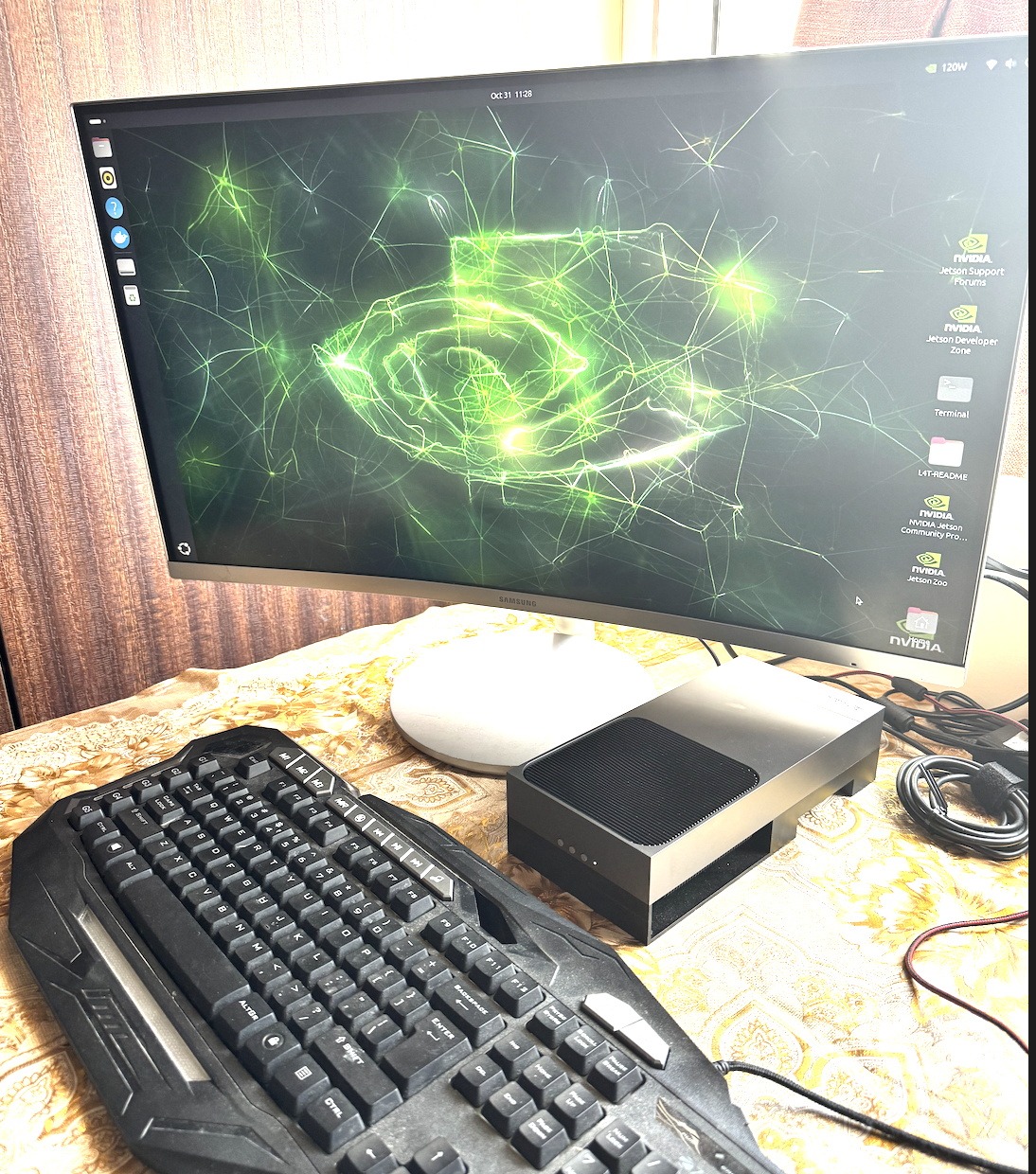
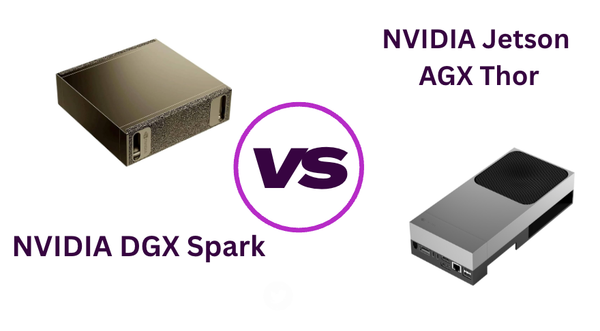
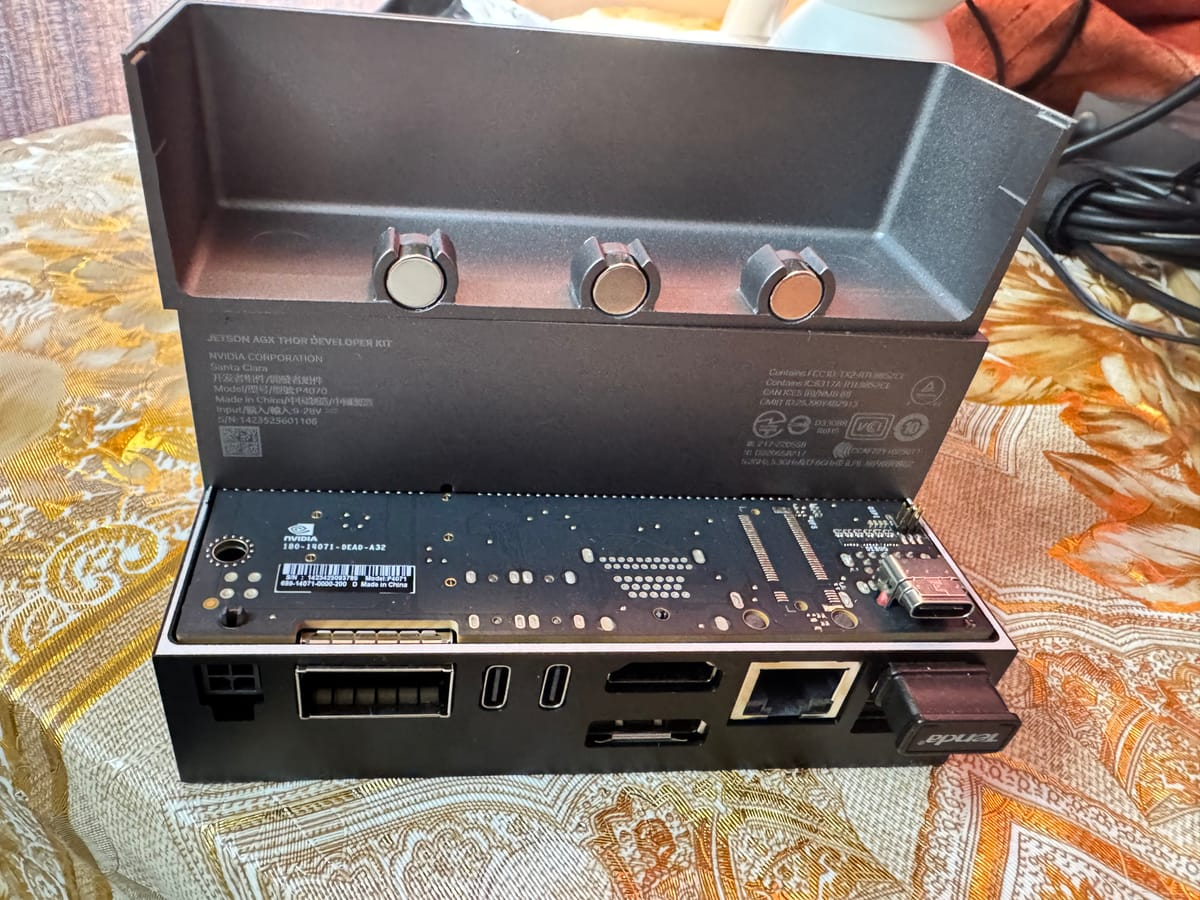
The NVIDIA Jetson AGX Thor is NVIDIA's latest edge AI supercomputer, powered by the Blackwell GPU architecture. Here's why it's the ultimate hardware for OpenClaw:
| Spec | Jetson Orin Nano | Jetson AGX Orin | Jetson AGX Thor |
|---|---|---|---|
| AI Compute | 67 TOPS | 275 TOPS | 2,070 FP4 TFLOPS |
| Memory | 8 GB | 64 GB | 128 GB |
| Power | 15W | 60W | 40–130W |
| Max Model Size | ~8B params | ~34B params | 120B+ params (quantized) |
| Price | €399 | ~$1,999 | $3,499 |
| OS | Ubuntu 20.04 | Ubuntu 22.04 | Ubuntu 24.04 |
The 128 GB of shared CPU/GPU memory is the game-changer. While the Orin Nano struggles with anything beyond 8B models, Jetson Thor can comfortably run models like Qwen3 Coder 30B or even GPT-OSS - the same class of models that typically require data center GPUs like the NVIDIA H200.
For OpenClaw, this means your AI assistant doesn't just respond with generic answers - it reasons, plans, and executes complex multi-step tasks with the intelligence of a frontier model, entirely on-device.
Prerequisites
Before we begin, make sure you have:
- NVIDIA Jetson AGX Thor Developer Kit (with JetPack 7.0/7.1 installed)
- Power supply and ethernet/WiFi connectivity
- A Telegram account (we'll use this as the primary channel)
- SSH access to your Jetson Thor (or a monitor + keyboard)
- Basic familiarity with Docker CLI
If you haven't set up your Jetson Thor yet, check out my earlier guide: Getting Started with NVIDIA Jetson AGX Thor Developer Kit.
Step 1: Verify Your Jetson Thor Environment
SSH into your Jetson Thor and verify the basics:
# Check Ubuntu version (should be 24.04)
lsb_release -a

# Verify GPU is detected
nvidia-smi

# Check available memory (should show ~128 GB)
free -h
Here's the actual output from my Jetson Thor:
ajeetraina@ajeetraina:~$ nvidia-smi
Sat Feb 14 20:52:21 2026
+-----------------------------------------------------------------------------------------+
| NVIDIA-SMI 580.00                 Driver Version: 580.00         CUDA Version: 13.0     |
+-----------------------------------------+------------------------+----------------------+
| GPU  Name                 Persistence-M | Bus-Id          Disp.A | Volatile Uncorr. ECC |
| Fan  Temp   Perf          Pwr:Usage/Cap |           Memory-Usage | GPU-Util  Compute M. |
|                                         |                        |               MIG M. |
|=========================================+========================+======================|
|   0  NVIDIA Thor                    Off |   00000000:01:00.0 Off |                  N/A |
| N/A   N/A  N/A             N/A  /  N/A  | Not Supported          |      0%      Default |
|                                         |                        |             Disabled |
+-----------------------------------------+------------------------+----------------------+
+-----------------------------------------------------------------------------------------+
| Processes:                                                                              |
|  GPU   GI   CI              PID   Type   Process name                        GPU Memory |
|        ID   ID                                                               Usage      |
|=========================================================================================|
|    0   N/A  N/A            4806      G   /usr/lib/xorg/Xorg                        0MiB |
|    0   N/A  N/A            5016      G   /usr/bin/gnome-shell                      0MiB |
|    0   N/A  N/A            7797      G   ...ess --variations-seed-version          0MiB |
+-----------------------------------------------------------------------------------------+
And the memory — 122 Gi total with 106 Gi free, ready for some serious models:
ajeetraina@ajeetraina:~$ free -h
               total        used        free      shared  buff/cache   available
Mem:           122Gi       5.5Gi       106Gi        83Mi        12Gi       117Gi
Swap:             0B          0B          0B
With 117 Gi available, we can comfortably load even the largest open-source models.
Note: You'll noticeMemory-Usageshows "Not Supported" innvidia-smi. This is expected on Jetson Thor because it uses a unified memory architecture - the 122 Gi is shared between CPU and GPU. Unlike discrete GPUs with separate VRAM, Jetson Thor's Blackwell GPU can access the full pool of memory. Usefree -h(notnvidia-smi) to monitor memory usage.
Step 2: Set Up Docker with GPU Support
JetPack 7.0+ includes Docker support, but we need NVIDIA Container Toolkit properly configured:
# Install NVIDIA Container Toolkit
sudo apt-get update
sudo apt install -y nvidia-container curl

curl -fsSL https://get.docker.com -o get-docker.sh
sudo sh get-docker.sh
sudo apt-get install docker-model-plugin

# Configure NVIDIA runtime
sudo nvidia-ctk runtime configure --runtime=docker

# Set NVIDIA as default runtime
sudo apt install -y jq
sudo jq '. + {"default-runtime": "nvidia"}' /etc/docker/daemon.json | \
  sudo tee /etc/docker/daemon.json.tmp && \
  sudo mv /etc/docker/daemon.json.tmp /etc/docker/daemon.json

# Restart Docker
sudo systemctl daemon-reload && sudo systemctl restart docker

# Add yourself to docker group
sudo usermod -aG docker $USER
newgrp docker

# Verify GPU access inside Docker
docker run --rm --runtime=nvidia --gpus all ubuntu:24.04 nvidia-smi
You should see NVIDIA Thor as the GPU name in the output. Docker + GPU is ready.
Step 3: Set Up Docker Model Runner
Docker Model Runner is available as a CLI plugin for Docker Engine. On Jetson Thor, we use the docker-model-plugin package (Docker Desktop doesn't support ARM64 Jetson — see Prerequisites). Let's verify and start it
# Check Docker version
docker --version

# Check Model Runner version
sudo docker model version
Here's what I see on my Thor:
ajeetraina@ajeetraina:~$ docker --version
Docker version 28.5.1, build e180ab8
ajeetraina@ajeetraina:~$ sudo docker model version
Docker Model Runner version v0.1.44
Docker Engine Kind: Docker Engine
# Start Model Runner on the default port (12434)
sudo docker model start --port 12434

# Verify it's running
sudo docker model status
Enable GPU Acceleration
On Mac (Apple Silicon), Docker Model Runner uses Metal for GPU acceleration automatically - no extra steps needed. On Linux (including Jetson Thor), you need to explicitly enable CUDA support (reference).
We already configured the NVIDIA runtime as the default in Step 2. Now reinstall Model Runner with CUDA:
docker model reinstall-runner --gpu cuda
This pulls the CUDA-enabled version (docker/model-runner:latest-cuda) instead of the CPU-only default. Simply configuring the Docker daemon is not enough - the runner container itself needs to be the CUDA-enabled version.
--gpu cuda, you may still see gpuSupport=false in docker model logs. This happens because the CUDA-enabled container bundles CUDA 12.9 compatibility libraries (/usr/local/cuda-12.9/compat/libcuda.so) that shadow the host's CUDA 13.0 driver. The container's older compat libs can't talk to the newer host driver, so GPU probing fails silently.Verify GPU is working:
# Check GPU access from inside the runner
docker exec docker-model-runner nvidia-smi

# Run a model and check logs for CUDA confirmation
docker model run ai/smollm2 "Hello"
docker model logs | grep -i cuda
You should see messages like using device CUDA0 (NVIDIA Thor) and offloaded N/N layers to GPU in the logs. Without this step, inference runs on CPU only - dramatically slower (single-digit tok/s instead of 17+).
using device CUDA0 and offloaded N/N layers to GPU. On Jetson Thor, GPU inference is not yet fully functional due to the Blackwell compatibility issue described above. Inference runs on CPU, which still delivers usable performance (~17 tok/s for 3B, ~12 tok/s for 8B models) thanks to Thor's 14-core ARM Neoverse-V3AE CPU cores.Pull Models
This is where Jetson Thor's 128 GB of memory truly shines. Let's check what we already have and pull some more:
ajeetraina@ajeetraina:~$ sudo docker model list
MODEL NAME             PARAMETERS  QUANTIZATION    ARCHITECTURE  MODEL ID      CREATED        SIZE
ai/smollm2             361.82 M    IQ2_XXS/Q4_K_M  llama         354bf30d0aa3  10 months ago  256.35 MiB
ai/llama3.2:3B-Q4_K_M  3.21 B      IQ2_XXS/Q4_K_M  llama         436bb282b419  10 months ago  1.87 GiB
We have SmolLM2 (361M) and Llama 3.2 3B already. But Thor can handle much bigger models - and OpenClaw needs them. Let's pull the recommended models:
# Recommended starting model — great balance of speed and intelligence
sudo docker model pull ai/qwen3:8B-Q4_K_M

# A powerful coding agent model (Qwen3 Coder — MoE: 30B total, 3B active)
sudo docker model pull ai/qwen3-coder:30B-A3B-UD-Q4_K_XL

# General-purpose reasoning
sudo docker model pull ai/qwen3

# OpenAI's open-weight model
sudo docker model pull ai/gpt-oss

# List all downloaded models
sudo docker model list
Test the API
Docker Model Runner exposes an OpenAI-compatible API on port 12434. Let's verify:
ajeetraina@ajeetraina:~$ curl http://localhost:12434/engines/v1/chat/completions \
  -H 'Content-Type: application/json' \
  -d '{"model":"ai/llama3.2:3B-Q4_K_M","messages":[{"role":"user","content":"Hello! Who are you?"}]}'

{"choices":[{"finish_reason":"stop","index":0,"message":{"role":"assistant",
"content":"Hello! I'm an artificial intelligence model known as Llama. Llama
stands for \"Large Language Model Meta AI.\" I'm a computer program designed
to understand and generate human-like text."}}],
"created":1771083334,"model":"ai/llama3.2:3B-Q4_K_M",
"usage":{"completion_tokens":39,"prompt_tokens":41,"total_tokens":80},
"timings":{"prompt_per_second":26.81,"predicted_per_second":17.31}}
Docker Model Runner is live on Thor! The Llama 3.2 3B model responds at ~17 tokens/sec - and this is the smallest model we have. The Qwen3 Coder 30B MoE will be significantly more capable while still being fast thanks to its 3B active parameter design. No API keys needed.
Configure Context Size
OpenClaw has a complex system prompt (tools, personality, safety instructions). You need generous context windows - we found 64K works well:
# Set 64K context for the 8B model (recommended)
sudo docker model configure --context-size 65536 ai/qwen3:8B-Q4_K_M

# Set 32K context for the 3B model
sudo docker model configure --context-size 32768 ai/llama3.2:3B-Q4_K_M
Important: You must also setcontextWindowandmaxTokensin the OpenClaw config (Step 5) to match these values. If DMR has 64K but OpenClaw doesn't know about it, you'll get compaction loops or context overflow errors. Thor's 128 GB of shared memory can easily handle 64K+ context windows even for large models.
Set Performance Mode
To squeeze maximum inference speed out of Jetson Thor:
# Set maximum performance mode
sudo nvpmodel -m 0    # MAXN mode
sudo jetson_clocks     # Max clock speeds

# Set CPU governor to performance
echo performance | sudo tee /sys/devices/system/cpu/cpu*/cpufreq/scaling_governor
Step 4: Install OpenClaw
OpenClaw requires Node.js 22+. Since Jetson Thor runs Ubuntu 24.04, installation is straightforward - no workarounds needed (unlike the old Jetson Nano with its ancient Ubuntu 18.04 and glibc issues).
# Install Node.js 22 via NodeSource
curl -fsSL https://deb.nodesource.com/setup_22.x | sudo -E bash -
sudo apt-get install -y nodejs
Get:1 https://deb.nodesource.com/node_22.x nodistro/main arm64 nodejs arm64 22.22.0-1nodesource1 [36.8 MB]
Fetched 36.8 MB in 6s (6,577 kB/s)
Setting up nodejs (22.22.0-1nodesource1) ...
Node.js 22.22.0 on ARM64 - perfect.
Run the Onboarding Wizard
Instead of a global install, use npx to always get the latest version:
npx openclaw@latest
This downloads OpenClaw and shows the CLI. To start the interactive setup:
npx openclaw onboard
🦞 OpenClaw 2026.2.13 (203b5bd)

▄▄▄▄▄▄▄▄▄▄▄▄▄▄▄▄▄▄▄▄▄▄▄▄▄▄▄▄▄▄▄▄▄▄▄▄▄▄▄▄▄▄▄▄▄▄▄▄▄▄▄▄
██░▄▄▄░██░▄▄░██░▄▄▄██░▀██░██░▄▄▀██░████░▄▄▀██░███░██
██░███░██░▀▀░██░▄▄▄██░█░█░██░█████░████░▀▀░██░█░█░██
██░▀▀▀░██░█████░▀▀▀██░██▄░██░▀▀▄██░▀▀░█░██░██▄▀▄▀▄██
▀▀▀▀▀▀▀▀▀▀▀▀▀▀▀▀▀▀▀▀▀▀▀▀▀▀▀▀▀▀▀▀▀▀▀▀▀▀▀▀▀▀▀▀▀▀▀▀▀▀▀▀
                  🦞 OPENCLAW 🦞

┌  OpenClaw onboarding
│
◆  I understand this is powerful and inherently risky. Continue?
│  Yes
│
◆  Onboarding mode
│  ● QuickStart
The wizard walks you through:
- Security warning - OpenClaw takes security seriously. Read the warning before proceeding
- Channel selection - choose Telegram, WhatsApp, Discord, Slack, Signal, iMessage, and more (we'll pick Telegram)
- Bot token - paste your Telegram Bot token from @BotFather
- Skills - optional plugins for email, calendar, browser automation (skip for now, install later)
- Hooks - enable
session-memoryfor persistent context across conversations - Hatching - give your bot a personality via TUI or Web UI
Step 5: Connect OpenClaw to Docker Model Runner
This is the key integration step. OpenClaw supports OpenAI-compatible API providers, and Docker Model Runner exposes exactly that on localhost:12434.
Edit the OpenClaw config:
nano ~/.openclaw/openclaw.json
Add the models and agents blocks (after the meta section):
{
  "models": {
    "providers": {
      "dmr": {
        "baseUrl": "http://localhost:12434/engines/v1",
        "apiKey": "dmr-local",
        "api": "openai-completions",
        "models": [
          {
            "id": "ai/qwen3:8B-Q4_K_M",
            "name": "Qwen3 8B (64K context)",
            "contextWindow": 65536,
            "maxTokens": 65536
          },
          {
            "id": "ai/llama3.2:3B-Q4_K_M",
            "name": "Llama 3.2 3B",
            "contextWindow": 32768,
            "maxTokens": 32768
          }
        ]
      }
    }
  },
  "agents": {
    "defaults": {
      "model": {
        "primary": "dmr/ai/qwen3:8B-Q4_K_M"
      }
    }
  }
}
Key things to note:
- The provider name
dmris short and clean - the primary model references it asdmr/model-id - Docker Desktop uses
http://localhost:12434/v1but on Docker Desktop for Linux ARM64 (Jetson Thor) onlyhttp://localhost:12434/engines/v1works — this is critical! Using the wrong one silently fails with a 404 contextWindowandmaxTokenstell OpenClaw how much context the model can handle. Without these, OpenClaw may misjudge the available space and trigger compaction loops- The
apiKeycan be any non-empty string - DMR doesn't check it, but OpenClaw requires the field - All inference is on-device - no API fees!
API Endpoint Note: Docker's documentation shows two endpoint formats:/v1(short form) and/engines/v1(explicit form). The Clawdbot + DMR blog uses/v1, while most IDE integration docs use/engines/v1. On Docker Engine for Linux ARM64 (Jetson Thor), we found that only/engines/v1works -/v1returns 404. Our recommendation: always usehttp://localhost:12434/engines/v1as it works everywhere.
Configure Context Size on DMR
Match the DMR-side context to what you declared in the config:
sudo docker model configure --context-size 65536 ai/qwen3:8B-Q4_K_M
sudo docker model configure --context-size 32768 ai/llama3.2:3B-Q4_K_M
Start the Gateway
npx openclaw gateway start
You should see the gateway start without config errors:
🦞 OpenClaw 2026.2.13 (203b5bd)
Restarted systemd service: openclaw-gateway.service
Verify with the TUI
npx openclaw tui
Look at the bottom status bar - it should confirm the DMR model and context window:
agent main | session main (openclaw-tui) | dmr/ai/qwen3:8B-Q4_K_M | tokens 0/66k
That's it - OpenClaw is now powered by Docker Model Runner running locally on Thor's Blackwell GPU!
Step 6: Connect Telegram
Telegram is the easiest channel to set up with OpenClaw. If you selected Telegram during the onboarding wizard, your bot token is already configured. If not:
- Open Telegram and search for @BotFather
- Send
/newbotand follow the prompts to create your bot - Copy the bot token (typically 46 characters - make sure it's not truncated!)
- Add it via the CLI or config:
npx openclaw config set channels.telegram.botToken "YOUR_BOT_TOKEN_HERE"
npx openclaw config set channels.telegram.enabled true
npx openclaw config set channels.telegram.dmPolicy "pairing"
Or edit ~/.openclaw/openclaw.json directly:
{
  "channels": {
    "telegram": {
      "enabled": true,
      "dmPolicy": "pairing",
      "botToken": "YOUR_BOT_TOKEN_HERE",
      "groupPolicy": "allowlist",
      "streamMode": "partial"
    }
  }
}
Restart the gateway:
npx openclaw gateway stop
npx openclaw gateway start
If you see 401: Unauthorized errors in the logs, your bot token is invalid or truncated. Double-check the token from @BotFather and update it.
Now open Telegram, find your bot, and send it a message. You should see it respond using your local model running through Docker Model Runner on Thor's Blackwell GPU! 🎉
Step 7: "Hatch" Your Assistant
OpenClaw has a charming onboarding process called "hatching" where you give your assistant a personality:
npx openclaw tui
The TUI connects to your gateway and shows the model in the status bar:
openclaw tui - ws://127.0.0.1:18789 - agent main - session main
agent main | session main (openclaw-tui) | dmr/ai/qwen3:8B-Q4_K_M | tokens 0/66k
The assistant will ask you what to call you, what its personality should be, and what it should help you with.
Step 8: The Full Docker Compose Stack
Here's where it gets really clean. A single docker-compose.yml that runs everything - Docker Model Runner as a container alongside OpenClaw:
# docker-compose.yml
# OpenClaw + Docker Model Runner on Jetson Thor

services:
  model-runner:
    image: docker/model-runner:latest-cuda
    container_name: model-runner
    runtime: nvidia
    deploy:
      resources:
        reservations:
          devices:
            - driver: nvidia
              count: all
              capabilities: [gpu]
    ports:
      - "12434:12434"
    environment:
      - NVIDIA_VISIBLE_DEVICES=all
      - NVIDIA_DRIVER_CAPABILITIES=compute,utility
    volumes:
      - model-runner-cache:/root/.cache
    restart: unless-stopped

  openclaw:
    image: ghcr.io/openclaw/openclaw:latest
    container_name: openclaw
    depends_on:
      - model-runner
    network_mode: host
    volumes:
      - ./openclaw-config:/home/node/.openclaw
      - ./openclaw-workspace:/home/node/workspace
    extra_hosts:
      - "model-runner.docker.internal:host-gateway"
    restart: unless-stopped

volumes:
  model-runner-cache:
# Create config directories
mkdir -p openclaw-config openclaw-workspace

# Launch the stack
docker compose up -d

# Check logs
docker compose logs -f openclaw

# Pull a model into Model Runner
docker exec model-runner docker model pull ai/qwen3-coder:30B-A3B-UD-Q4_K_XL
This gives you a fully containerized, reproducible, GPU-accelerated AI assistant stack. Ship it to any Jetson Thor and it's ready in minutes.
Step 9: Security Hardening
This is critical. OpenClaw gets broad system access - filesystem, shell, network, and credentials. A CVE-2026-25253 RCE vulnerability was recently disclosed, and hundreds of exposed instances were found via Shodan with no authentication. Take security seriously.
Enable Consent Mode
Don't let the agent execute commands without your approval:
{
  "agents": {
    "defaults": {
      "exec": {
        "ask": "on"
      }
    }
  }
}
Use Docker Sandboxing for Group Chats
{
  "sandbox": {
    "mode": "non-main"
  }
}
Network Isolation with Tailscale
Never expose the OpenClaw gateway port (18789) to the public internet:
# Install Tailscale on Jetson Thor
curl -fsSL https://tailscale.com/install.sh | sh
sudo tailscale up
Additional Security Best Practices
- Dedicated accounts - Create separate Gmail, separate API keys. Treat OpenClaw like a new employee who shouldn't have your personal credentials
- Run
npx openclaw doctorregularly to check for misconfigurations - Keep JetPack and OpenClaw updated -
npx openclaw@latestfor the latest version - Monitor logs -
cat /tmp/openclaw/openclaw-$(date +%Y-%m-%d).log | tail -fto watch for suspicious activity - Never run on your primary work machine - that's what the Jetson Thor is for: isolated, dedicated hardware with limited blast radius
Performance: What to Expect
Here's what I observed running Docker Model Runner on Jetson Thor. The Llama 3.2 3B numbers are from actual benchmarks; larger models are estimates based on Thor's specs:
| Model | Size | Tokens/sec | First Response | Best For |
|---|---|---|---|---|
| SmolLM2 360M | 256 MB | ~40 tok/s | <1s | Quick replies, simple queries |
| Llama 3.2 3B ✅ | 1.87 GB | 17.3 tok/s | ~1.3s cold, <0.2s warm | Fast responses, simple agentic tasks |
| Qwen3 8B | ~4.7 GB | ~12–15 tok/s | ~2–3s | Good balance of speed and intelligence |
| Qwen3 Coder 30B (MoE, 3B active) | ~17 GB | ~10–15 tok/s | ~3–5s | Coding agent, daily driver |
| Qwen3 32B | ~20 GB | ~5–8 tok/s | ~8–12s | Deep reasoning, creative writing |
Real benchmark from Thor: The Llama 3.2 3B model ran at 26.8 tokens/sec for prompt processing and 17.3 tokens/sec for generation. First request after idle takes ~1.3s (cold start while DMR loads the model into GPU memory). Subsequent requests are near-instant. DMR unloads models after 5 minutes of inactivity to free memory.
Model selection tip for OpenClaw: Small models (3B) can struggle with OpenClaw's complex system prompt, which includes tool definitions, personality, and safety instructions. I recommend 8B or larger for reliable agentic behavior. The Qwen3 Coder 30B MoE is ideal — it only activates 3B parameters per token (fast!) but has 30B total capacity (smart!).
Note: I recommend running your own benchmarks - empirically validating every claim before publishing is how we do things at Collabnix!
Docker Model Runner vs. Ollama: Which Should You Choose?
| Criteria | Docker Model Runner | Ollama |
|---|---|---|
| Installation | Built into Docker (Engine + Desktop) | Separate install |
| CLI | docker model pull/run/list |
ollama pull/run/list |
| API Port | 12434 | 11434 |
| API Compatibility | OpenAI + Anthropic + Ollama | OpenAI + Ollama |
| OCI Packaging | ✅ Models as OCI Artifacts | ❌ Proprietary format |
| Docker Compose | ✅ Native integration | ⚠️ Sidecar container |
| Registry Push/Pull | ✅ Docker Hub / any OCI registry | ❌ Ollama Hub only |
| vLLM Engine | ✅ ARM64 builds exist but not shipped in default DMR container on Jetson Thor | ❌ llama.cpp only |
| Jetson Thor GPU | ✅ Via NVIDIA Container Toolkit (Requires workaround (CUDA compat conflict); sm_110 support pending) | ⚠️ Requires specific Jetson builds |
For Docker-native workflows, DMR wins hands down. If you're already pulling images, composing services, and pushing to registries, adding AI models to that same workflow is a natural extension.
What Can You Do with OpenClaw on Jetson Thor?
Now that you have a frontier-class AI assistant running locally, here are some ideas:
- Morning briefings - get a summary of your calendar, emails, and news every morning via Telegram
- Automated browser tasks - schedule web scraping, form filling, and research that runs 24/7
- Smart home control - integrate with Home Assistant to manage IoT devices
- Code review assistant - connect to your GitHub repos and get proactive PR reviews
- Meeting prep - have OpenClaw prepare agendas, research attendees, and draft talking points
- Content research - automated competitive intelligence gathering for blog posts
- Workshop assistant - help workshop attendees debug issues in real-time via Telegram or Discord
- Docker image security scanning - have OpenClaw monitor and report on your container vulnerabilities
Architecture Diagram
Here's how the pieces fit together:
┌─────────────────────────────────────────────────────────┐
│                    JETSON AGX THOR                      │
│                                                         │
│  ┌─────────-────┐     ┌──────────────────────────────┐  │
│  │   OpenClaw   │────▶│   Docker Model Runner        │  │
│  │   Gateway    │     │   (localhost:12434)          │  │
│  │  (:18789)    │     │                              │  │
│  │              │     │  ┌────────┐  ┌────────────┐  │  │
│  │  • Memory    │     │  │Qwen3   │  │Llama 3.2   │  │  │
│  │  • Skills    │     │  │Coder   │  │3B          │  │  │
│  │  • Channels  │     │  │30B MoE │  │            │  │  │
│  └──────┬───────┘     │  └────────┘  └────────────┘  │  │
│         │             │  Blackwell GPU (2,070 TFLOPS)│  │
│         │             │  128 GB (122 Gi usable)      │  │
│         │             └──────────────────────────────┘  │
│         │                                               │
│    ┌────▼────────────────────────────────────┐          │
│    │          Messaging Channels             │          │
│    │  Telegram │ WhatsApp │ Discord │ Slack  │          │
│    └─────────────────────────────────────────┘          │
└─────────────────────────────────────────────────────────┘
         ▲                   ▲
         │                   │
    ┌────┴──┐            ┌───┴───┐
    │ Phone │            │Laptop │
    │  App  │            │Browser│
    └───────┘            └───────┘
Wrapping Up
Running OpenClaw on Jetson Thor with Docker Model Runner is the ultimate private AI assistant setup:
- Capable local AI - Run 8B–30B parameter models locally with real-time inference
- Zero recurring costs - No API fees after hardware purchase
- Full privacy - All data stays on-device
- Docker-native - Models, containers, and services in one unified workflow
- Always-on - Runs 24/7 at under 130W
The combination of Jetson Thor's 128 GB memory, Blackwell GPU acceleration, and Docker Model Runner's seamless integration makes this the most capable self-hosted AI assistant setup available today at the edge.
If you're building workshops around agentic AI or Docker-based edge deployments, this is a killer demo platform. Imagine showing your audience a fully autonomous AI assistant running locally on a single board - no cloud, no API keys, no monthly bills. Just docker compose up and you're live.