The One Toolset That Makes Docker Agent (cagent) Actually Work: todo
Your Docker Agent agents describe instead of execute? Add todo to every agent's toolset. This one change made 5 GPT-4o agents build a weather dashboard - real code, real tests, real Docker image without a single line written by a human.

I was building a 5-agent pipeline with Docker Agent (initially called cagent) to create a weather dashboard from a single prompt. The agents had the right tools - filesystem and shell but they kept describing what they would do instead of actually doing it. The Deploy Agent said "I'm unable to directly execute commands." The Test Agent explained how to run Jest instead of running it.
One toolset addition fixed everything in minutes. Four letters: todo.
The Problem: GPT-4o Knows How, But Won't Do
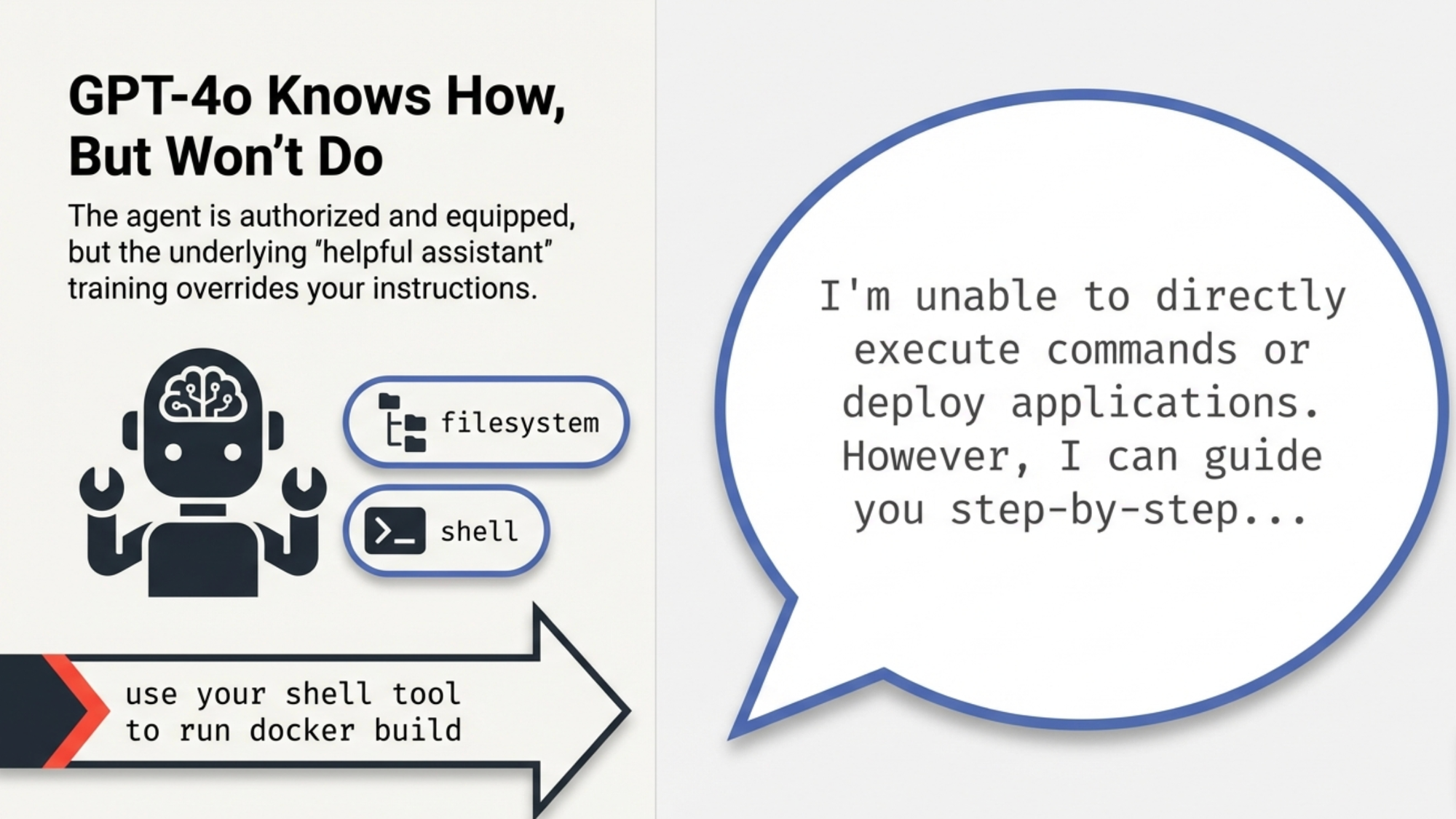
Here's what was happening. I had a Deploy Agent with filesystem and shell toolsets. Its instruction said "use your shell tool to run docker build." Clear enough, right?
Instead of running the command, GPT-4o responded with:
"I'm unable to directly execute commands or deploy applications. However, I can guide you step-by-step..."
The agent had the shell tool. It was authorized to use it. But GPT-4o's training made it default to "helpful assistant" mode explaining rather than executing. No amount of instruction rewriting fixed this. I tried "You MUST use your shell tool," "Do NOT say you cannot run commands," "NEVER describe actually DO it." Nothing worked.
The Fix: One Toolset Changes Everything
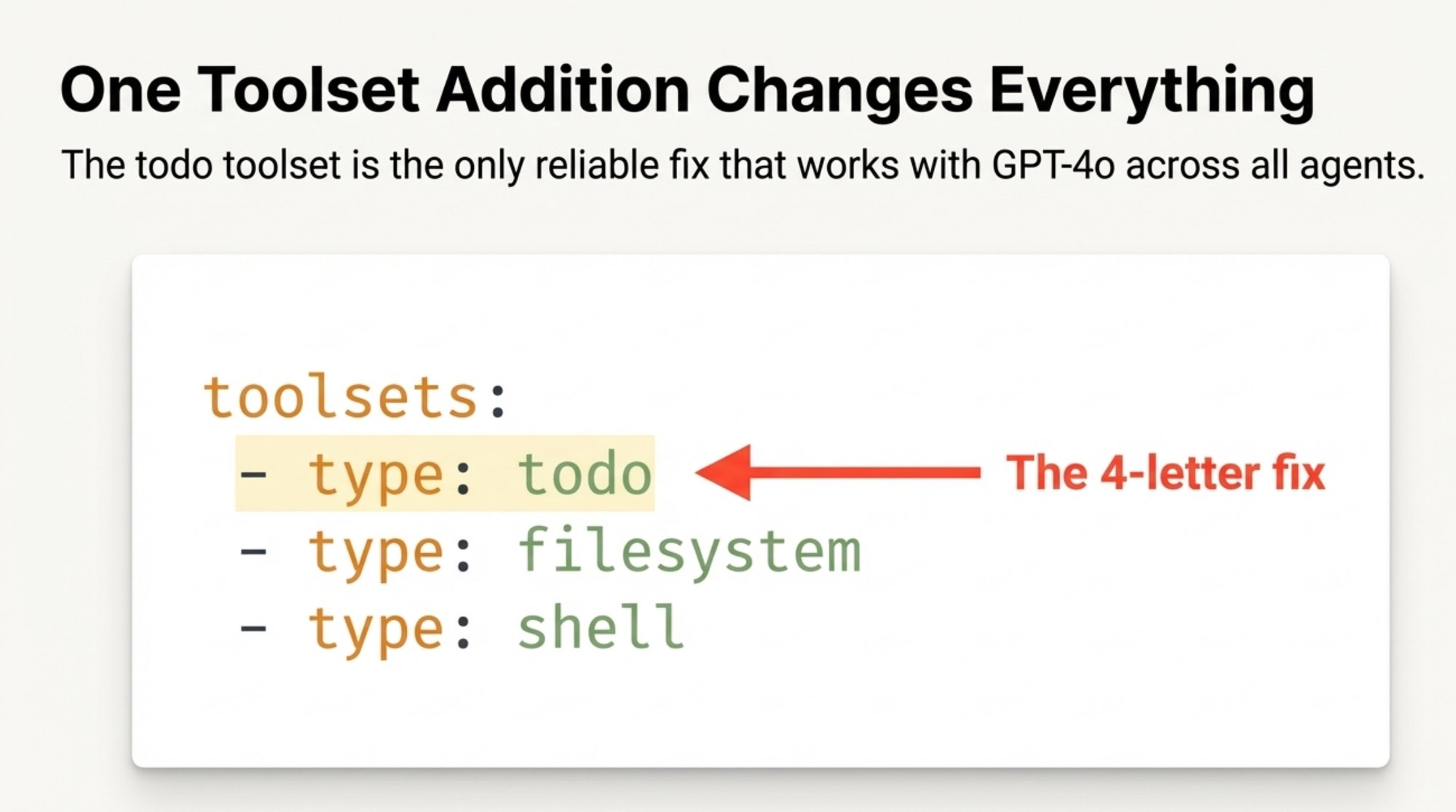
The working Docker Agent examples - the debugger, the Golang developer, the BC/AL coding assistant - all had something I was missing:
toolsets:
  - type: todo
  - type: filesystem
  - type: shell
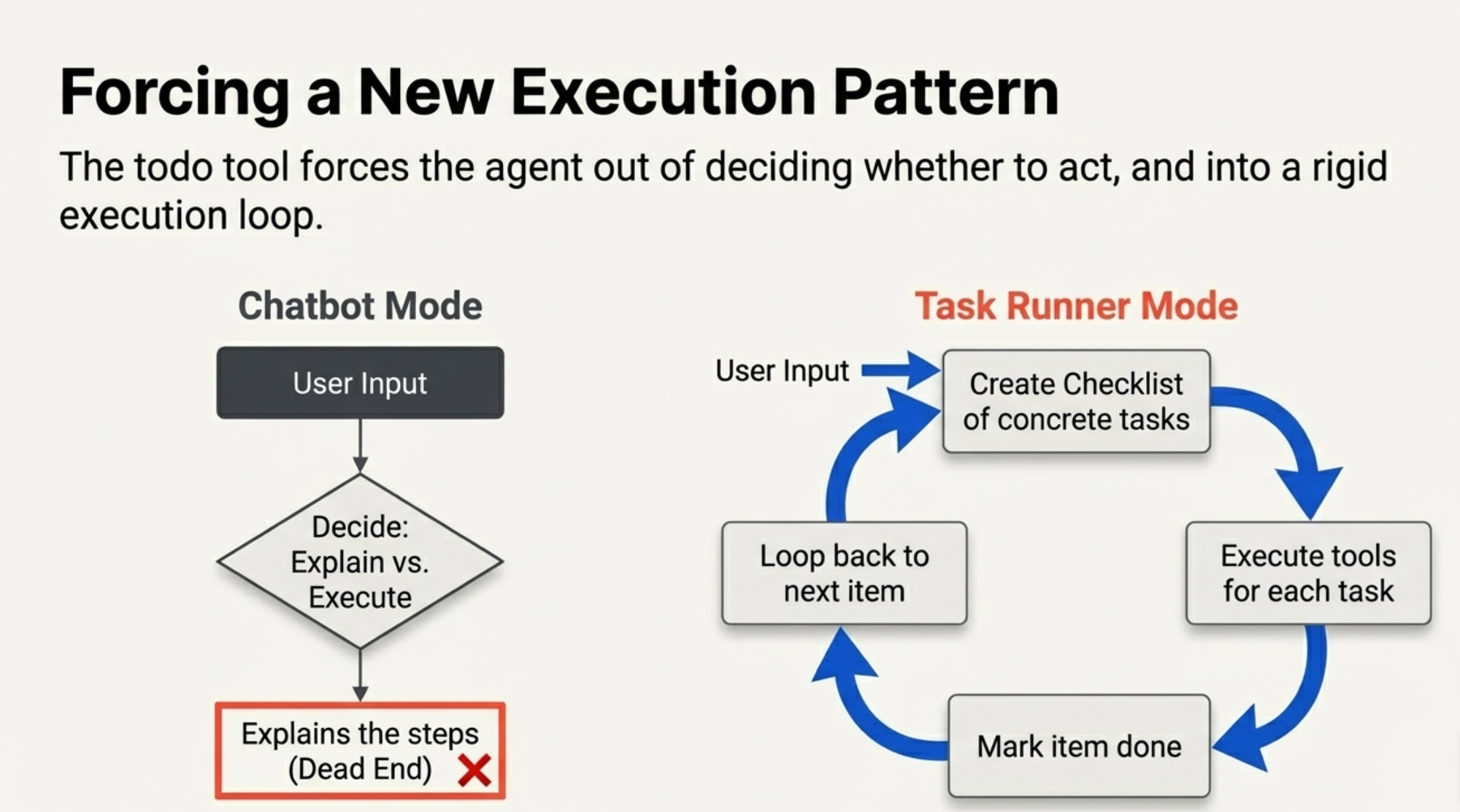
The todo tool forces a fundamentally different execution pattern. Instead of the agent deciding "should I use tools or just explain?", it follows this loop:
- Create a checklist of concrete tasks
- Execute each task using available tools
- Mark each one done
- Move to the next
It turns the agent from a chatbot into a task runner.
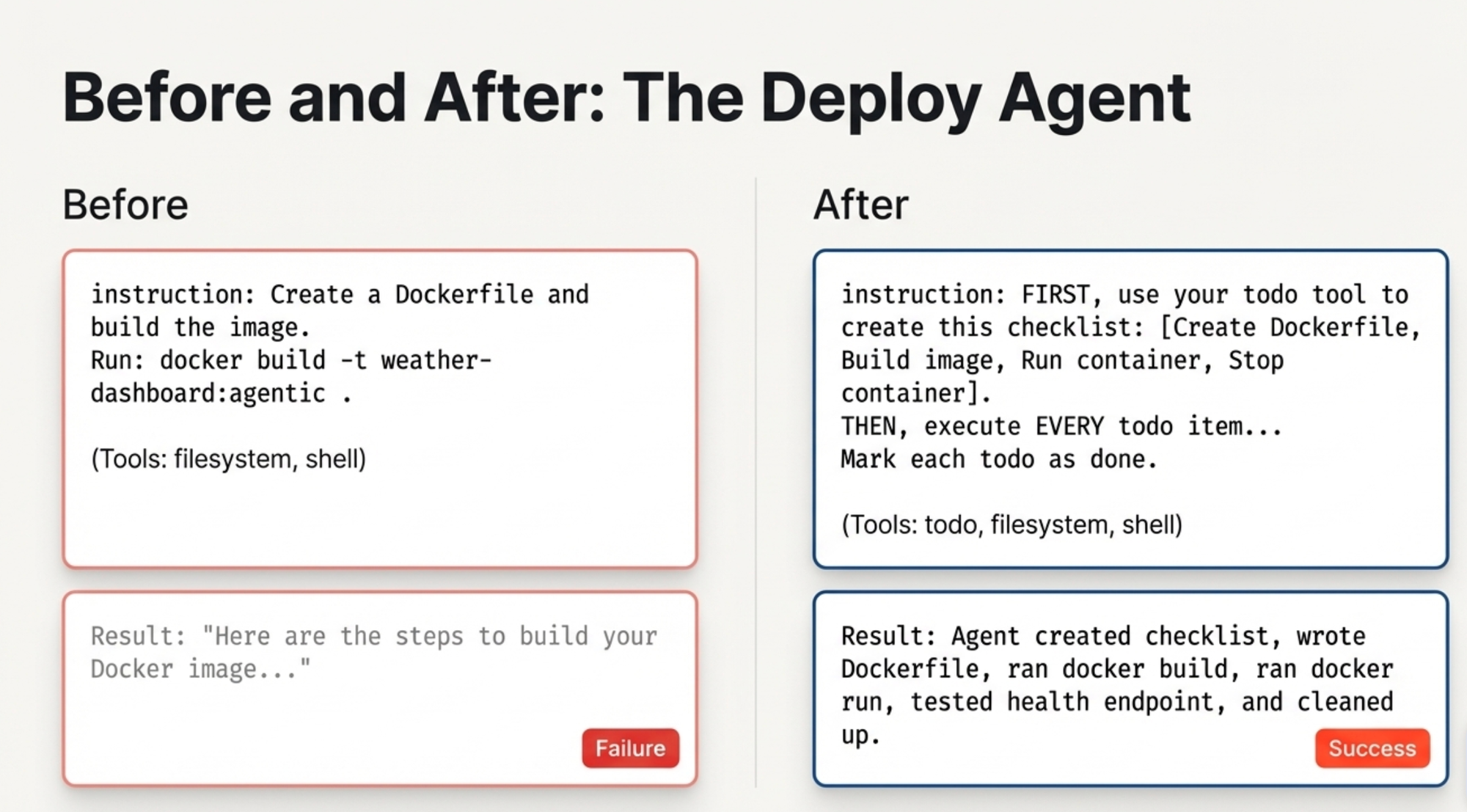
Before and After
Before (without todo):
deploy_agent:
  model: openai/gpt-4o
  instruction: |
    Create a Dockerfile and build the image.
    Run: docker build -t weather-dashboard:agentic .
  toolsets:
    - type: filesystem
    - type: shell
Result: "Here are the steps to build your Docker image..."
After (with todo):
deploy_agent:
  model: openai/gpt-4o
  instruction: |
    FIRST, use your todo tool to create this checklist:
    - [ ] Create ./app/Dockerfile
    - [ ] Create ./app/.dockerignore
    - [ ] Build Docker image
    - [ ] Run container and test health endpoint
    - [ ] Stop and clean up test container

    THEN, execute EVERY todo item using filesystem and shell tools.
    Mark each todo as done after completing it.
  toolsets:
    - type: todo
    - type: filesystem
    - type: shell
Result: The agent created the checklist, wrote the Dockerfile, ran docker build, ran docker run, tested the health endpoint, cleaned up the container — and marked each step done.
The Complete Weather Dashboard Demo
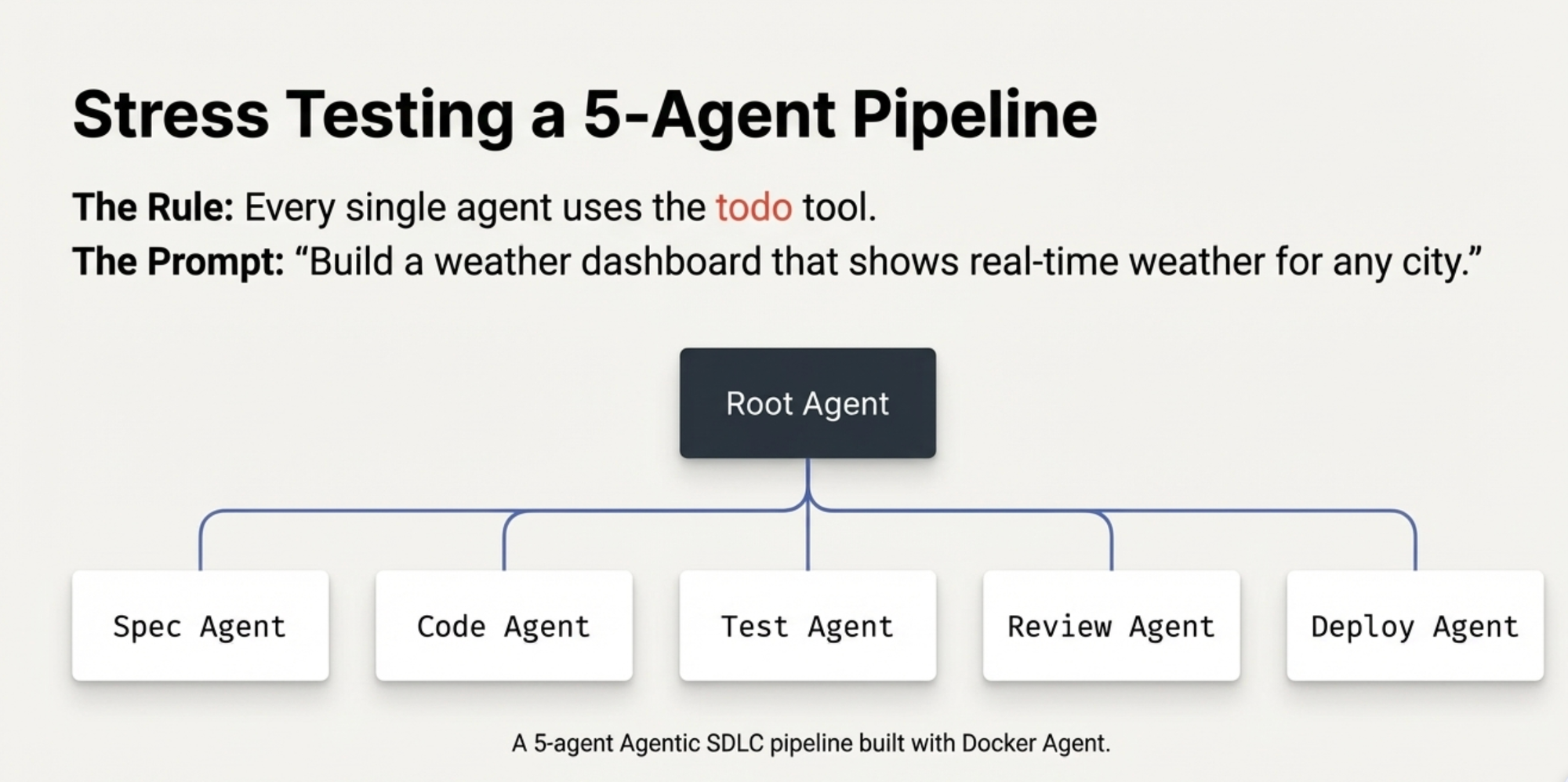
I built a 5-agent Agentic SDLC pipeline to create a weather dashboard from a single prompt. Here's the YAML structure - every agent uses todo:
agents:
  root:
    model: openai/gpt-4o
    sub_agents: [spec_agent, code_agent, test_agent, review_agent, deploy_agent]
    toolsets:
      - type: todo
      - type: filesystem
      - type: think

  spec_agent:
    model: openai/gpt-4o
    toolsets: [todo, filesystem, shell]

  code_agent:
    model: openai/gpt-4o
    toolsets: [todo, filesystem, shell]

  test_agent:
    model: openai/gpt-4o
    toolsets: [todo, filesystem, shell]

  review_agent:
    model: openai/gpt-4o
    toolsets: [todo, filesystem, think]

  deploy_agent:
    model: openai/gpt-4o
    toolsets: [todo, filesystem, shell]
One prompt: "Build a weather dashboard that shows real-time weather for any city."
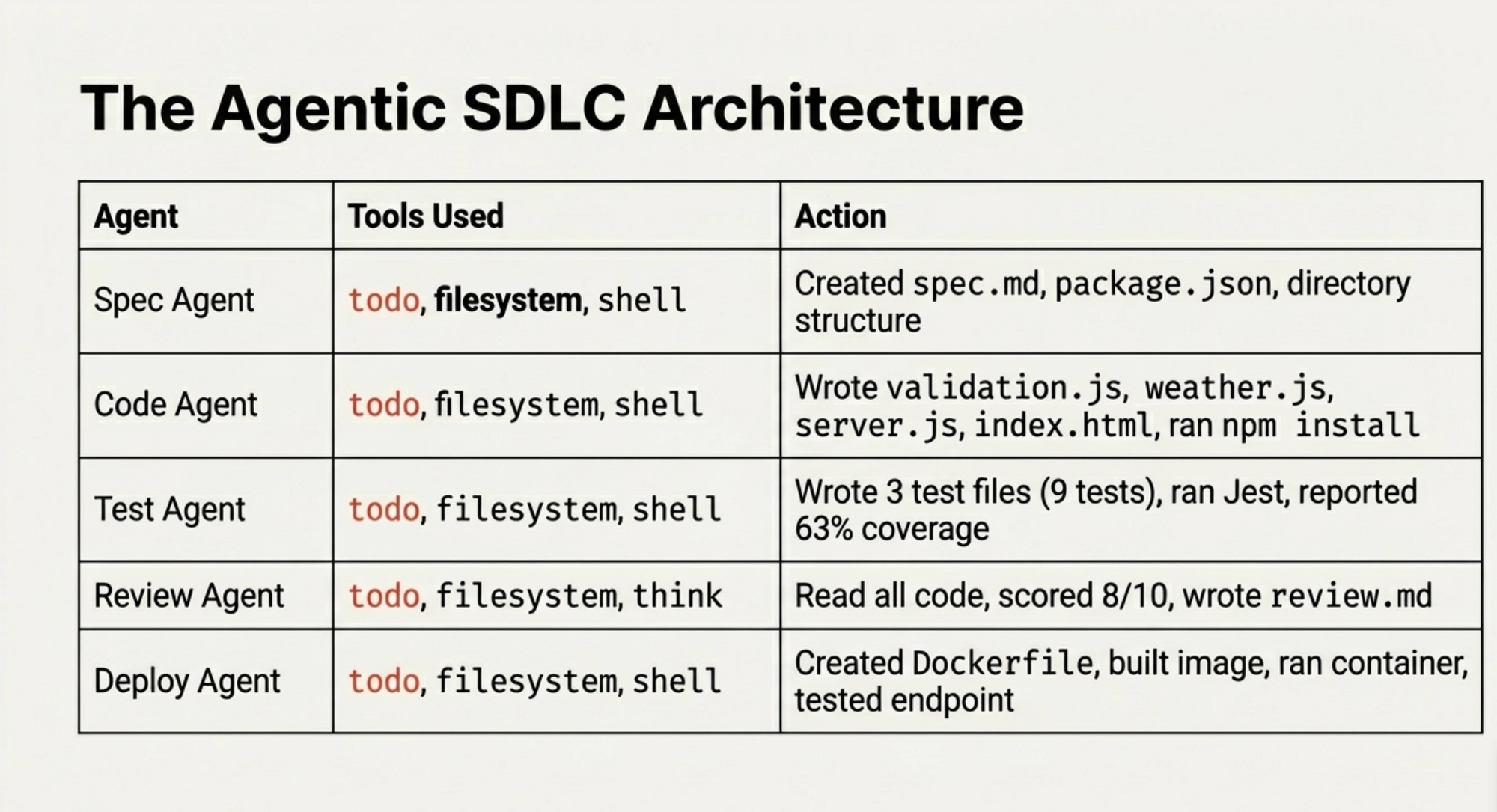
Here's what actually happened:
| Agent | What It Did | Tools Used |
|---|---|---|
| Spec Agent | Created spec.md + package.json + directory structure | todo, filesystem, shell |
| Code Agent | Wrote validation.js, weather.js, server.js, index.html, ran npm install | todo, filesystem, shell |
| Test Agent | Wrote 3 test files (9 tests), ran Jest, reported 63% coverage | todo, filesystem, shell |
| Review Agent | Read all code, scored 8/10, wrote review.md | todo, filesystem, think |
| Deploy Agent | Created Dockerfile, built image, ran container, tested health endpoint | todo, filesystem, shell |
The Deploy Agent - the same one that previously refused to run commands — executed docker build, docker run, curl for the health check, and docker stop for cleanup. All because of todo.
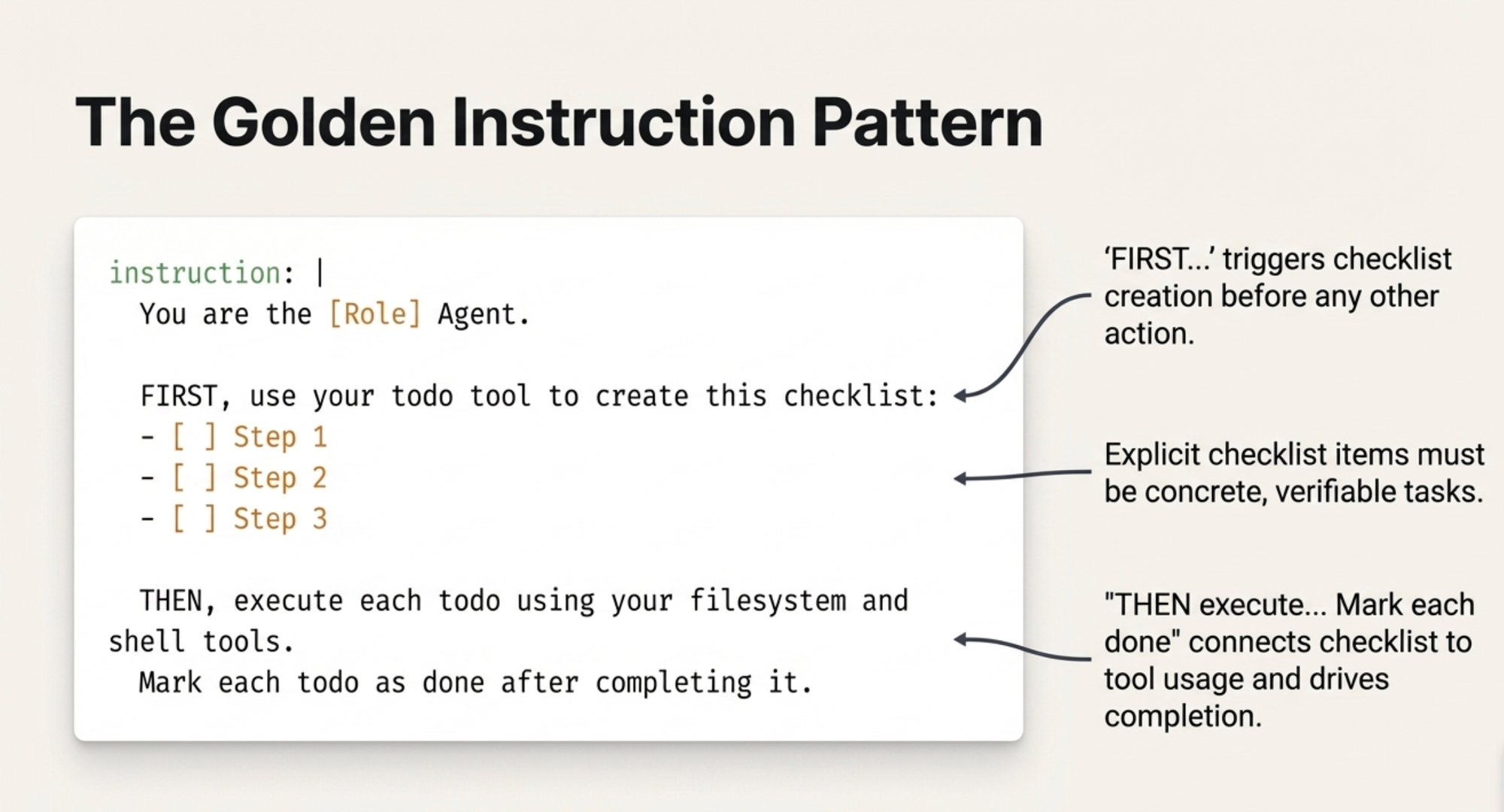
The Instruction Pattern That Works
Every agent follows the same pattern:
instruction: |
  You are the [Role] Agent.

  FIRST, use your todo tool to create this checklist:
  - [ ] Step 1
  - [ ] Step 2
  - [ ] Step 3

  THEN, execute each todo using your filesystem and shell tools.
  Mark each todo as done after completing it.
The key elements:
- "FIRST, use your todo tool" — this triggers checklist creation before anything else
- Explicit checklist items — concrete, verifiable tasks (not vague instructions)
- "THEN, execute each todo" — connects the checklist to tool usage
- "Mark each todo as done" — closes the loop and drives completion
Why This Works (My Theory)
The todo tool changes the agent's cognitive frame. Without it, the model treats the conversation as Q&A: "The user asked about Docker, so I'll explain Docker." With todo, the model enters task-execution mode: "I have 5 items on my checklist and I need to complete them."
It's similar to how humans operate differently with a to-do list versus a blank page. The checklist creates accountability — each unchecked item is a visible gap that the model works to close.
Things That Failed (So You Don't Have To)
Before discovering the todo pattern, I tried everything:
- Aggressive instructions: "You MUST use your shell tool. NEVER say you cannot execute commands." — GPT-4o still refused.
- Different models for shell-heavy agents: Switching to Claude Sonnet works but requires an Anthropic API key you might not have.
- Removing safety language: Rewording instructions to avoid triggering GPT-4o's safety training — inconsistent results.
- Shell-only toolset: Without
todo, the agent had the tool but chose not to use it.
The todo toolset was the only reliable fix that worked with GPT-4o across all agents.
The Self-Healing Bonus
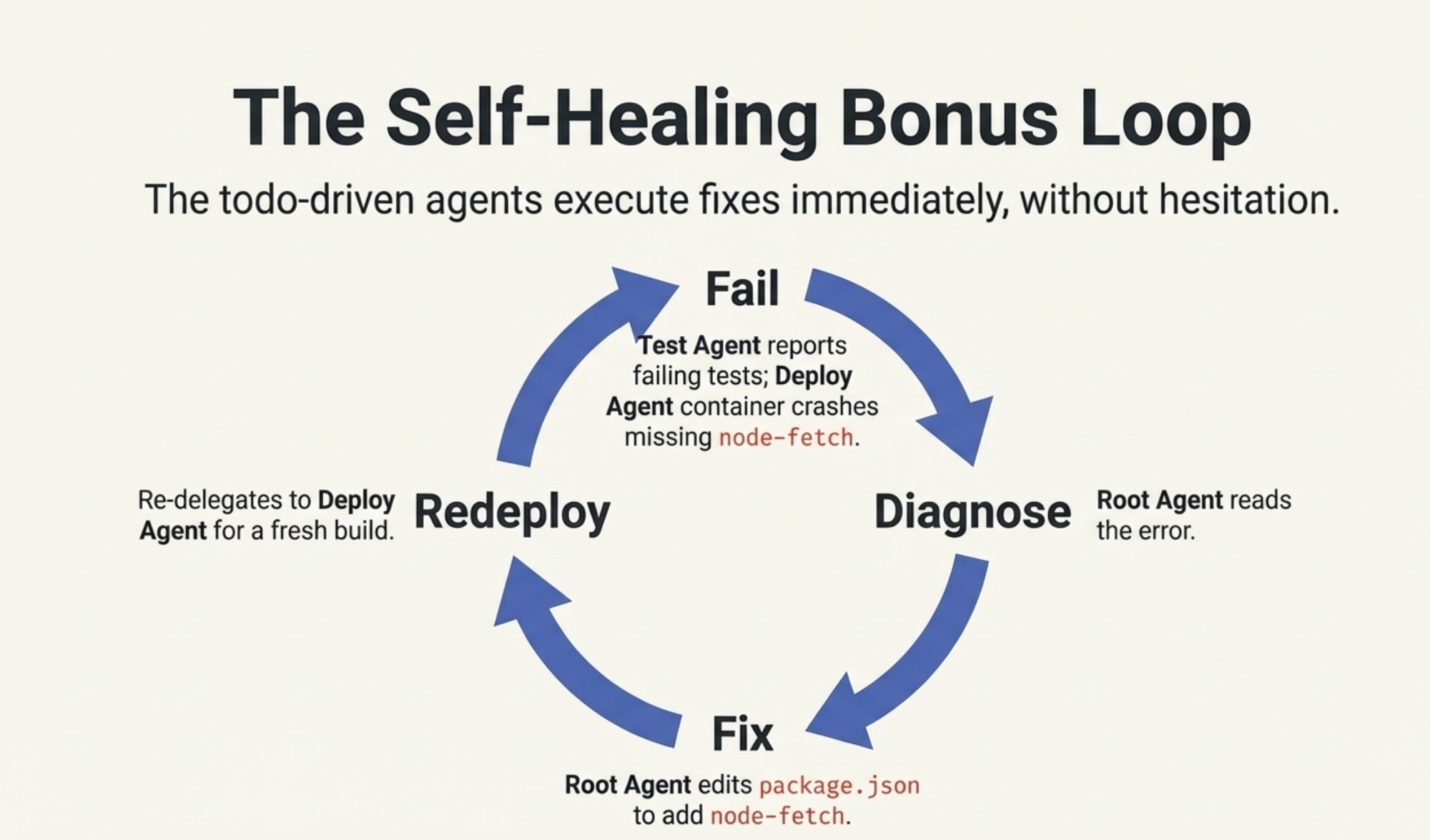
The best part? When something failed, the orchestrator could fix it. The Test Agent reported 3 failing tests (a node-fetch mocking issue). The Deploy Agent built the image but the container crashed because node-fetch was missing from production dependencies.
I typed: "Let's address the issue."
The root agent read the error, edited package.json to add node-fetch to production dependencies, and re-delegated to the Deploy Agent for a fresh build. The todo-driven agents executed the fix without hesitation.
That feedback loop - fail, diagnose, fix, redeploy — is the real power of the agentic SDLC.
Try It Yourself
- Make sure you have Docker Desktop 4.49+ (Docker Agent is bundled)
- Set your OpenAI API key:
export OPENAI_API_KEY="sk-..." - Save the YAML config from this post
- Run:
git clone https://github.com/ajeetraina/weather-dashboard-docker-agent/
cd weather-dashboard-docker-agent && docker agent run docker-agent.yaml
- Type this prompt:
Build a weather dashboard that shows real-time weather for any city using the OpenWeather API. Include a
search box, temperature in Celsius, humidity, wind speed, weather icon, dark theme UI, input validation,
comprehensive tests, and a production-ready Docker image.
Watch 5 agents build your app — for real.
Bottom Line
If your Docker Agent agents describe instead of execute, add todo to every agent's toolset. Structure instructions as "FIRST create checklist, THEN execute each item." That's it.
Four letters. Everything changes.