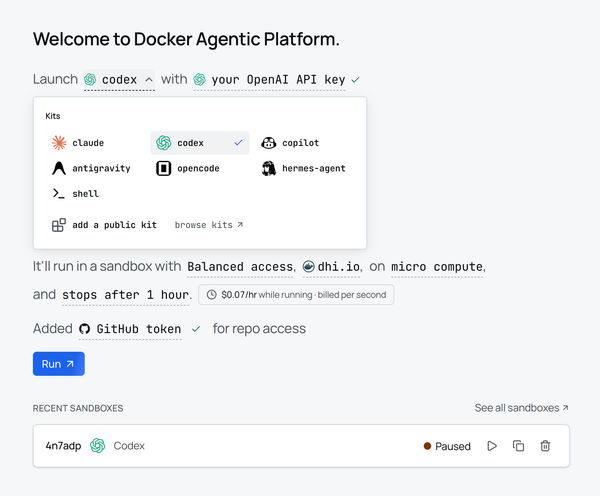
Claude Code Remote Control Now Works Inside Docker Sandboxes
Docker Sandboxes 0.39 lets Claude Code's /remote-control run inside a microVM. Drive an isolated agent from your phone while your host filesystem stays out of reach. Here is how to turn it on, plus the credential requirement that trips up most first attempts.

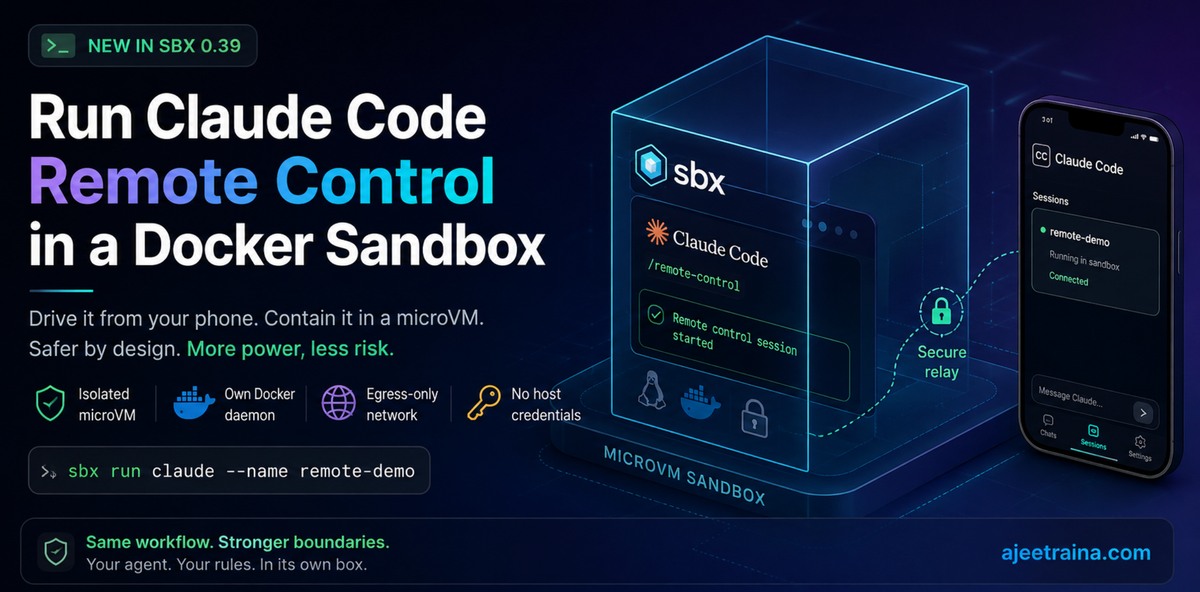
Early this year, Anthropic shipped Claude Code Remote Control: you start a "remote control" session on your laptop, and then send it prompts from the Claude Code web, iOS, or desktop app. Simon Willison gave it a spin and hit the usual first-week jank: a confusing "Remote Control is not enabled for your account" error, --dangerously-skip-permissions being quietly ignored, and the occasional wall of API 500s.
It's a genuinely useful idea. Kick off a long refactor from your desk, walk to lunch, and approve the next step from your phone. But there's a catch that Simon put his finger on: remote control runs on your actual machine, with access to your actual files, and it makes you approve every new action because skip-permissions doesn't work. That's the safe default but it also means you're wiring a remote input channel straight into your primary dev environment.
Here's what I want to show you today: you don't have to. As of Docker Sandboxes (sbx) release 0.39, you can run Claude Code's /remote-control session inside an isolated microVM sandbox instead of on your host. You get the "drive it from my phone" workflow, but the agent is boxed into a throwaway VM with its own kernel, its own Docker daemon, and a network proxy that never hands it your real credentials.
And yes, I tested every command below on sbx v0.39 before hitting publish. 🙂
🤔 Why this combination is interesting
Remote control and sandboxing solve two different halves of the same problem.
- Remote control answers "how do I send this agent work when I'm not at the keyboard?"
- Sandboxing answers "how do I let this agent run without giving it the keys to my whole machine?"
Put them together and you get an agent you can steer from your couch that physically cannot touch anything outside its box. That's a much more comfortable place to run something like --dangerously-skip-permissions, the very flag that's ignored on the host.
If you're new to sbx, the short version of its security model is four layers:
That last row is exactly why remote control needs a new opt-in setting, which brings us to the one gotcha.
🔑 The one setting you need: claude.remoteControl
Normally, sbx goes out of its way to make sure your credentials never enter the sandbox: the proxy injects auth headers on the way out. But Claude Code's remote-control channel needs to authenticate itself to Anthropic's relay so your phone can find the session. That's a credential-shaped thing entering the box, so sbx blocks it by default.
Release 0.39 adds a dedicated setting that flips this on in a controlled way. Here's the actual definition straight from my machine:
The real setting definition: the remote-control channel authenticates with its own session token, not your host credential.
Read that description carefully, because it's the whole point: the channel authenticates with its own session token instead of the host credential. Your primary Anthropic credential stays out of the sandbox; the remote-control session gets a scoped token of its own.
✅ Prerequisites
- sbx v0.39 or newer. Check with sbx version.
- A logged-in sbx (sbx login) with your Anthropic credential stored (sbx secret set -g anthropic).
- The Claude Code app on your phone / desktop / web, signed into the same account.
Install or upgrade sbx:
brew install docker/tap/sbxConfirm you're on v0.39 or later:
sbx versionDocker Desktop is not required: sbx runs standalone and works fine.
Step 1. Enable the setting
By default it's off. Turn it on and verify it stuck:
sbx settings set claude.remoteControl true
sbx settings get claude.remoteControl
The daemon picks this up on the fly (within ~5 seconds), no restart needed.
You can confirm it's an override rather than the default with the following command:
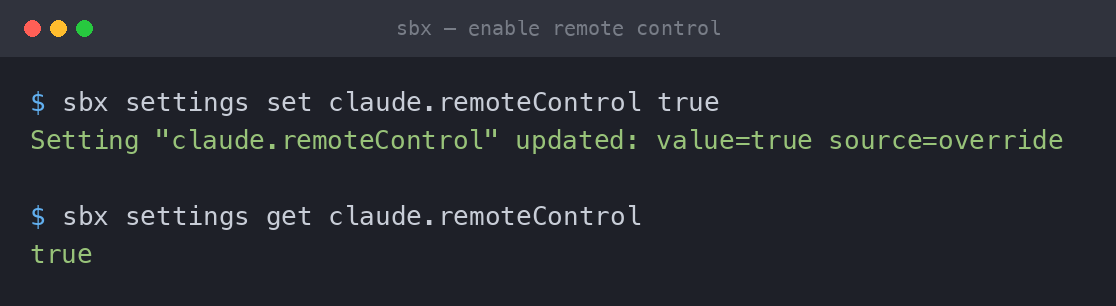
Source column reads "override": that's your change in effect.
Step 2. Launch a sandbox and start remote control
Spin up a sandbox on the project you want to work on:
cd ~/my-project
sbx run claude --name remote-demo
Once you're attached and Claude Code is running inside the sandbox, start the remote-control session from within Claude Code:
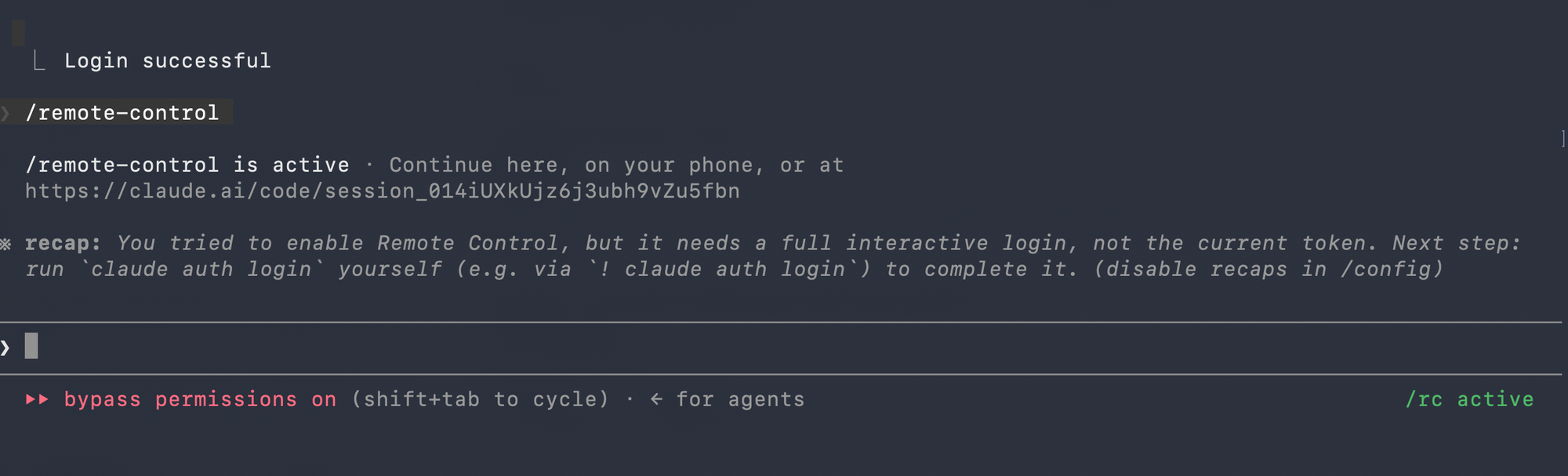
/remote-controlBecause you're inside a microVM, this is a much safer place to also skip permission prompts. The whole reason --dangerously-skip-permissions felt scary on the host was that the host has everything. Inside the box, the blast radius is the sandbox.
Tip: Keep the sandbox scoped. Use branch mode (sbx run claude --branch my-feature) so the agent works in an isolated git worktree under .sbx/, and mount extra directories read-only (~/shared-libs:ro) if it only needs to read them.
Step 3. Connect from your phone
Open the Claude Code app (iOS / desktop / web), head to the Code tab, and your session should appear in the list. Send it a prompt and watch it execute: inside the sandbox, on your machine, but reachable from anywhere you have the app.
🆚 What you get vs. plain host remote control
⚠️ A couple of things to keep in mind
- The workspace is still the real residual risk. The mounted project directory is reachable from inside the sandbox. An agent can still modify git hooks, CI configs, and build scripts within that workspace, and git hooks are invisible to git diff. After a session, it's worth a glance at .git/hooks/ and your CI config. Use :ro mounts and branch mode to shrink this surface.
- Your user-level config isn't mounted. ~/.claude doesn't come along for the ride; only project-level config in the workspace is visible. That's by design.
- The setting is a host-side daemon toggle, not something injected into the VM, so don't go looking for DOCKER_SANDBOXES_CLAUDE_REMOTE_CONTROL inside the sandbox; it lives with the daemon on your host.
- One session at a time, same as host remote control today.
🎁 Wrapping up
Remote control is one of those features that sounds like a toy until the first time you approve a deploy step from a coffee shop. Pairing it with sbx turns it from "fun but a little nerve-wracking" into "actually, run whatever you want in there", because there is a disposable microVM, not your laptop.
The whole setup is one setting:
sbx settings set claude.remoteControl true…and then sbx run claude + /remote-control as usual.
I'm genuinely excited about where this category is heading. If Anthropic keeps polishing remote control and sbx keeps hardening the box around it, "drive a coding agent from your phone, safely" stops being a demo and starts being a daily habit.
Give it a try and let me know how it goes. I'm @ajeetsraina. 🐳