How Secrets Work in Docker Sandboxes: Local vs Cloud
Docker Sandboxes keep your API keys out of the agent’s reach. Here is how secrets work in local and cloud sandboxes, and how they differ.

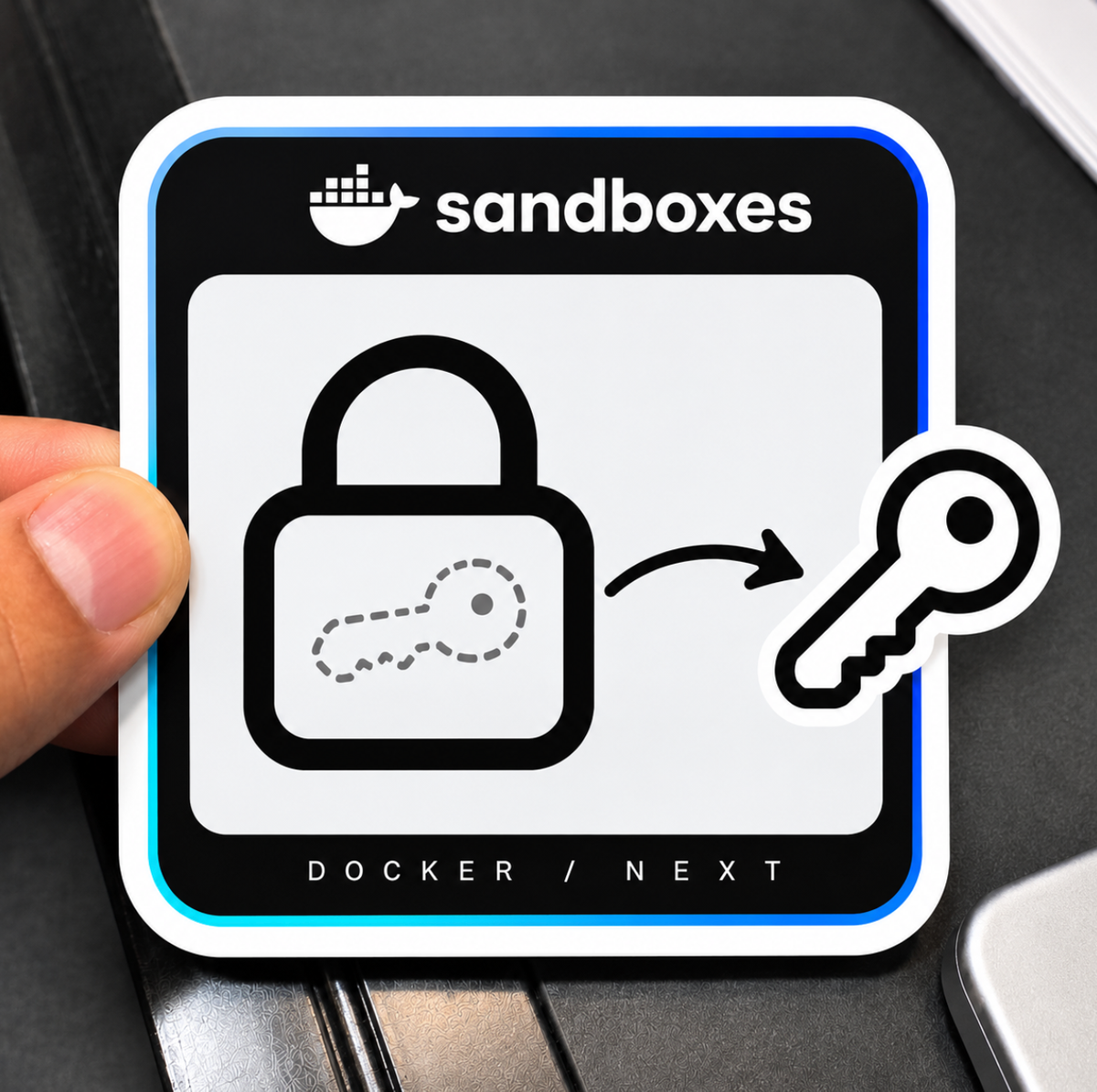
In both local and cloud sandboxes, the agent never holds your real API key. A proxy sits between the sandbox and the internet, and it adds the real credential to each request on the way out.
Here is what happens when an agent like Claude Code calls its model provider:
- The agent sends a request from inside the sandbox. It only has a placeholder value, such as
proxy-managed. - The proxy catches the request and checks the destination (for example,
api.anthropic.com). - If that destination matches a known service, the proxy looks up your stored secret and writes the real value into the auth header.
- The request goes to the provider with the real key. The sandbox never sees it.
The main difference between local and cloud is where the proxy runs and where the secret is stored. Locally, both live on your own computer. In the cloud, both live in Docker's cloud.
Local sandboxes
In a local sandbox, your secrets stay on your own computer. The proxy runs on your host and reads them from your OS keychain.
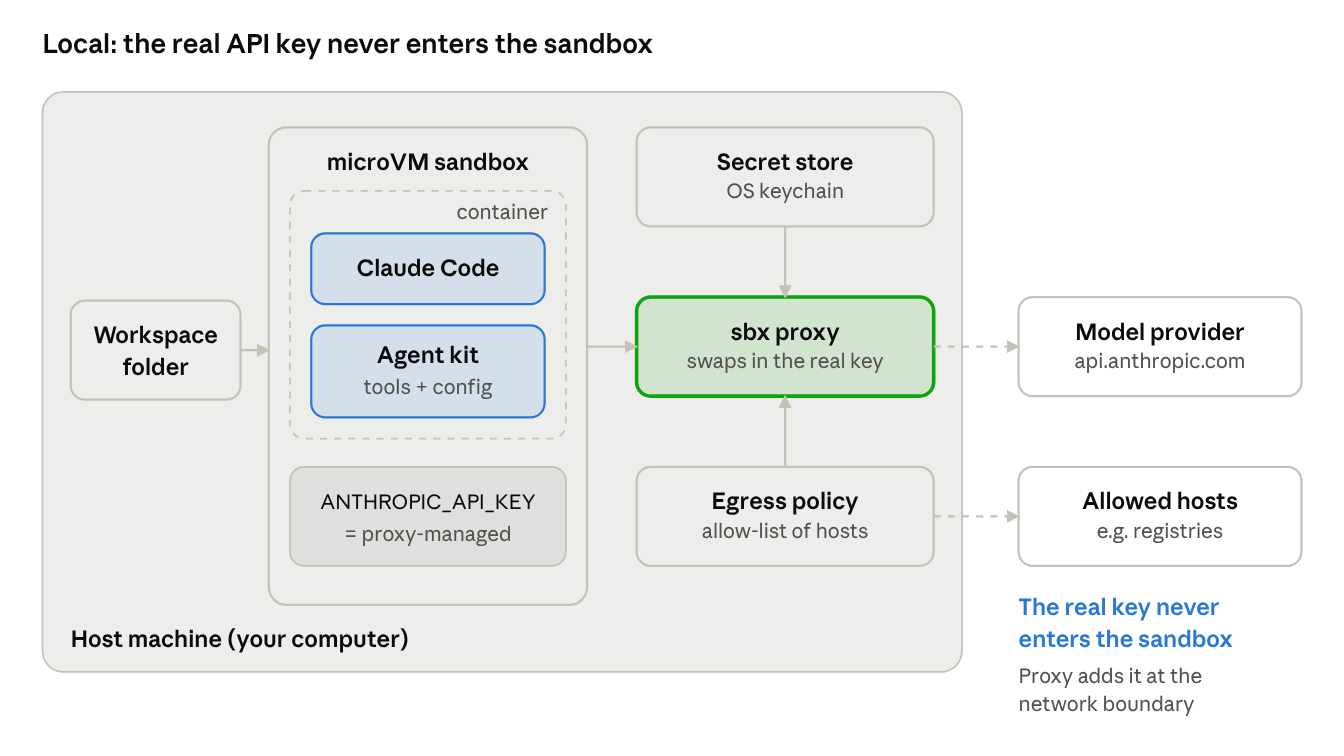
Local sandbox architecture
Your key sits in the OS keychain. The sandbox only sees proxy-managed, and the proxy on your host adds the real key when a request leaves for an allowed host.
Where secrets are stored
- macOS: the system Keychain
- Windows: Windows Credential Manager
- Linux: your desktop keyring, such as GNOME Keyring or KDE Wallet
- Headless Linux or some WSL setups: a file in
~/.config/com.docker.sandboxes, protected only by file permissions
How to add a secret
Run sbx secret set anthropic and paste your key when asked. Secrets are global by default, so every sandbox can use them. To limit a secret to one sandbox, add --sandbox my-sandbox. A sandbox-scoped secret wins over a global one.
Changes take effect in running local sandboxes right away. You do not need to restart them.
Other ways to provide a value
- Dynamic sources: use
--reffor a 1Password reference or AWS Secrets Manager ARN, or--commandto run a command on the host. The value is fetched on the host, and the sandbox still gets only the placeholder. - Import:
sbx secret importreads matching environment variables, such asANTHROPIC_API_KEY. - Custom secrets:
sbx secret set-customties a value to a domain and an environment variable, for APIs that are not built-in services.
OAuth (sign in instead of an API key)
Some agents let you sign in with your account instead of pasting a key. The sign-in runs on your host, so the token never enters the sandbox.
- Codex: run
sbx secret set -g openai --oauth. A browser opens on your host and the token is saved in your keychain. - Claude Code: use
/logininside Claude Code. The sandbox gets placeholder tokens, and refreshes go through the proxy. - Cursor and Droid: they ask you to sign in when the agent starts. There is no way to do it ahead of time.
If both an API key and OAuth are set for the same service, the API key wins.
Cloud sandboxes
In a cloud sandbox, your secrets live in Docker's cloud secret store. A cloud proxy adds them to requests, so they stay outside the sandbox filesystem.
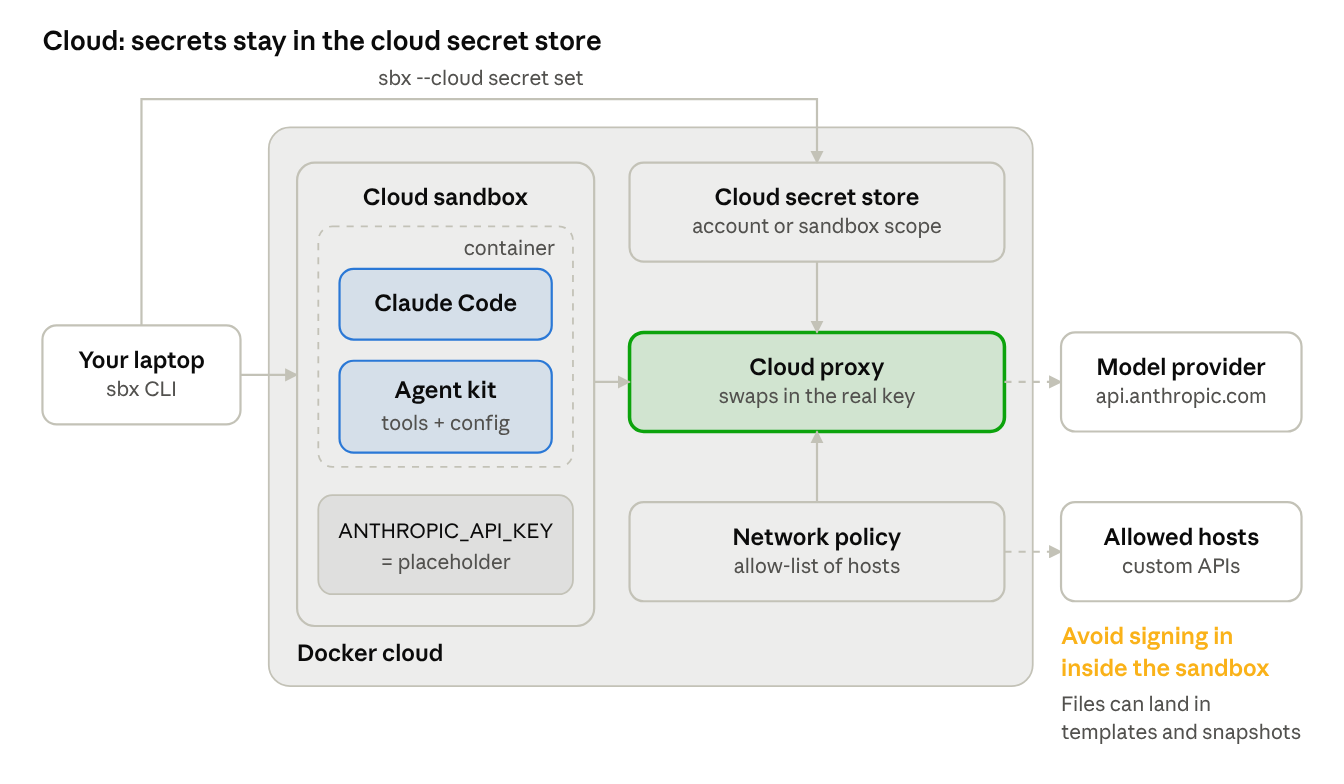
Cloud sandbox architecture
Same idea, but the secret store and proxy run in Docker's cloud. You set secrets from your laptop with sbx --cloud secret set before you start the sandbox.
Set it up before you launch. Add the credential first, then start the sandbox:
sbx --cloud secret set anthropic
sbx --cloud run claude --name cloud-project
Three separate secret stores
These do not share secrets with each other:
sbx secretfor local sandboxessbx --cloud secretfor cloud sandboxes created with the CLI- The Docker Agentic Platform web interface, which has its own secrets
A key you saved locally will not show up in the cloud. You need to add it again with --cloud.
Scope
Cloud secrets use account scope by default, so every cloud sandbox in your Docker account can use them. To limit an API key to one sandbox, add --sandbox cloud-project. Set a sandbox-scoped secret before you create the sandbox.
OAuth in the cloud is limited
- Claude Code: needs an Anthropic API key. Claude subscription sign-in is not supported through the cloud store.
- Codex: can use
sbx --cloud secret set openai --oauth. This works at account scope only. - Droid: API key only. Cloud-managed OAuth is not supported.
Custom secrets
For an API that is not built in, use set-custom:
sbx --cloud secret set-custom --name project-api \
  --host api.example.com --env PROJECT_API_TOKEN
The sandbox gets a placeholder in PROJECT_API_TOKEN. The cloud proxy adds Authorization: Bearer <secret> to every request sent to that host. Use --header and --format to change the header.
Not supported in the cloud: registry credentials, and the dynamic --ref and --command sources. As a workaround, an environment file with snapshot: true can fetch a value once and upload it as a fixed cloud secret.
Local vs cloud at a glance
Common mistakes and good habits
- Expecting local secrets in the cloud. They are separate. Run
sbx --cloud secret setfor anything a cloud sandbox needs. - Signing in inside a cloud sandbox. An agent's own sign-in can write credential files into the sandbox. Those files can end up in templates and
sbx movesnapshots. Use the cloud secret store instead, or sign out and delete the files before you capture or move the sandbox. - An API key hiding your subscription. If an API key and OAuth are both set for the same service, the API key wins. Remove the key if you want to use your subscription sign-in.
- Turning on OAuth passthrough. A kit can set
passthrough: true, which sends the real token into the sandbox. Only do this when you really need it, because it removes the protection. - Global registry credentials. Registry credentials do enter the sandbox, unlike service secrets. Scope them to the sandboxes that need them instead of using
-g. - Headless Linux storage. Without a keyring, secrets sit in a file that any process with read access can open. Use a keyring where you can.