RAG with Docker cagent
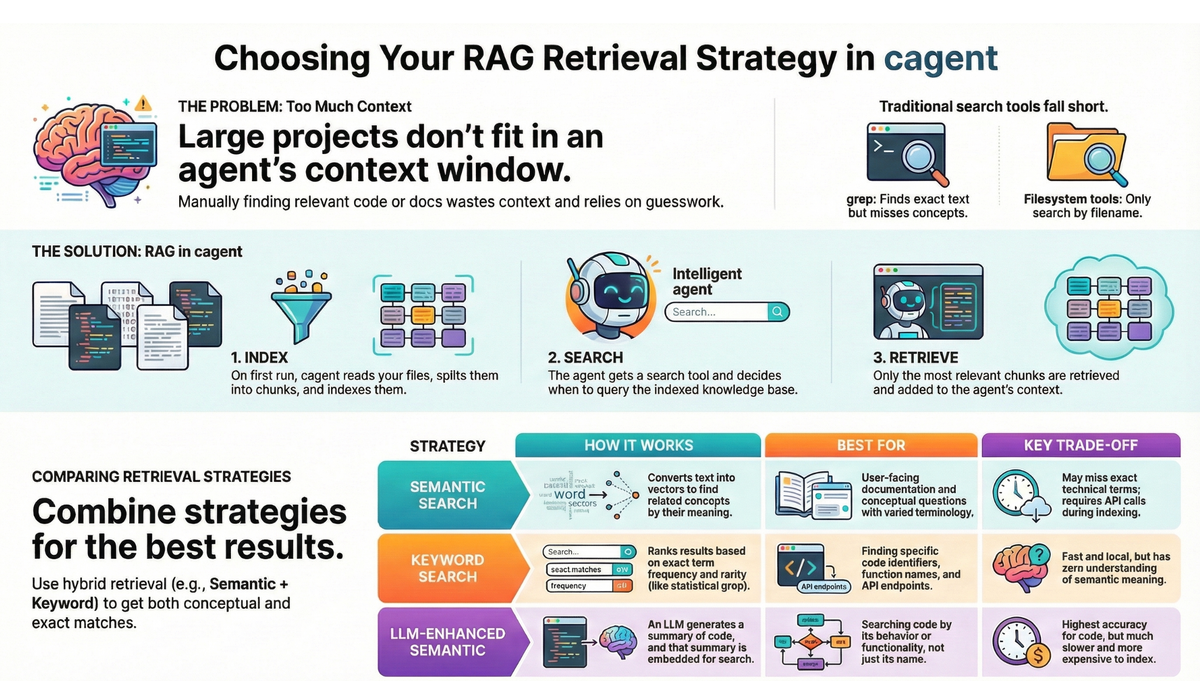
Your agent can access your codebase, but can't load it all into context—even 200K tokens isn't enough. Without smart search, it wastes tokens loading irrelevant files.

In my previous blog post, I introduced cagent ~ an open source tool for building teams of specialized AI agents. Recently, the Docker team added RAG support.
Your AI coding assistants can access your codebase. They're brilliant at answering general questions. They can read files, use grep, browse directories. Access isn't the big problem.
The problem is your codebase is too large to fit in its context window - even 200K tokens isn't enough for most projects. Without smart search, the agent guesses which files to open, and grep only finds exact matches ("authentication" misses "auth" and "validateUser").
Let's talk about the limitations of standard AI coding tools:
- Context Windows Are Finite
Even with massive token limits, medium-sized projects are too large. You waste valuable context on boilerplate and irrelevant files while the code you actually need gets truncated.
- Filesystem Tools Guess
Agents can read files, but they have to guess which ones to read. They search by filename, not by meaning. Ask to "find the retry logic" and watch your agent slowly eliminate files one by one in an expensive game of 20 questions
- Grep is Literal, Not Literate
grep finds exact text matches but misses conceptual relationships. A search for "authentication" won't find code using "auth" or "login." It doesn't understand that validateUser() and checkCredentials() might both be relevant to your query.
Enter RAG
RAG (Retrieval-Augmented Generation) fixes this. It indexes your code once, then retrieves only what's relevant when you ask a question.
And with Docker's cagent, implementing it is surprisingly straightforward.
Why cagent?
Let's talk about what cagent actually is.
cagent is Docker's framework for building AI-powered development tools that run in containers. Think of it as your AI development assistant that understands not just code, but the entire Docker ecosystem.
 Docker Inc
Here's what makes cagent special:
- Container-native: It runs in Docker, so it's portable, reproducible, and integrates seamlessly with your Docker workflows
- Multi-agent architecture: You can build teams of specialized AI agents that collaborate (more on this in future posts)
- RAG built-in: Out-of-the-box support for making your agents "see" your codebase
- Extensible: Built on open standards like MCP (Model Context Protocol)
You can run cagent as a standalone CLI tool or integrate it into your existing Docker-based development workflow. But the real magic happens when you enable RAG.
Why RAG and cagent?
RAG (Retrieval-Augmented Generation) transforms your codebase from a blind spot into a searchable knowledge base. Here's how it works:
- Index Ahead of Time: When you start cagent, it reads your configured files, splits them into chunks, and creates a specialized index. This happens once—not every time you ask a question.
- Search by Meaning: When you ask a question, the agent searches the index using concepts, not just exact words. It finds code based on what it does, not just what it's called.
- Retrieve with Precision: Only the most relevant chunks are retrieved and added to the agent's context. No wasted tokens, no guesswork.
Here's the automated workflow:
┌─────────────────────┐
│  1. Startup & Index │  ← Happens once at startup
│   - Read files      │
│   - Create chunks   │
│   - Build database  │
└──────────┬──────────┘
           │
┌──────────▼──────────┐
│  2. Empower Agent   │  ← Agent gets the search tool
│   - Link knowledge  │
│   - Ready to query  │
└──────────┬──────────┘
           │
┌──────────▼──────────┐
│ 3. Intelligent      │  ← Agent decides when to search
│    Search           │
│   - Analyzes query  │
│   - Retrieves code  │
│   - Injects context │
└──────────┬──────────┘
           │
┌──────────▼──────────┐
│ 4. Live Sync        │  ← Stays current automatically
│   - Detects changes │
│   - Re-indexes      │
│   - No manual work  │
└─────────────────────┘
Your First RAG Configuration
Enabling RAG in cagent is as simple as adding a rag section to your config. Here's a basic example.
Step 1. Clone the repo
git clone https://github.com/ajeetraina/cagent-rag-demo/
cd cagent-rag-demo
Step 2. Get OpenAI API Key
# Set your OpenAI API key
export OPENAI_API_KEY=your-key-here
Step 3. Verify the YAML file
rag:
  codebase:
    docs: [./src, ./pkg]
    strategies:
      - type: chunked-embeddings
        embedding_model: openai/text-embedding-3-small
        vector_dimensions: 1536
        database: ./embeddings.db
        limit: 20
        chunking:
          size: 1500
          overlap: 150
      - type: bm25
        database: ./bm25.db
        limit: 15
    results:
      fusion:
        strategy: rrf
        k: 60
      deduplicate: true
      limit: 5

agents:
  root:
    model: openai/gpt-4
    instruction: |
      You are a Go developer. Search the codebase before answering.
      Reference specific files and functions.
    rag: [codebase]
cagent run cagent-config.yamlThis config indexes ./src and ./pkg using two strategies: chunked-embeddings converts code into vectors for semantic search (finding "authentication" when you search "login"), while bm25 does keyword matching (finding exact function names like HandleRequest).
Chunks are 1500 characters with 150-character overlap to preserve context at boundaries. Both strategies run in parallel—embeddings returns up to 20 results, bm25 up to 15. RRF fusion merges them by rank (not score), deduplicates, and returns the top 5. The agent gets a search tool linked to this index and is instructed to search before answering.
Choosing Your Retrieval Strategy
Not all code is equal, and not all searches need the same approach. cagent offers three retrieval strategies, each optimized for different use cases:
1. Semantic Search (chunked-embeddings)
Finds code by meaning, not exact words. Good for docs and conceptual questions.
strategies:
  - type: chunked-embeddings
    embedding_model: openai/text-embedding-3-small
    vector_dimensions: 1536
    database: ./docs.db
    chunking:
      size: 1000
      overlap: 100
How it works: Text is converted into numerical vectors that represent semantic meaning. Your query is also converted to a vector. The database finds chunks with "nearby" vectors using cosine similarity.
You ask: "how do I authenticate users?"
The search finds:
Token-based auth validates requests✓User authentication requires a valid API token✓
Even though the exact words differ, the meaning is captured.
Pros: Excellent for documentation and conceptual questions where terminology varies
Con: May miss specific technical terms or function names. Requires API calls for indexing.
2. Keyword Search (bm25)
Finds exact terms. Good for function names, API endpoints, error codes.
strategies:
  - type: bm25
    database: ./bm25.db
    k1: 1.5  # Controls term repetition weighting
    b: 0.75  # Controls penalty for longer documents
    chunking:
      size: 1000
How it works: A statistical algorithm ranks results based on term frequency (how often a word appears in a chunk) and inverse document frequency (how rare the word is across all chunks). Think "grep with statistical ranking."
You search: "HandleRequest function"
Results:
func HandleRequest(...)✅ Found!// process HTTP requests❌ No match (doesn't contain "HandleRequest")
Pro: Fast, local (no API costs), and perfectly predictable for finding function names, API endpoints, and error codes
Con: Zero understanding of meaning. "RetryHandler" and "retry logic" are unrelated to it.
3. LLM-Enhanced Search (semantic-embeddings)
This is the most powerful strategy—it searches code by functionality, overcoming inconsistent naming conventions. Finds code by what it does, not what it's named. The LLM summarizes each chunk, then searches the summaries.
strategies:
  - type: semantic-embeddings
    embedding_model: openai/text-embedding-3-small
    chat_model: openai/gpt-4-mini
    database: ./code.db
    ast_context: true  # Include AST metadata
    code_aware: true   # Use code structure for chunking
How it works:
- Code is split into chunks using its Abstract Syntax Tree (AST), keeping functions intact
- An LLM generates a natural language summary of what each code chunk does
- The summary is embedded, not the raw code
- Your query matches against the summary, but the original code is returned
You ask: "retry logic exponential backoff"
The agent finds:
func (c *Client) Do(...) {
    for i := 0; i < 3; i++ {
        ...
    }
}
LLM Summary: "Implements exponential backoff retry logic for HTTP requests, attempting up to 3 times..."
Your query matches the summary ✓, and you get the actual code.
Pro: Unlocks search by functionality, overcoming inconsistent naming conventions
Con: Significantly slower indexing and higher API costs (chat + embedding models)
Comparison Matrix: Which Strategy Should You Use?
| Axis | chunked-embeddings (Semantic) | bm25 (Keyword) | semantic-embeddings (LLM-Enhanced) |
|---|---|---|---|
| Best For | Conceptual searches, docs | Exact function names, API endpoints | Searching code by behavior |
| Core Mechanic | Vector similarity on raw text | Statistical term frequency/rarity | Vector similarity on LLM summaries |
| Indexing Speed | Fast | Instant | Slow |
| API Cost | Moderate (Embeddings) | None (Local) | High (Chat + Embeddings) |
| Key Weakness | Can miss literal keywords | No semantic understanding | High cost and latency |
Hybrid Retrieval (Recommended)
Combining strategies captures both semantic meaning and exact term matches.
rag:
  knowledge:
    docs: [./documentation, ./src]
    strategies:
      - type: chunked-embeddings
        database: ./vector.db
        limit: 20
      - type: bm25
        database: ./bm25.db
        limit: 15
    results:
      fusion:
        strategy: rrf  # Reciprocal Rank Fusion
        k: 60
      deduplicate: true
      limit: 5
How Fusion Works:
- Run in parallel: Both bm25 and chunked-embeddings execute simultaneously
- Merge & Re-rank: Reciprocal Rank Fusion (RRF) combines results based on rank, not absolute scores
- Return final set: Get the best of both worlds
Pro-Tip: Start with RRF. It combines results based on rank, not absolute scores, making it robust and requiring no manual tuning.
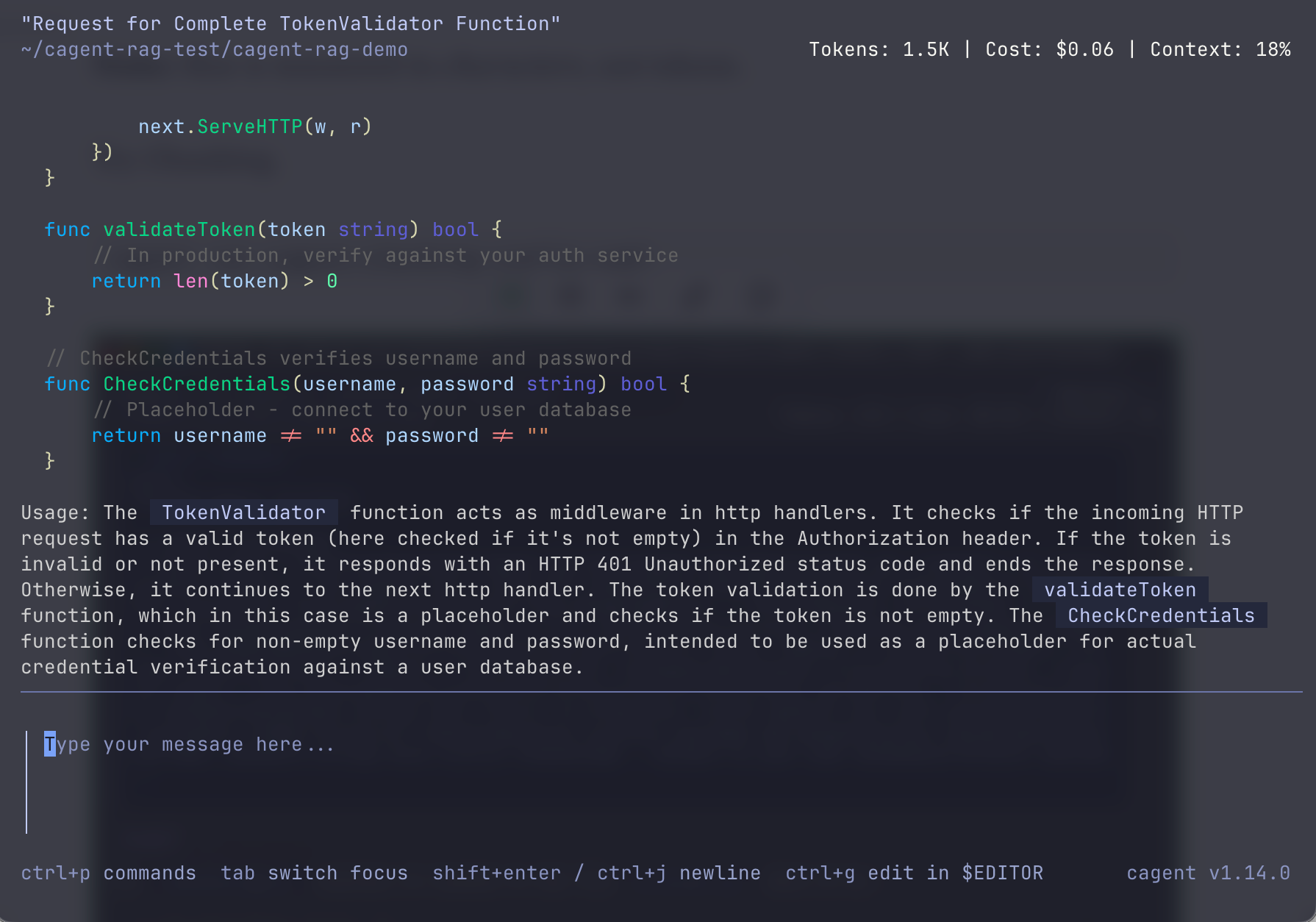
To demonstrate hybrid retrieval is working, try this query with the same cagent tui:
TokenValidator retry
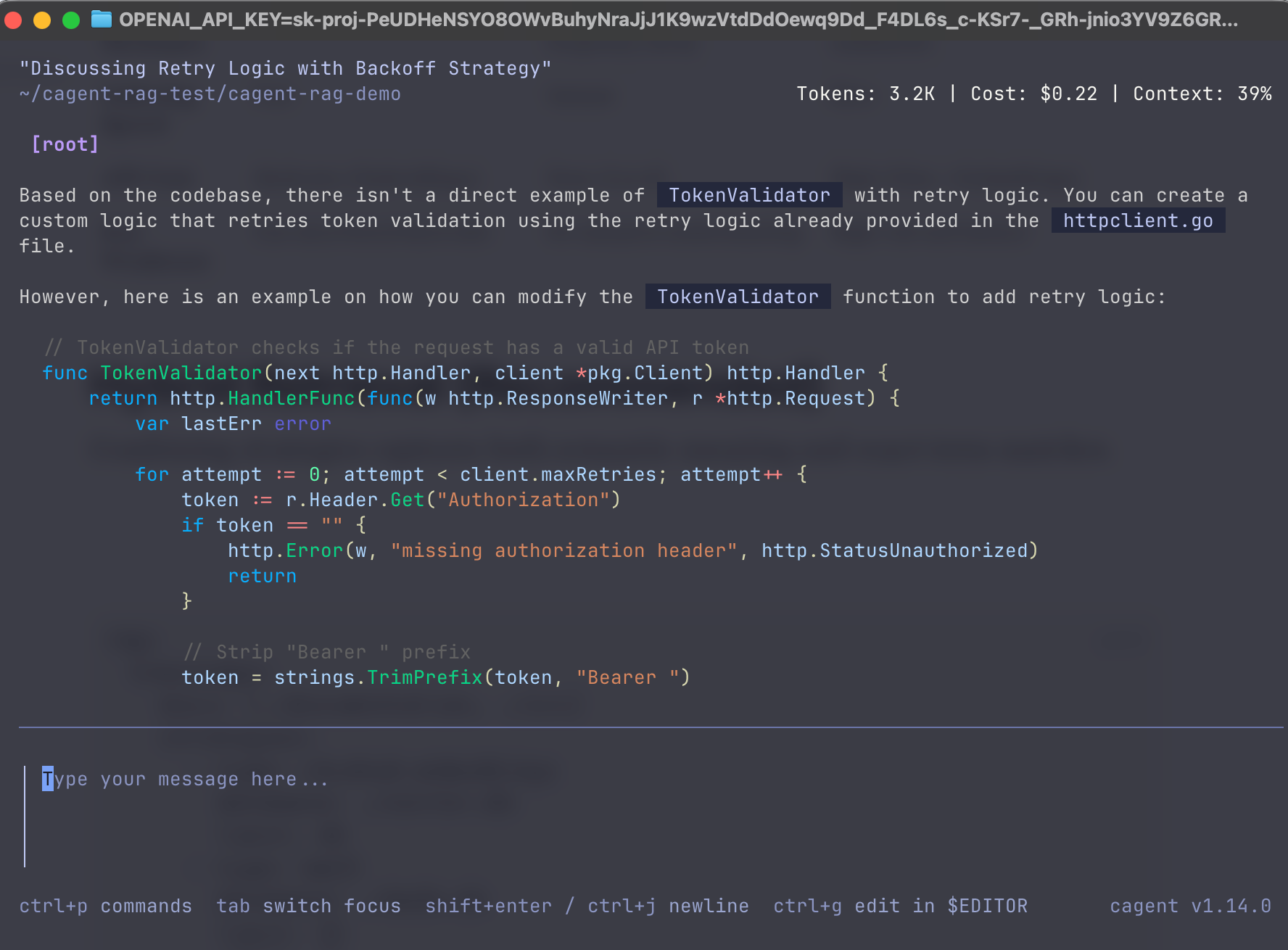
This combines:
- Keyword match — "TokenValidator" (exact function name, bm25 finds it)
- Semantic match — "retry" (concept in httpclient.go, embeddings finds it)
You should get results from both auth.go AND httpclient.go in one search. That's hybrid — neither strategy alone would return both.
Reranking
Reranking is where you apply domain-specific intelligence.
Initial retrieval optimizes for speed and recall. Reranking is a second, more sophisticated pass that rescores the top candidates for maximum relevance.
results:
  reranking:
    model: openai/gpt-4-mini
    threshold: 0.3  # Minimum relevance score to keep
    criteria: |
      When scoring relevance, prioritize:
      - Official documentation over community content
      - Recent information over outdated material
      - Practical examples over theoretical explanations
      - Code implementations over design discussions
This is where you inject your domain knowledge. The reranking model scores each candidate, and only those meeting your criteria make it into the agent's context.
Trade-off: Better results, but adds latency and API costs for each query.
If you cloned the repo earlier, try this command:
cagent run cagent-reranking-config.yamlNow try the prompt:
show me security-related code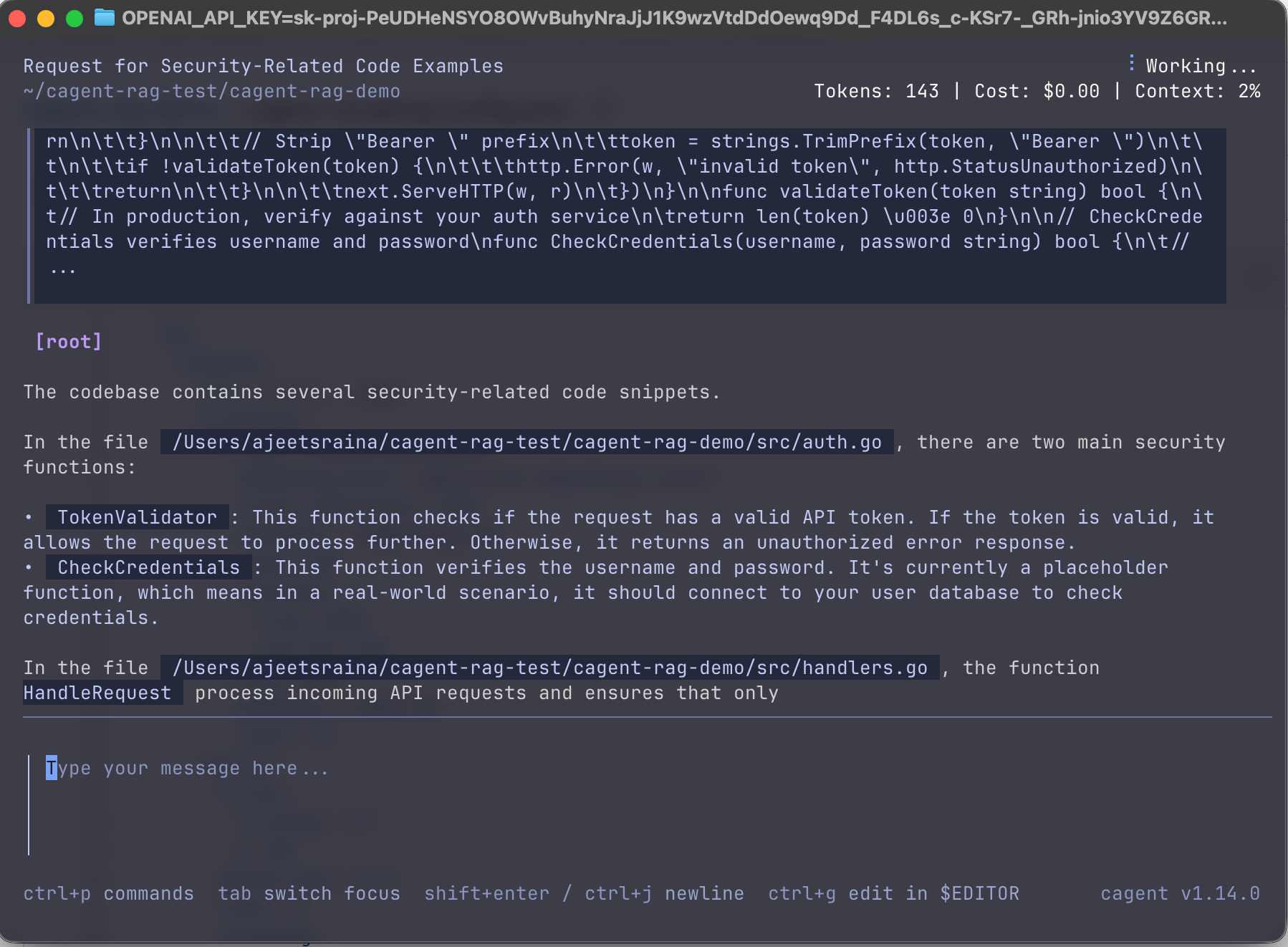
The reranker should prioritize auth.go over handlers.go because of the criteria.
Smart Chunking
Here's something most RAG tutorials won't tell you: How you split your documents into chunks dramatically affects retrieval quality.
There is no one-size-fits-all. Tailor your chunking to your content type:
For Prose & Documentation
chunking:
  size: 1000
  overlap: 100
  respect_word_boundaries: true
Use moderate chunks with overlap to preserve context across boundaries. This ensures important information at chunk edges isn't lost.
For Code
chunking:
  size: 2000
  code_aware: true
Use larger chunks and AST-based splitting to keep functions and classes intact. Breaking a function in half destroys its meaning.
For API References & Short Content
chunking:
  size: 500
  overlap: 50
Use smaller, focused chunks since sections are naturally self-contained (e.g., each API endpoint is a complete unit).
Note: Size is measured in characters, not tokens.
Try Chunking.
cagent run cagent-chunking-config.yaml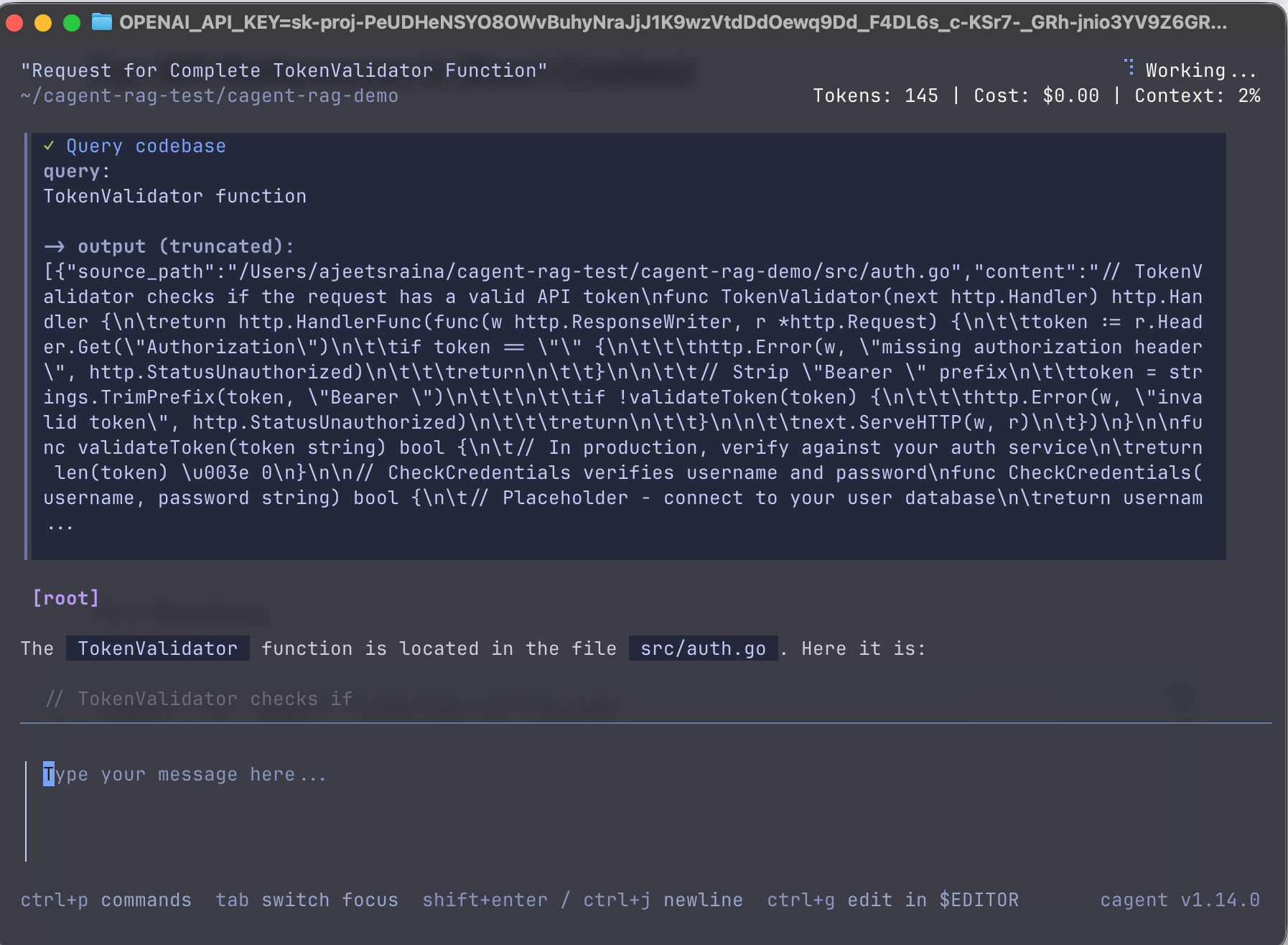
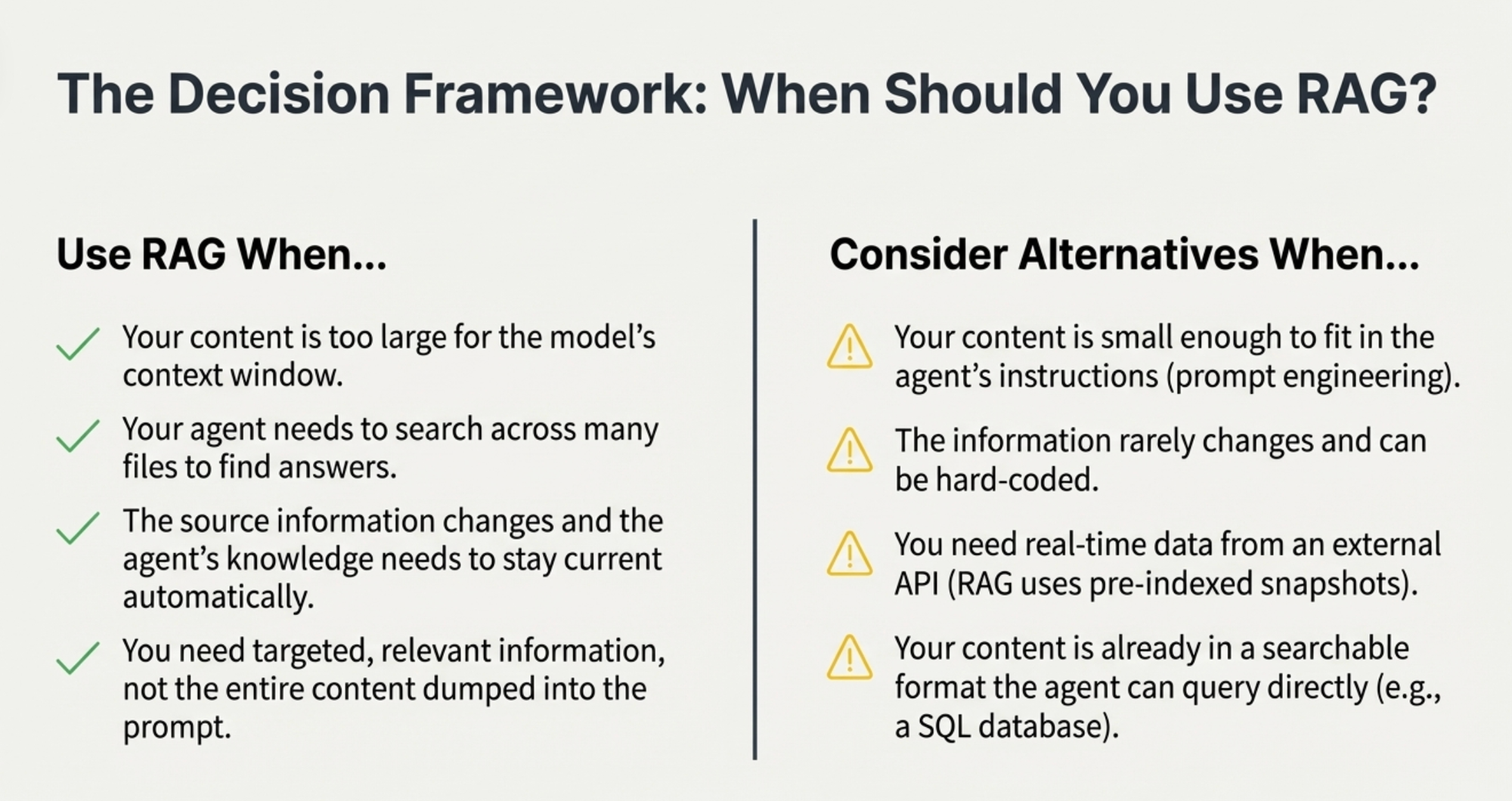
When Should You Use RAG?
RAG is powerful, but it's not always the answer. Here's a practical decision framework:
Use RAG When...
- Your content is too large for the model's context window
- Your agent needs to search across many files to find answers
- The source information changes and the agent's knowledge needs to stay current automatically
- You need targeted, relevant information, not the entire content dumped into the prompt
Consider Alternatives When...
- Your content is small enough to fit in the agent's instructions (prompt engineering)
- The information rarely changes and can be hard-coded
- You need real-time data from an external API (RAG uses pre-indexed snapshots)
- Your content is already in a searchable format the agent can query directly (e.g., a SQL database)
Real-World Example: Setting Up RAG for a Go Project
Let's put this all together with a practical example. Say you're building a web application with Go and you want your agent to help with development.
# cagent-config.yaml
rag:
  myproject:
    docs:
      - ./cmd
      - ./internal
      - ./pkg
      - ./docs

    strategies:
      # Hybrid approach: semantic + keyword
      - type: chunked-embeddings
        embedding_model: openai/text-embedding-3-small
        vector_dimensions: 1536
        database: ./embeddings.db
        limit: 20
        chunking:
          size: 1500
          overlap: 150

      - type: bm25
        database: ./bm25.db
        k1: 1.5
        b: 0.75
        limit: 15
        chunking:
          size: 1500

    results:
      fusion:
        strategy: rrf
        k: 60
      deduplicate: true
      limit: 10

      reranking:
        model: openai/gpt-4-mini
        threshold: 0.3
        limit: 5
        criteria: |
          Prioritize:
          - Working code implementations over comments
          - Files in /internal and /pkg over /cmd
          - Recent patterns over legacy code

agents:
  root:
    model: openai/gpt-4
    instruction: |
      You are an expert Go developer working on this project.
      When users ask about the codebase:
      1. Search the indexed code before making assumptions
      2. Provide specific file paths and line numbers
      3. Suggest actual code from the project, not generic examples
    rag: [myproject]
Now when you ask questions like:
- "How does our authentication middleware work?"
- "Where do we handle database connection pooling?"
- "Show me examples of how we structure HTTP handlers"
The agent will search your actual codebase, find the relevant code, and answer based on your implementation, not generic patterns.
Getting Started: Your RAG Playbook
Here's your practical path from zero to production-grade retrieval:
Step 1: Start with Hybrid Foundation
Begin with a hybrid strategy combining bm25 (for exact matches) and chunked-embeddings (for conceptual understanding). This provides the best baseline coverage for most use cases.
Step 2: Tune Your Engine with Content-Aware Chunking
Immediately adjust your chunking strategy based on your primary content type:
- Prose/Docs: Size 1000, overlap 100
- Code: Size 2000, code_aware: true
- API Refs: Size 500, overlap 50
This is the single biggest lever for improving quality.
Step 3: Refine for Precision with Reranking
If baseline relevance isn't sufficient, add a reranking step. Use the criteria field to encode your project's specific definition of a "good" result (e.g., prioritize official docs, recent code, practical examples).
Start with the defaults, then iterate. The best configuration is one tuned for your specific content and use case.
Wrapping Up
With Docker's cagent, setting it up is straightforward:
- Point it at your code
- Choose your retrieval strategy (or combine them)
- Let the agent search when it needs to
The magic isn't in the complexity—it's in giving your agent the right tool for the job. Start simple, measure results, and optimize based on what you learn.
Next Steps
- Check out the official docs: Docker cagent RAG Documentation
- Try it yourself: Install cagent and experiment with different strategies
- Share your results: The Docker community is actively exploring agentic AI—your insights matter
Want to dive deeper into multi-agent architectures with cagent? Let me know in the comments, and I'll cover agent teams, tool composition, and production deployment patterns in future posts.