What's new in Docker Sandboxes 0.38.0
A hands-on tour of the MCP gateway, kit spec v2, structured startup progress, per-sandbox network deny rules, and daemon restart introduced in Docker Sandboxes (sbx) 0.38.0.

Docker Sandboxes (sbx) runs AI coding agents inside isolated microVMs. Each agent gets its own Docker daemon, filesystem, and network, so it can build images, install packages, and rewrite files without ever touching your host.
Version 0.38.0 (released August 6, 2026) has two headline features: MCP management becomes a first-class part of sbx, and kits gain a cleaner v2 schema. Around those, the release adds structured startup progress, per-sandbox network deny rules, a sbx daemon restart command, and a richer sbx inspect.
This post is a hands-on walkthrough. Every command below was run against a real 0.38.0 install, and the output is captured verbatim, including a machine under organization governance, so you can see how the tooling behaves when a central policy is in force.
Upgrade to 0.38.0
On macOS, upgrade through Homebrew and confirm the version:
$ brew upgrade docker/tap/sbx
docker/tap/sbx 0.37.1 -> 0.38.0
...
🍺  sbx was successfully upgraded!
$ sbx version
sbx version: v0.38.0 de89a8d...
On Windows use winget upgrade Docker.sbx; on Ubuntu, sudo apt-get update && sudo apt-get install --only-upgrade docker-sbx.
Starting with 0.38.0, the macOS Homebrew cask installs from a stapled .dmg artifact rather than a .tar.gz archive, which improves Gatekeeper compatibility. On Windows, a WinGet or MSI upgrade stops the running sandboxd daemon so client and server end up on the same version.
MCP management is now first-class
The centerpiece of 0.38.0 is the sbx mcp command family and a built-in MCP gateway. Register a Model Context Protocol server once on the host, then reuse it across sandboxes and supported agents. Each sandbox starts its own gateway and exposes the registered servers to the agent inside, while sbx keeps the server definitions and OAuth credentials on the host.
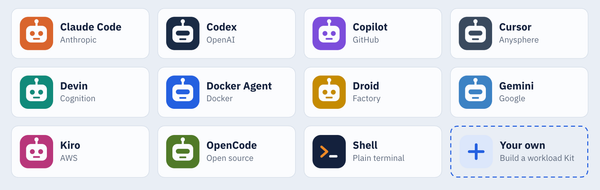
This is different from configuring an MCP server directly in an agent such as Claude Code. Direct setup wires the server into that one agent's MCP client. The sandbox gateway registers servers once on the host and exposes them to any supported agent (Claude Code, Codex, Gemini, Kiro, or OpenCode) with a single path for credentials, explicit server loading, live updates, and organization governance.
Register a server
sbx mcp add registers a server by name. The --url flag auto-detects the input type: a remote MCP endpoint, a community-registry URL, a server manifest, or a Docker Hardened Image reference:
$ sbx mcp add notion --url https://mcp.notion.com/mcp
$ sbx mcp add linear --url https://mcp.linear.app/mcp
For servers that speak stdio instead of exposing an HTTP endpoint, register a local command that sbx launches on the host:
$ sbx mcp add playwright --command npx --args @playwright/mcp@latest
$ sbx mcp add local-time-server --command docker --args "run,-i,mcp/time"
[!WARNING]
Local stdio servers run on the host, outside sandbox isolation, with your host user's permissions. Use trusted commands and images only.
List and inspect what's registered:
$ sbx mcp ls
NAME               TYPE    URL/COMMAND
atlassian          remote  https://mcp.atlassian.com/v1/mcp
linear             remote  https://mcp.linear.app/mcp
local-time-server  local   docker run -i mcp/time
notion             remote  https://mcp.notion.com/mcp
playwright         local   npx @playwright/mcp@latest
stripe             remote  https://mcp.stripe.com

$ sbx mcp inspect notion
Name: notion
Type: remote
URL: https://mcp.notion.com/mcp
Transport: streamable-http
OAuth: required
Issuer: https://mcp.notion.com
Registration: https://mcp.notion.com/register
For remote servers that require OAuth, sbx mcp add runs the authorization flow at registration time and stores the token in the host credential store. The real token never enters the sandbox; the gateway attaches it on the way out.
Attach servers to a sandbox
There are two modes, chosen once at creation time. Static mode pre-loads a fixed set of servers and hides the discovery tools from the agent. Pass --static-mcp with a comma-separated list or repeated flags:
$ sbx create claude --name mcp-demo --static-mcp local-time-server
── RESOLVE SETUP
resolving configuration…
sandbox mcp-demo
agent claude
workspace /Users/dev/sbx-v038-demo (rw)
skills .../agent-skills → /home/agent/.claude/skills · 2 folders
image docker/sandbox-templates:claude-code-docker
cpu 18
memory 18 GiB
✓ configuration resolved
── PREPARE IMAGE
→ pull docker/sandbox-templates:claude-code-docker
ae8a46a10575 already present
...
✓ image ready
── CREATE SANDBOX
✓ Created sandbox mcp-demo
Dynamic mode (the default when you omit --static-mcp) pre-loads nothing and instead exposes mcp-find, mcp-add, and mcp-config-set to the agent, so the agent can search the registered catalog and attach servers mid-session.
Either way, sbx inspect confirms the gateway is wired up:
$ sbx inspect mcp-demo
Name: mcp-demo
Agent: claude
State: running (58s)
Image: docker/sandbox-templates:claude-code-docker
Auth mode: oauth · anthropic
Workspace: /Users/dev/sbx-v038-demo
Network Policy: global (organizational policy: acme-corp)
Mount Policy: allowed
Proxy: 172.17.0.12:3128
Secrets: CLAUDE_CODE_OAUTH_TOKEN (custom), github (uploaded), mcpgateway (uploaded), openai (uploaded)
MCP gateway: configured
Ports: none published
Sessions: 0
Daemon: v0.38.0 uptime 11m
Add a server to a running sandbox
sbx mcp load attaches an already-registered server to a running sandbox in both modes. Connected agents receive a tool-list update, so the new tools appear without reconnecting:
$ sbx mcp load notion --sandbox mcp-demo
MCP server "notion" loaded into sandbox "mcp-demo" (live)
The loaded server stays attached across sandbox restarts.
Organizations with AI Governance can control server registration, tool calls, and the gateway's built-in meta-tools with Cedar MCP access policies. For the full command surface, see the MCP gateway documentation.
Kit spec v2
Kits are declarative YAML artifacts that extend a sandbox with extra tools, credentials, network rules, and files. Version 0.38.0 promotes the v2 grammar introduced in 0.36 to the default for new kits. The loader forks on schemaVersion: a "2" spec uses the v2 grammar only, and existing "1" kits keep loading through the legacy path.
The v2 schema reorganizes fields into clearer blocks. A few of the common moves:
| v1 | v2 |
|---|---|
network.allowedDomains / deniedDomains |
permissions.network.allow / deny |
commands.install |
setup.install |
memory / agentContext |
agentInstructions.content |
kind: agent / agent: block |
kind: sandbox / sandbox: block |
Here's a minimal v2 mixin kit that installs the Ruff linter and gives the agent a house rule:
schemaVersion: "2"
kind: mixin
name: ruff-kit
displayName: Ruff Kit
description: Adds the Ruff Python linter and a house rule for the agent
requires:
  agent: claude
agentInstructions:
  content: |
    Ruff is installed. Run `ruff check` before you commit any Python change.
permissions:
  network:
    allow:
      - astral.sh
      - "*.astral.sh"
setup:
  install:
    - command: "curl -LsSf https://astral.sh/ruff/install.sh | sh"
      description: Install the Ruff linter
Validate and inspect it before you ship it:
$ sbx kit validate ./ruff-kit
VALID: ./ruff-kit (directory)
$ sbx kit inspect ./ruff-kit
Name: ruff-kit
Kind: mixin
Schema: v2
Display: Ruff Kit
Description: Adds the Ruff Python linter and a house rule for the agent
Policies:
  Network: 2 allow, 0 deny
  Commands: 1 install, 0 startup, 0 init files
The v2 loader is strict: legacy v1 fields in a schemaVersion: "2" spec are decode errors, not silently folded in. That keeps each spec on one grammar and catches half-migrated kits early:
$ sbx kit validate ./bad-kit
INVALID: artifact: invalid spec.yaml: yaml: unmarshal errors:
  line 4: field network not found in type spec.specFileV2
ERROR: artifact validation failed
Credential discovery also moved out of the kit in v2. A kit declares which credentials it needs and how to inject them, but where each value comes from is controlled by the user through credential bindings. For the full field reference, see the kit spec reference.
Structured startup progress
sbx create and sbx run now stream structured progress during startup instead of a spinner. As you saw in the MCP section, startup is grouped into labeled phases (RESOLVE SETUP, PREPARE IMAGE, CREATE SANDBOX) that report the environment files loaded, resources provisioned, image layers pulled, and each kit command's outcome. When you create with --kit, kit-install progress streams live so you can watch each install step run against the container.
This makes a failed launch far easier to diagnose. If a mount is denied by policy, the failure names the exact phase and path:
$ sbx create claude --name demo /tmp/scratch
── RESOLVE SETUP
...
── PREPARE IMAGE
...
✓ image ready
ERROR: request failed: 403 Forbidden: mount policy denied: /tmp/scratch: fs:mount:read denied: no applicable policies ...
Per-sandbox network deny rules
sbx run and sbx create accept --deny-network HOST to record a network deny rule scoped to that one sandbox, at creation time. This is safe even under centralized governance: a local deny can only narrow egress, never widen it.
$ sbx create shell --name deny-demo --deny-network pastebin.com
...
✓ Created sandbox deny-demo
The rule is recorded as a local policy that applies only to that sandbox:
$ sbx policy ls deny-demo --wide
SOURCE  APPLIES TO         POLICY  RULE TYPE  DECISION  RESOURCES
local   sandbox:deny-demo  -       -          network deny  pastebin.com
You can test it against the same policy engine that enforces sandbox traffic, before launching an agent, with sbx policy check network:
$ sbx policy check network pastebin.com:443 --sandbox deny-demo
Denied: pastebin.com:443
Governance: Managed by acme-corp
Context: sandbox:deny-demo
Reason: denied by policy
Remove the rule later with sbx policy rm network --sandbox deny-demo --resource pastebin.com.
Restart the daemon in one command
Everything sbx does runs against the background sandboxd daemon. Version 0.38.0 adds sbx daemon restart to stop and restart it in the background in a single step, handy after changing an environment variable such as DOCKER_SANDBOXES_PROXY:
$ sbx daemon restart
Stopping daemon at .../sandboxd.sock...
✓ Daemon stopped successfully
Daemon started (PID: 41651, socket: .../sandboxd.sock)
Logs: .../daemon.log
Secrets are global by default
Service and custom secrets are now global by default. Use --sandbox <name> to scope a secret to a single sandbox; the legacy positional and --global forms still work but print a deprecation warning. sbx secret ls shows the scope of every credential, flags OAuth-shadowed entries, and lists custom secrets and the domains they inject into:
$ sbx secret ls
SCOPE     TYPE     NAME       SECRET
(global)  service  github     (stored)
(global)  service  openai     (stored)
(global)  service  anthropic  (oauth configured)

CUSTOM SECRETS
SCOPE     TARGETS            ENV                      PLACEHOLDER            SECRET
(global)  api.anthropic.com  CLAUDE_CODE_OAUTH_TOKEN  sk-ant-oat01-gF0Nf...  sk-ant******...
sbx inspect also lists a sandbox's custom secrets, so you can answer "what does this agent actually have access to?" in one place. Two related fixes land here too: sandbox-scoped GitHub credentials added after creation now work without recreating the sandbox, and pressing Ctrl+C while entering a secret cancels the command without saving it.
Smaller changes worth knowing
sbx inspectshows custom secrets. Custom secrets configured for a sandbox now appear alongside service secrets and the MCP gateway status.- Shared agent skills follow symlinks. Directory symlinks under the skills folder are resolved and their contents imported by
sbx skills import. - Cloud agents get kit environment variables. Codex sandboxes prefer stored OpenAI OAuth credentials over API keys, kit environment variables now reach cloud agents, and Git no longer hangs Codex startup prompting for credentials.
- Clearer port-publish errors. A port-publishing failure now identifies the affected host port and explains when the OS requires extra daemon privileges.
- Configurable clone volume size.
DOCKER_SANDBOXES_CLONED_WORKSPACE_SIZEsets the size of the--cloneworkspace volume. - Security fixes. Claude Desktop SSH sessions no longer expose Desktop OAuth access tokens inside sandboxes, and a destination-escape flaw in
sbx cpcopy-out was fixed (CVE-2026-17106).
Experimental features
Three experimental capabilities are worth trying behind their feature flags:
- GPU passthrough. Run a sandbox with NVIDIA VFIO GPU passthrough on Linux using
sbx run --gpu, after enablingsbx settings set feature.sandbox-gpu true. - Local models. Run Claude Code against a local GGUF model with
sbx run --model <name> claude. Prefix the name withollama/to use a model from an existing Ollama installation. - Enterprise networking. Configure separate upstream-proxy settings for sandbox and daemon traffic, with integrated NTLM/Kerberos proxy authentication on Windows.
Wrapping up
Docker Sandboxes 0.38.0 is about reach and clarity. The MCP gateway turns MCP servers into a host-managed resource you register once and share across every sandbox and supported agent, with credentials that never leave the host. Kit spec v2 gives kit authors a cleaner, stricter grammar. And the smaller changes (structured startup progress, --deny-network, sbx daemon restart, and a richer sbx inspect) make day-to-day work easier to see and control.
For the full change list, see the Docker Sandboxes release notes, and try sbx yourself from the get started guide. Found a bug or have a request? Open an issue at github.com/docker/sbx-releases/issues.