Docker Sandboxes Tutorial and Cheatsheet
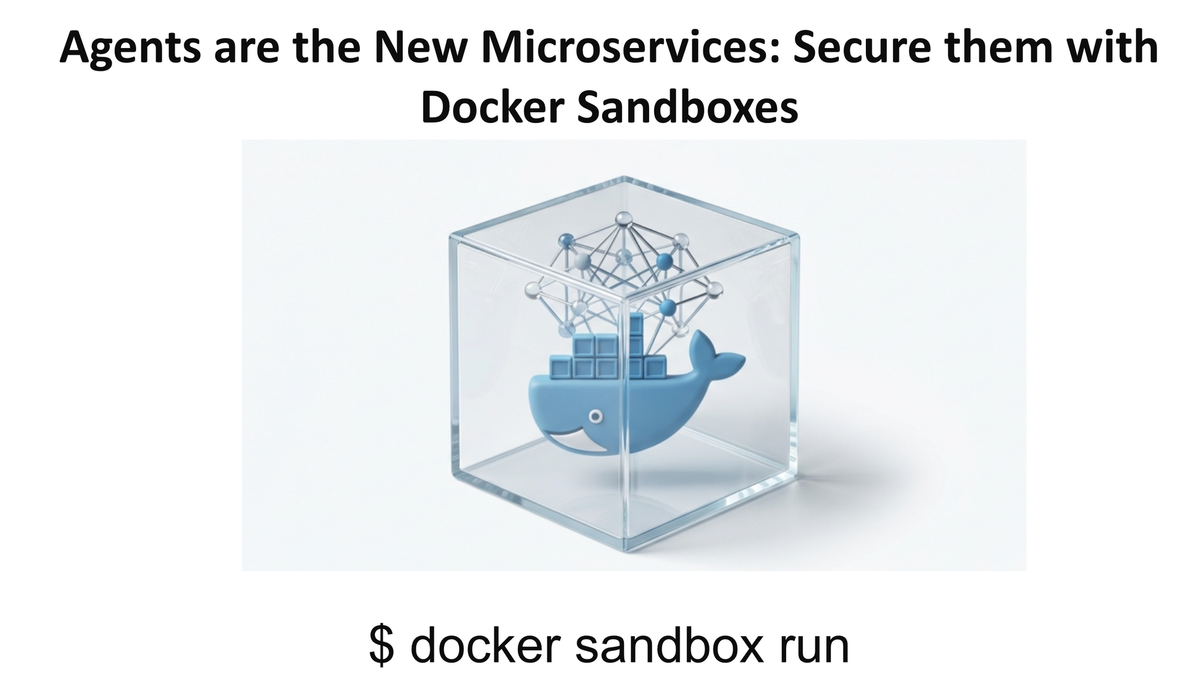
Docker Sandboxes lets AI coding agents like Claude Code run safely in isolated containers. Get full autonomy without compromising your localhost security. Docker Desktop 4.50+

I've been running Claude Code for a few months now, and honestly? It's brilliant. But every time it runs npm install or modifies files outside my project, there's that moment of "wait, what did you just do?" Last week, I saw a Reddit thread where someone's home directory got wiped by an AI agent. That's the nightmare scenario.
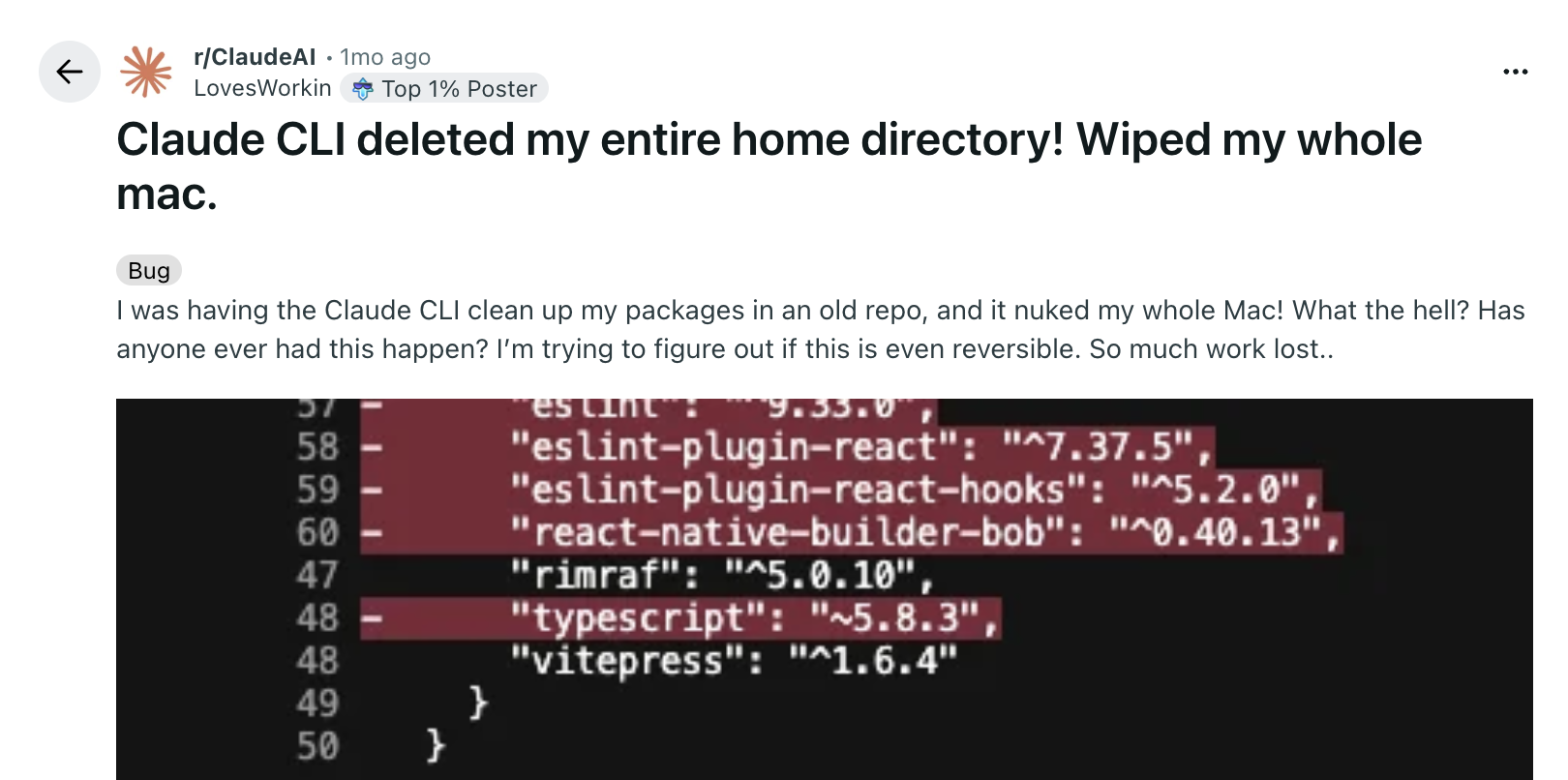
AI coding agents have become incredibly powerful. Tools like Claude Code, GitHub Copilot, and Devin AI can write code, debug issues, and even manage entire development workflows. But there's a critical problem: running them locally introduces significant risks.
Let's discuss about the risks.
- Environment Pollution
AI agents can install packages and dependencies globally, creating conflicts with other projects. Imagine your agent installing a different version of Python or Node.js that breaks your existing applications.
# Agent installs globally
npm install -g some-package@beta

# Now your other projects using stable versions are broken- Unintended File System Changes
An agent could mistakenly modify, move, or delete critical files outside the project workspace. One wrong command and your ~/.ssh keys, environment configs, or system files could be compromised.
Recent research from NVIDIA's AI Red Team (CVE-2024-12366) demonstrated how AI-generated code can escalate into remote code execution (RCE) when executed without proper isolation.
- Security Vulnerabilities
Giving an agent unrestricted network and file access could expose sensitive data or create security holes. According to a comprehensive survey by ACM Computing Surveys, insufficient isolation between agents and the host system poses one of the most significant security challenges in agentic AI systems.
The uncomfortable truth: Most LLM tools have full access to your machine by default, with only imperfect attempts at blocking risky behavior.
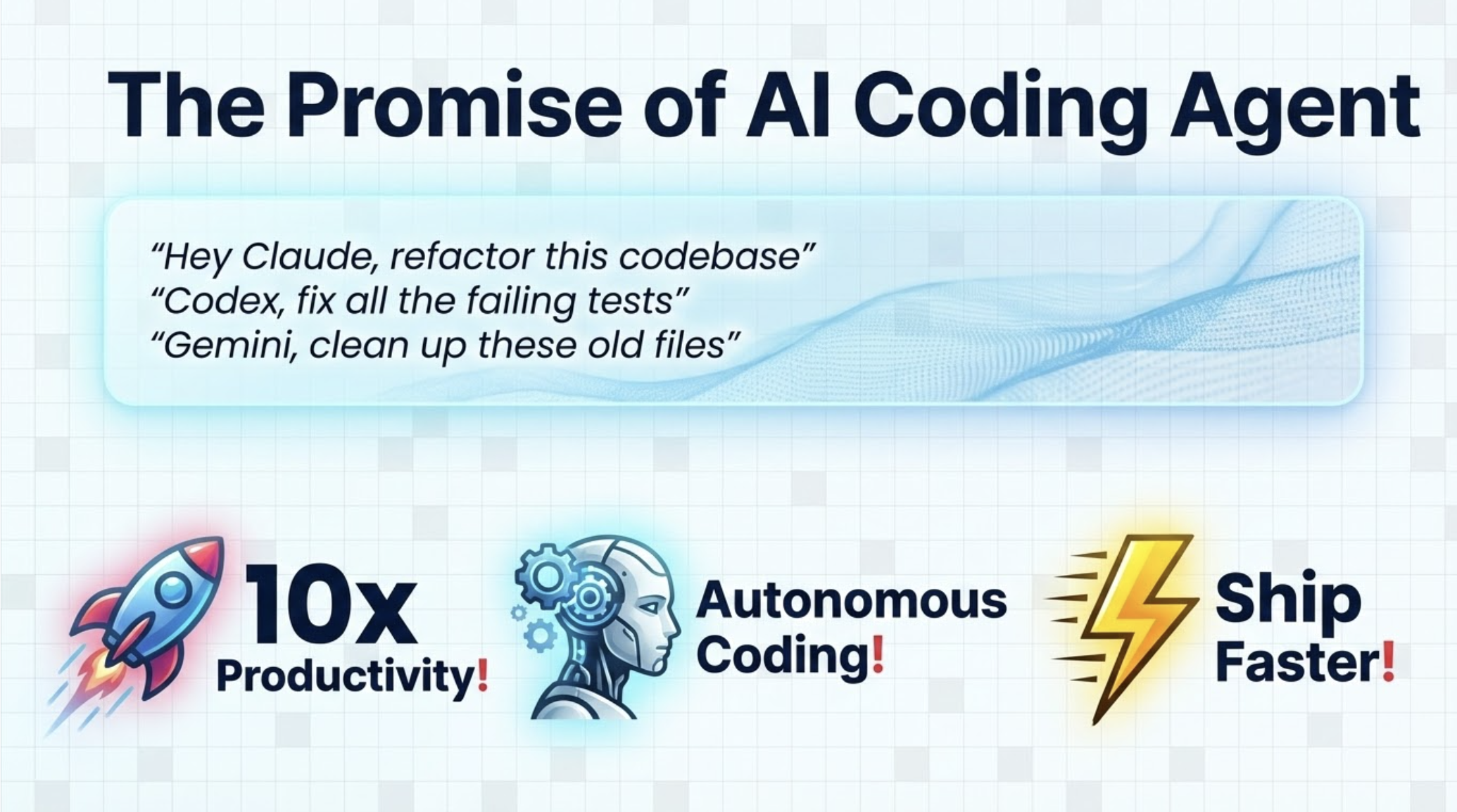
Docker Sandboxes fixes this
Docker Sandboxes solves these problems by isolating AI agents from your local machine while preserving a familiar development experience.
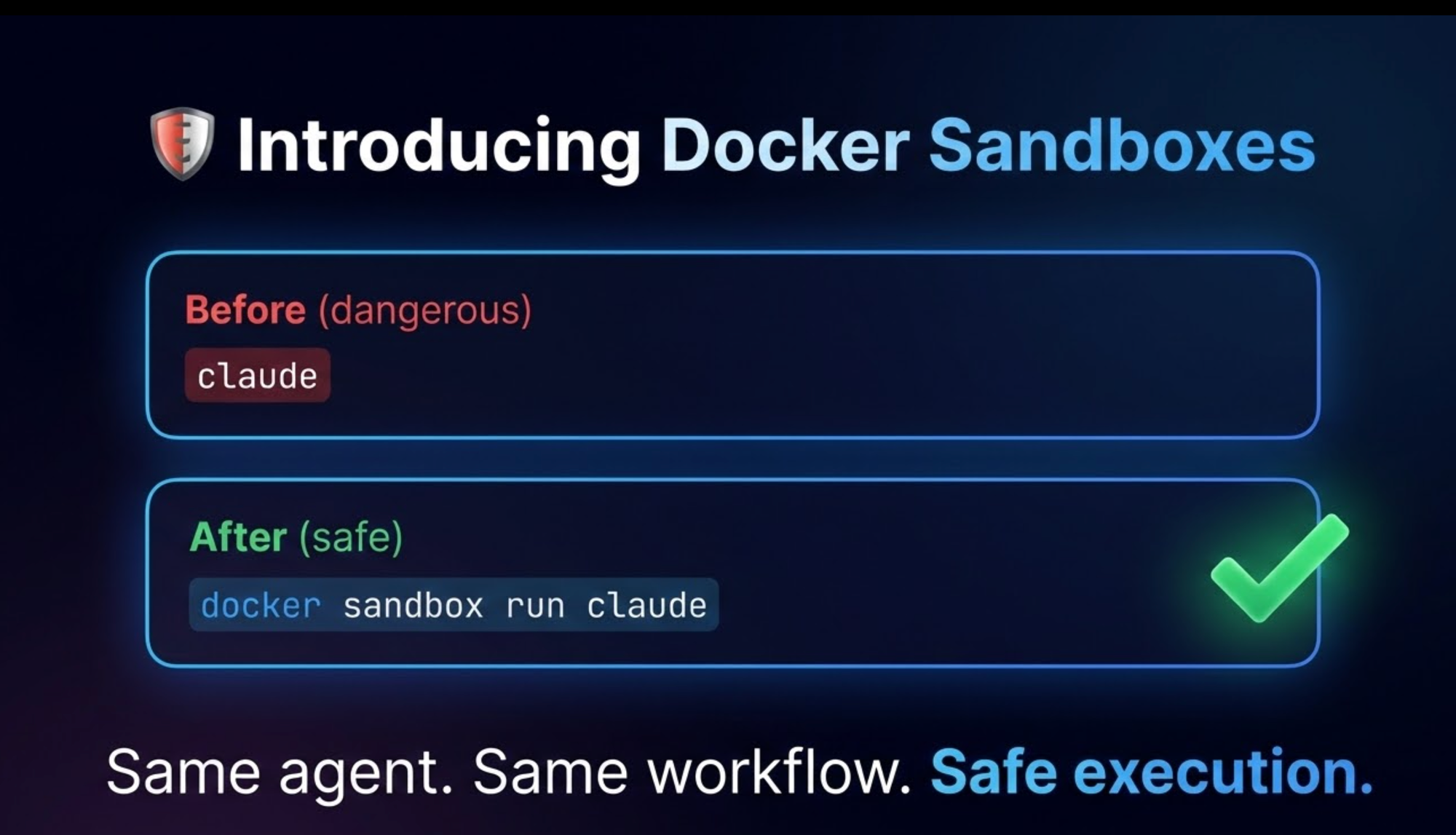
It is an experimental feature in Docker Desktop 4.50+ that lets AI coding agents like Claude Code run safely in isolated containers while maintaining a seamless development experience. Your project directory is mounted at the same path, Git credentials are configured automatically, and your localhost stays protected. Your agent gets a container that looks exactly like your local environment—same paths, same Git config—but it can't touch anything outside the project folder. Let me show you how it works.
What actually happens when you run it
First, make sure you have Docker Desktop 4.50 or later. Then:
cd ~/my-project
docker sandbox run claude
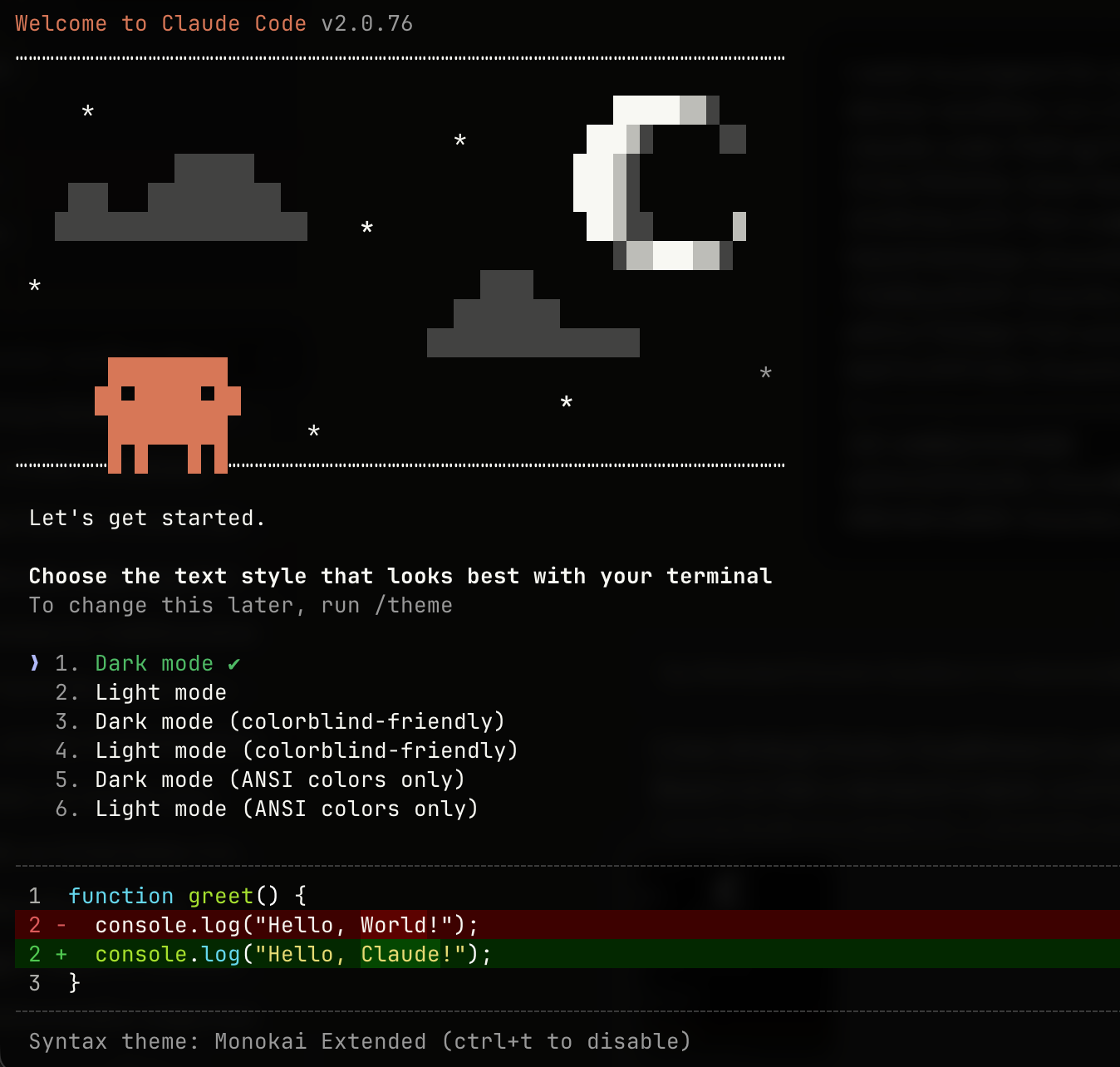
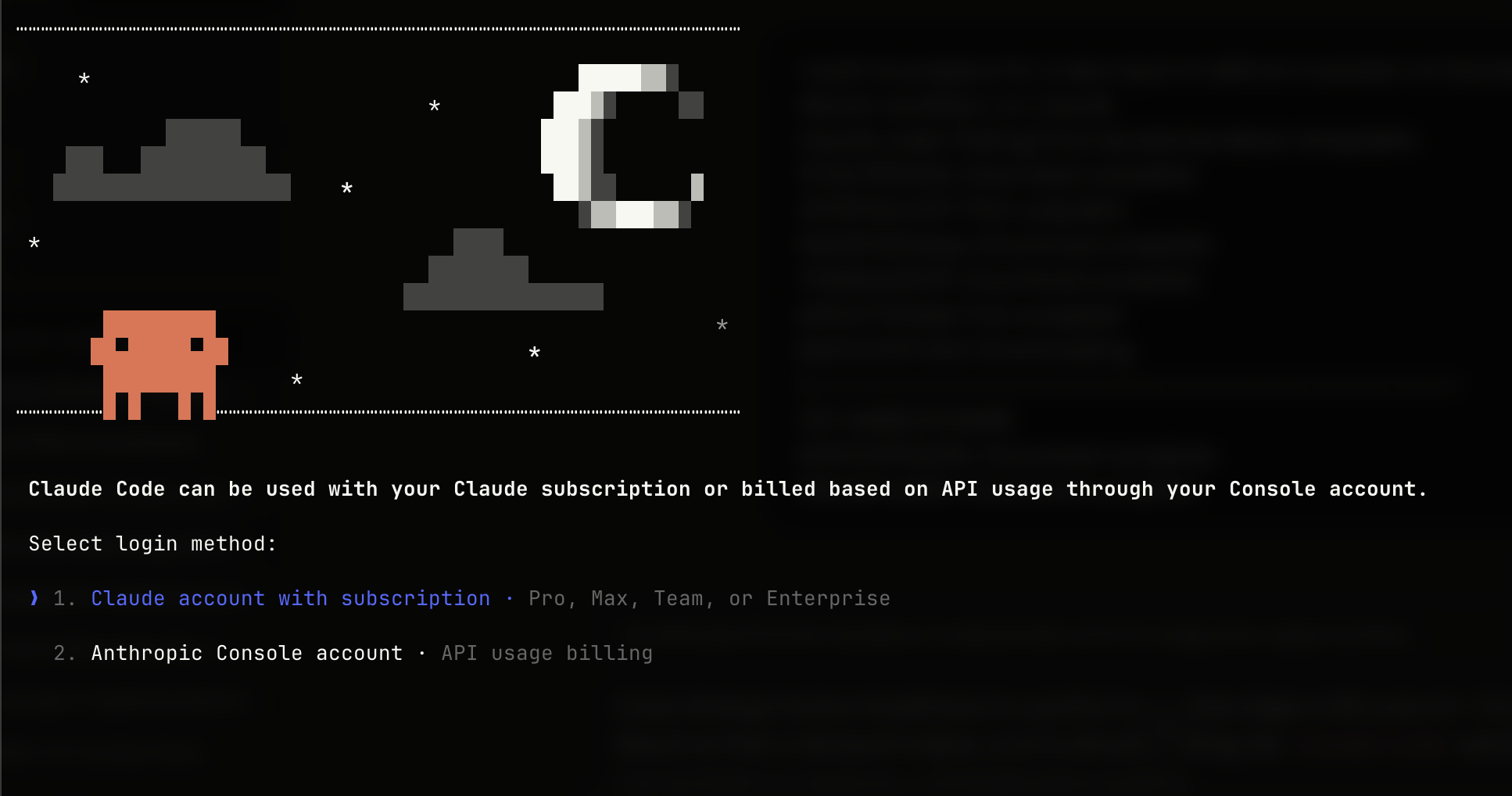
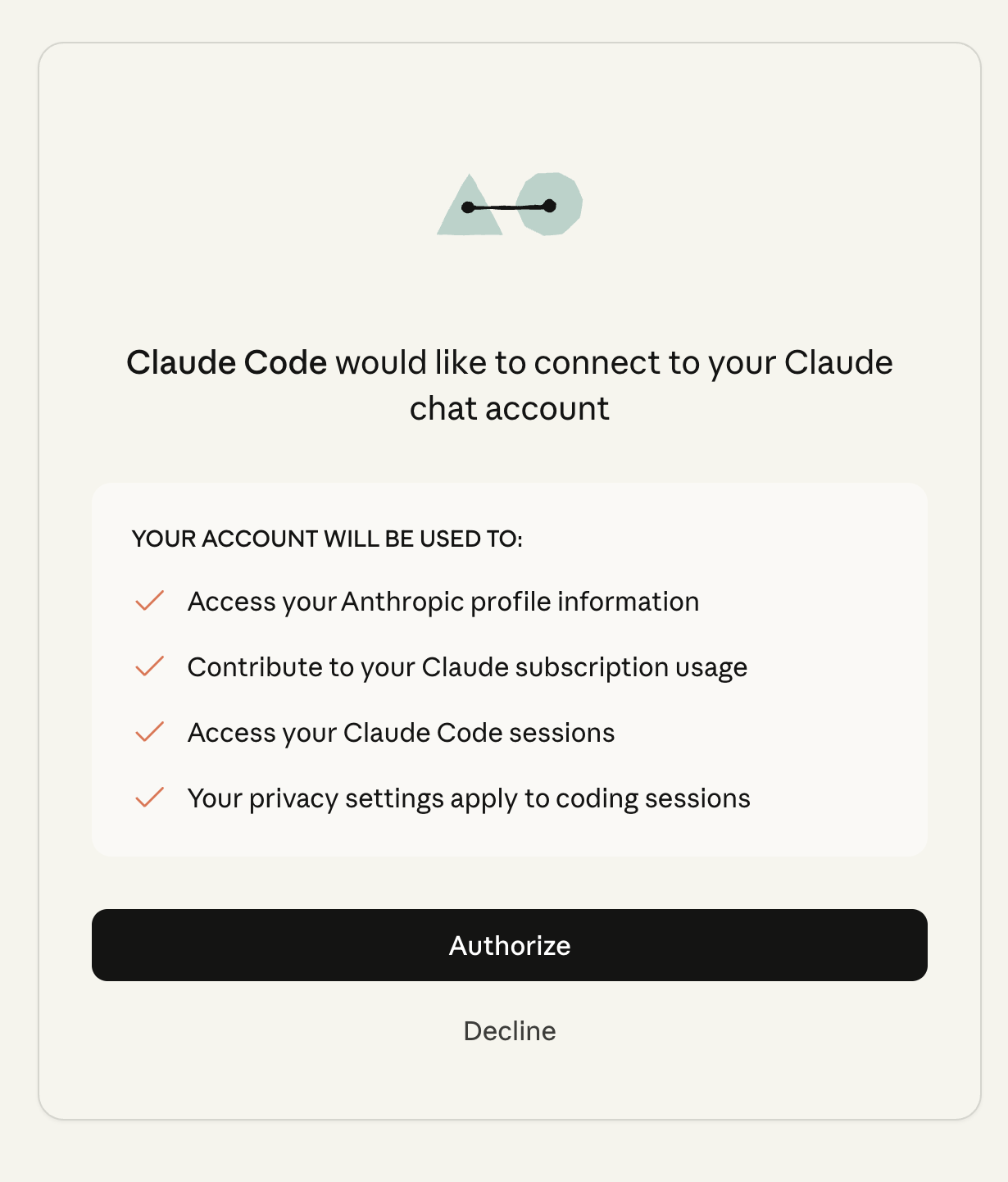
That's it. First time, it'll ask you to authenticate with Claude. After that, credentials get stored in a Docker volume so you don't have to log in again.
Here's what Docker does behind the scenes:
- Spins up a container from
docker/sandbox-templates:claude-code - Mounts your current directory at the exact same path (so
/Users/ajeet/my-projecton your Mac is also/Users/ajeet/my-projectinside the container) - Injects your Git username and email so commits still show your name
- Stores the API key in a volume called
docker-claude-sandbox-data
The path thing matters more than you'd think. When Claude gives you an error message with a file path, you can copy-paste it directly. No mental translation needed.
How Docker Sandboxes Differ from Regular Containers
You might be thinking: "Can't I just use docker run and mount my project?" Yes, but Docker Sandboxes handles several things automatically that you'd otherwise have to configure manually.
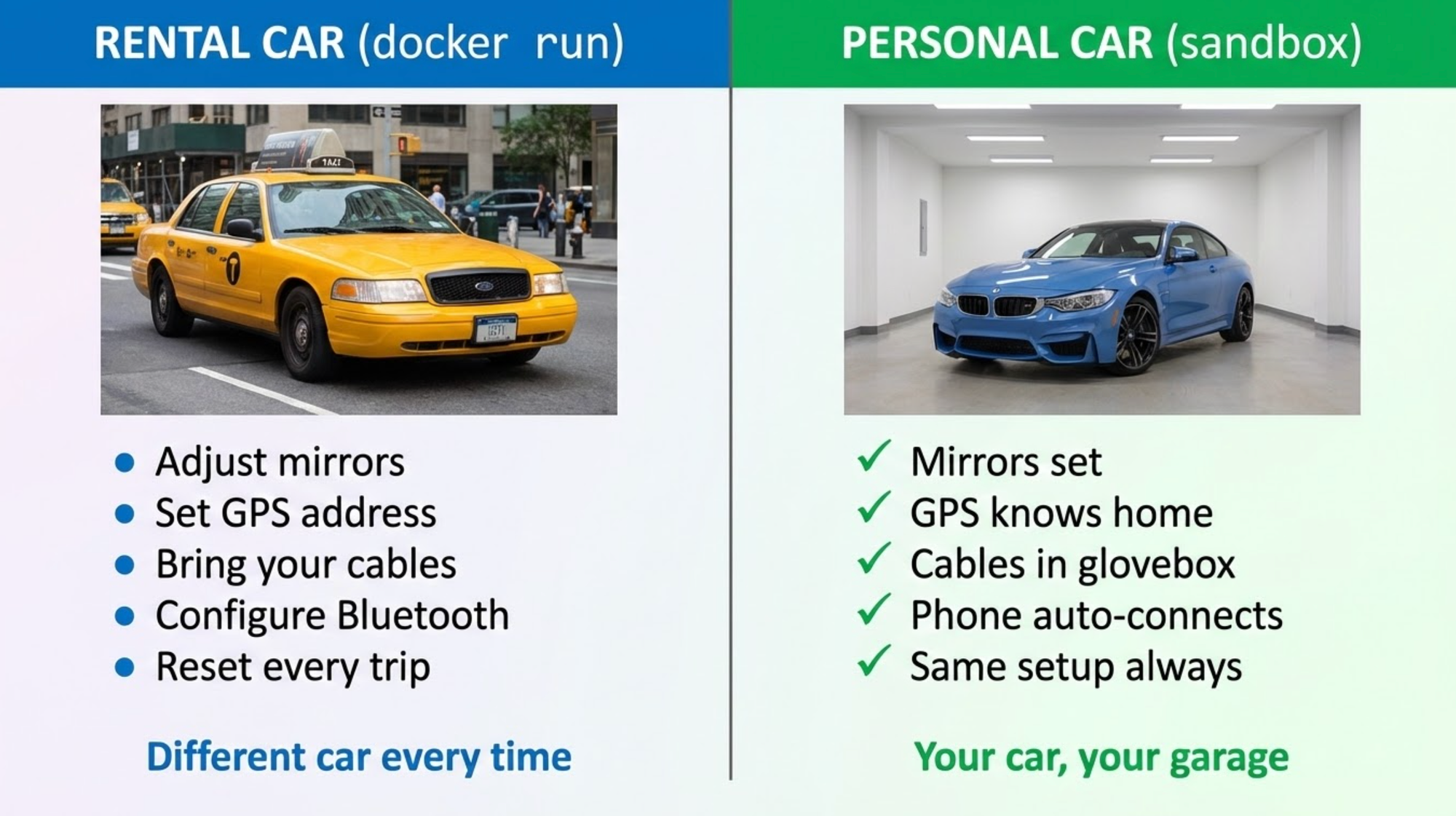
Think of a normal container like a rental car: you get the basic vehicle, but you have to adjust the mirrors, set the GPS, and bring your own charging cables every time you get a new one. A Docker Sandbox is like a dedicated personal car parked in a specific garage (your workspace); it already knows your seat settings, remembers your home address, and has your favorite sunglasses in the glovebox every time you step inside.
State Persistence
Personal car: Your stuff stays in the trunk. The umbrella you threw in last month is still there when it rains today.
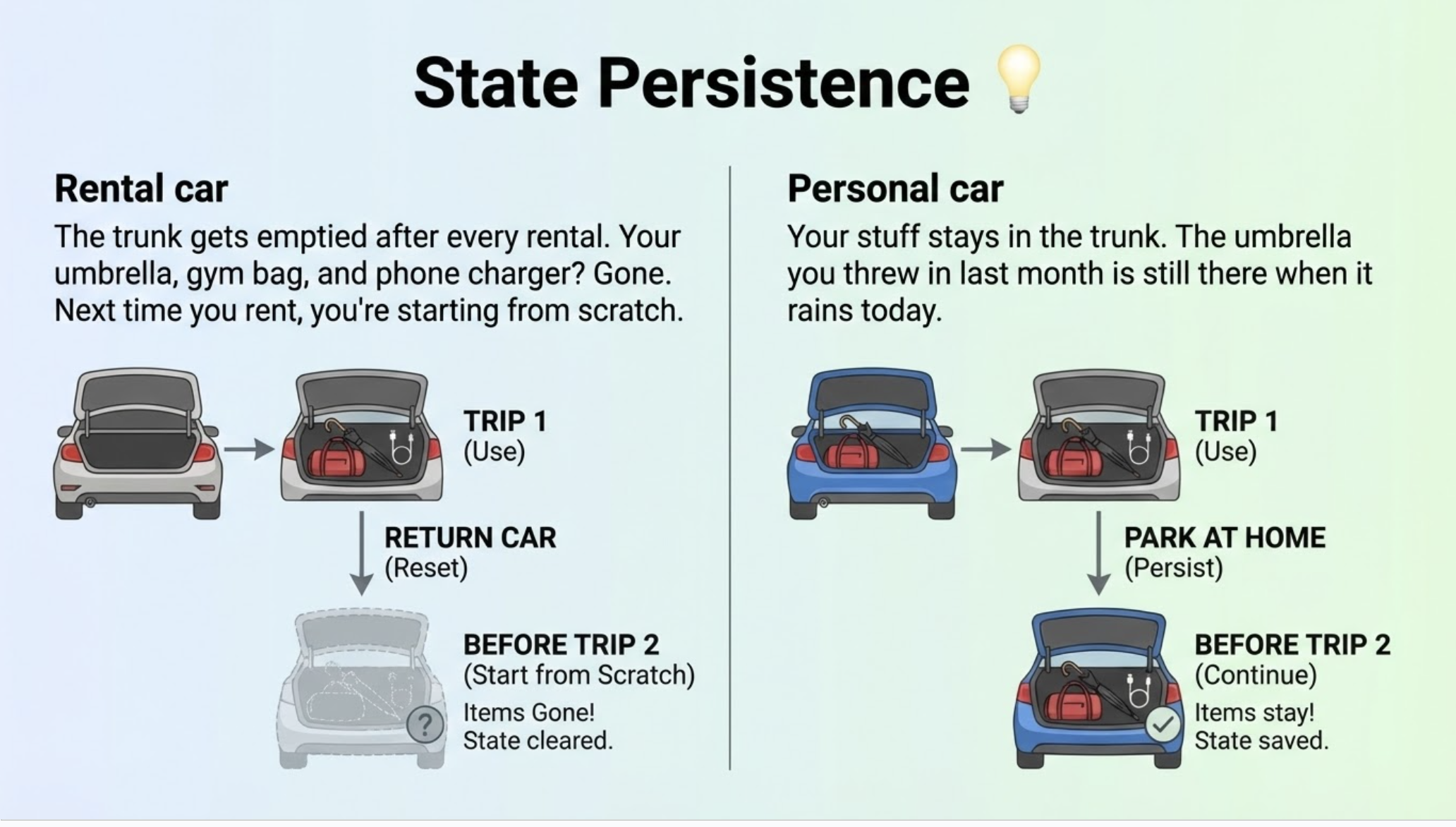
Regular docker run: Container disappears when you exit. All installed packages, configs, and temp files are gone.
SESSION 1:
$ docker run -it node:20 bash
$ npm install express mongoose dotenv    # 200+ packages installed
$ exit

SESSION 2:
$ docker run -it node:20 bash
$ npm list
└── (empty)                              # 😭 Everything gone, start over
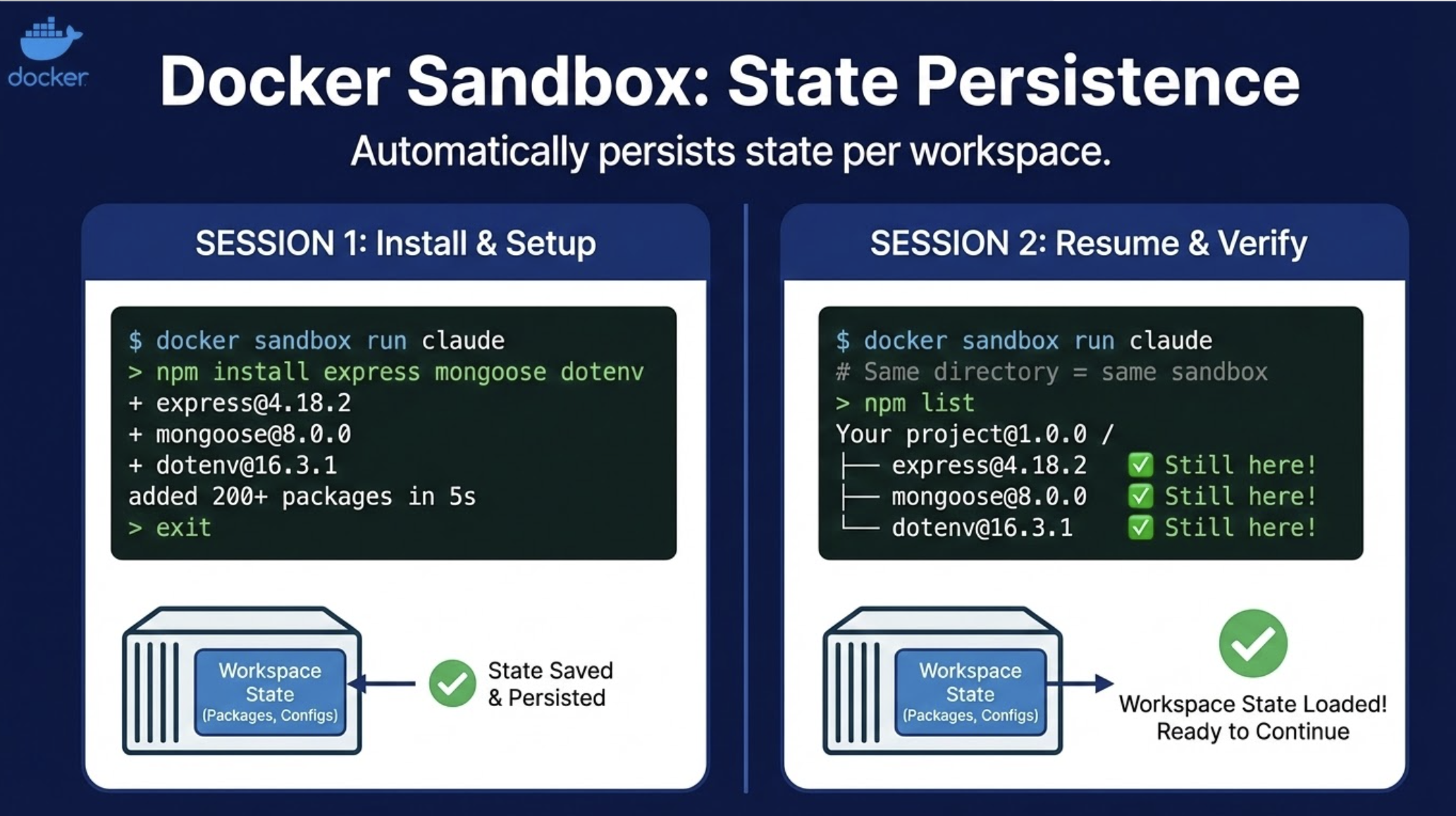
Docker Sandbox: State persists automatically per workspace.
SESSION 1:
$ docker sandbox run claude
> npm install express mongoose dotenv    # 200+ packages installed
> exit

SESSION 2:
$ docker sandbox run claude              # Same directory = same sandbox
> npm list
├── express@4.18.2                       # ✓ Still here!
├── mongoose@8.0.0                       # ✓ Still here!
└── dotenv@16.3.1                        # ✓ Still here!
Unlike a regular docker run that disappears when you exit, sandboxes persist. Run docker sandbox run claude in the same directory tomorrow, and you get the same container with all the packages Claude installed yesterday still there.
This is intentional. You want continuity—if Claude spent 10 minutes setting up your Python environment, you don't want to repeat that every session.
Path Matching
Rental car GPS: Addresses are generic. "Navigate to 123 Main St" works, but your mental shortcuts don't. When your friend texts "meet me at the usual spot," you can't just tap a button—you have to translate.
Personal car GPS: It knows "Home," "Work," "Mom's house," and "the usual spot." Same names you use in real life.
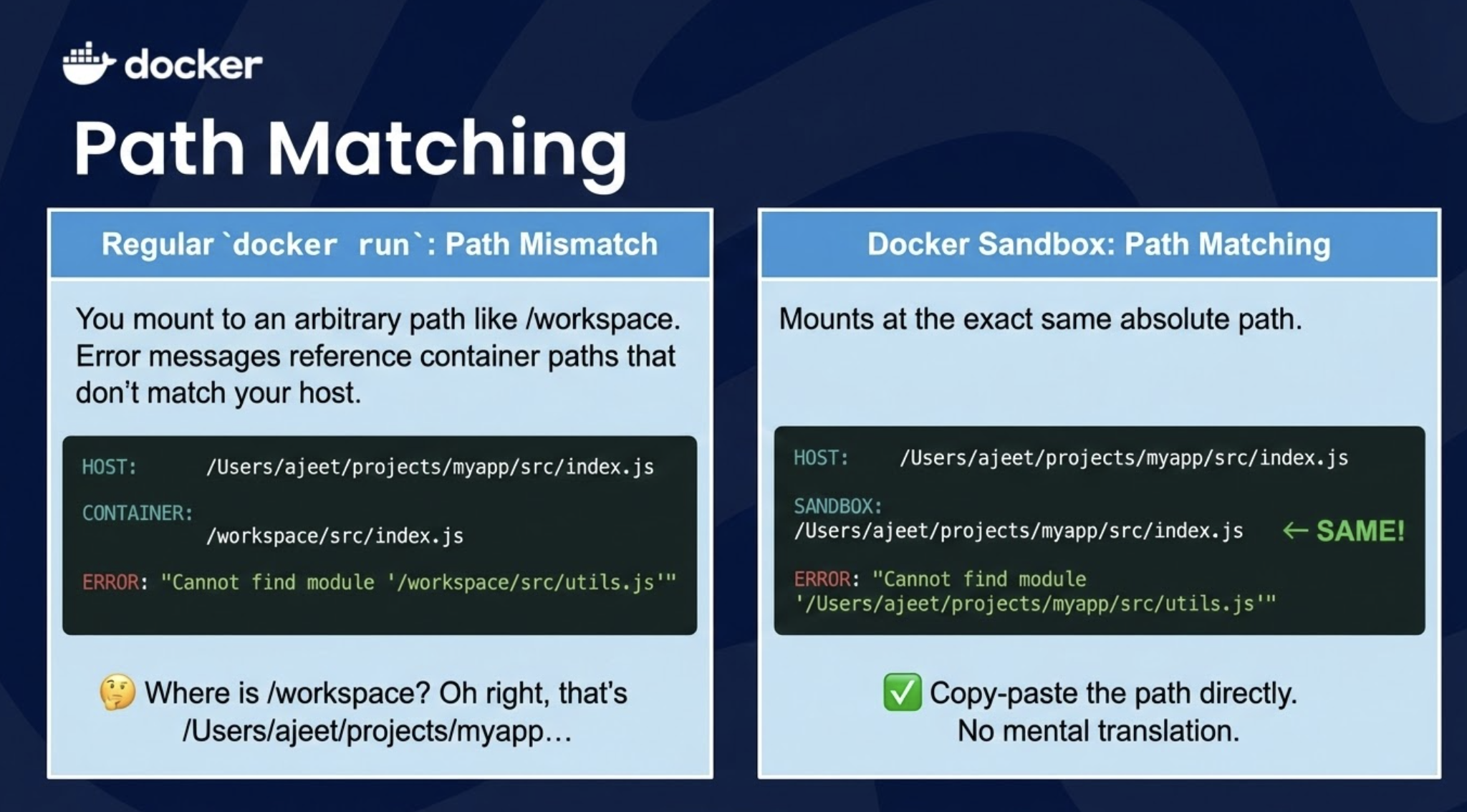
Regular docker run: You mount to an arbitrary path like /workspace. Error messages reference container paths that don't match your host.
HOST:       /Users/ajeet/projects/myapp/src/index.js
CONTAINER:  /workspace/src/index.js

ERROR: "Cannot find module '/workspace/src/utils.js'"

🤔 "Where is /workspace? Oh right, that's /Users/ajeet/projects/myapp..."
Docker Sandbox: Mounts at the exact same absolute path.
HOST:       /Users/ajeet/projects/myapp/src/index.js
SANDBOX:    /Users/ajeet/projects/myapp/src/index.js   ← SAME!

ERROR: "Cannot find module '/Users/ajeet/projects/myapp/src/utils.js'"

✓ Copy-paste the path directly. No mental translation.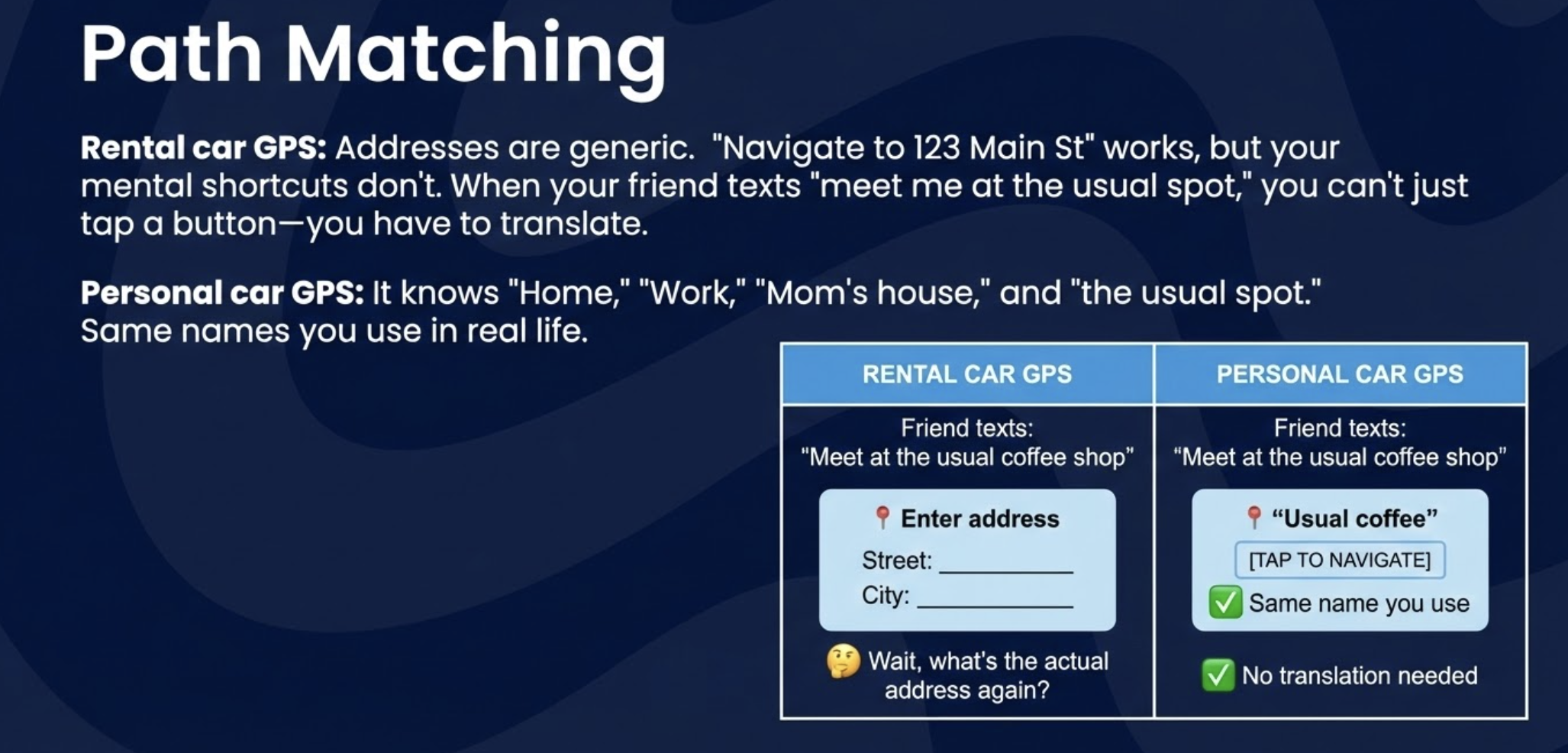
Git Configuration Injection
Rental car: The toll transponder isn't linked to your account. You drive through the toll booth and get a bill addressed to "UNKNOWN DRIVER" or the rental company charges you a $50 admin fee to figure out who was driving.
Personal car: Toll transponder is linked to your account. Charges automatically go to the right person, correctly attributed, no questions asked.
┌─────────────────────────────────────────────────────────────────┐
│                                                                 │
│   RENTAL CAR TOLLS                  PERSONAL CAR TOLLS          │
│                                                                 │
│   ┌───────────────────┐             ┌───────────────────────┐   │
│   │                   │             │                       │   │
│   │   TOLL INVOICE    │             │   TOLL INVOICE        │   │
│   │                   │             │                       │   │
│   │   Driver: ???     │             │   Driver: Ajeet Raina │   │
│   │   Vehicle: ???    │             │   Account: *****1234  │   │
│   │                   │             │                       │   │
│   │   ⚠️  UNIDENTIFIED│             │   ✓ AUTO-CHARGED      │   │
│   │                   │             │                       │   │
│   └───────────────────┘             └───────────────────────┘   │
│                                                                 │
│   "Please call to verify           "Thanks for using FastTag"  │
│    your identity"                                               │
│                                                                 │
└─────────────────────────────────────────────────────────────────┘
Regular docker run: Git doesn't know who you are. Commits show up as root@container-id or Git refuses to commit entirely.
$ docker run -it -v $(pwd):/workspace node bash
$ git commit -m "Fix bug"

⚠️  Author identity unknown
Please tell me who you are:
  git config --global user.email "you@example.com"
  git config --global user.name "Your Name"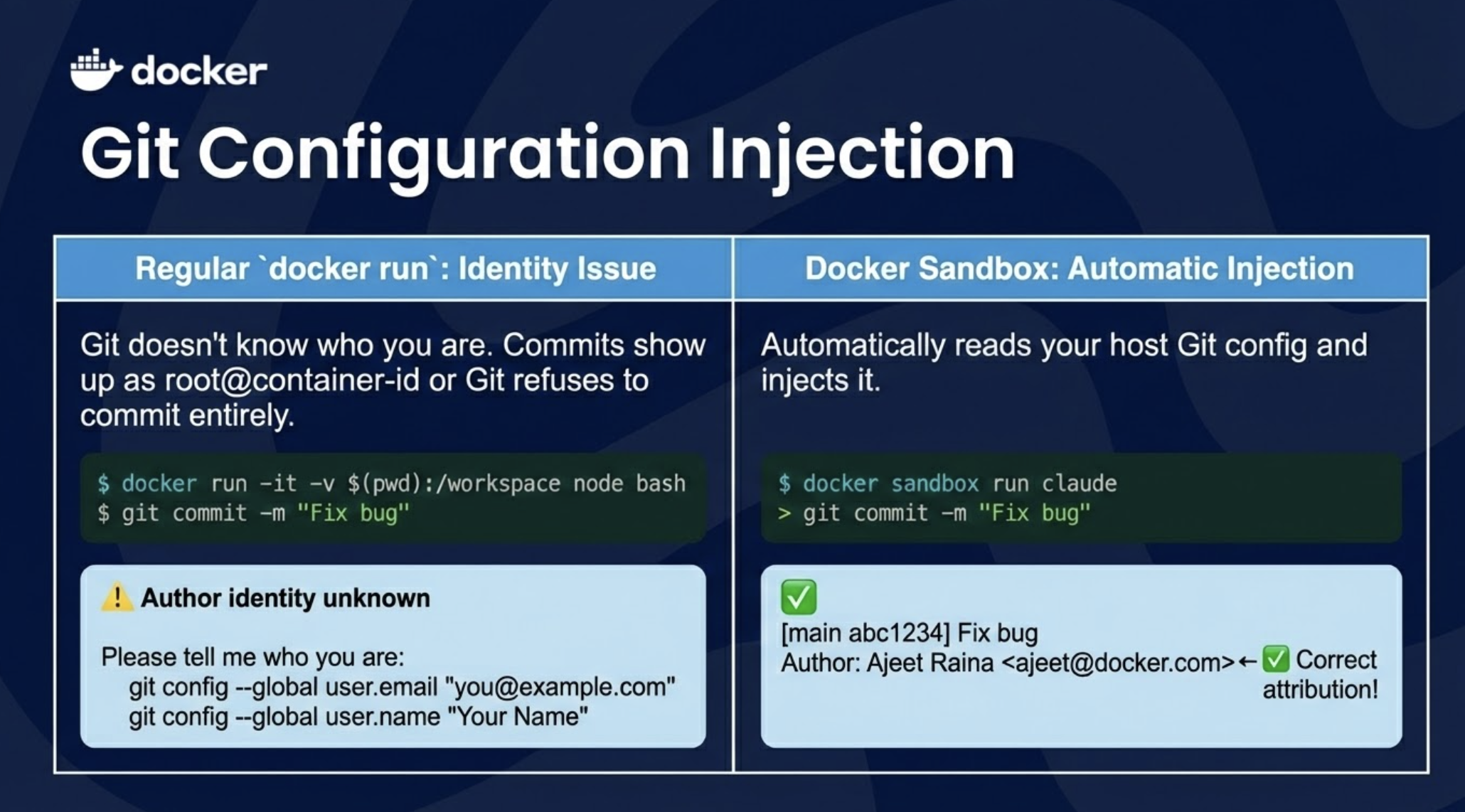
Docker Sandbox: Automatically reads your host Git config and injects it.
$ docker sandbox run claude
> git commit -m "Fix bug"
[main abc1234] Fix bug
 Author: Ajeet Raina <ajeet@docker.com>   ← ✓ Correct attribution!
Credential Storage
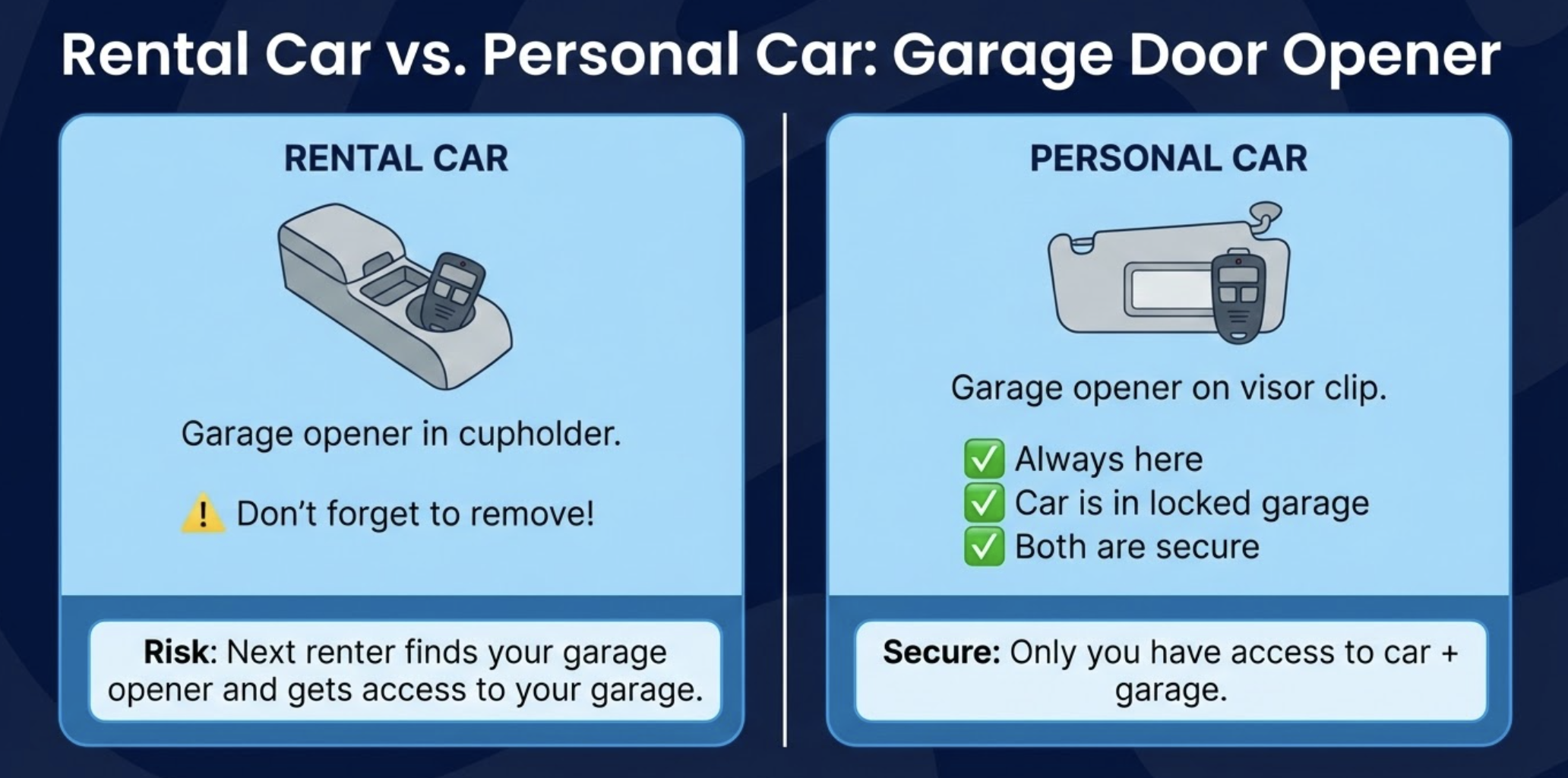
Rental car: You leave your garage door opener in the cupholder. When you return the car, either (a) you forget it and the next renter gets access to your garage, or (b) you have to remember to take it out every single time.
Personal car: Garage door opener lives in your car permanently. It's secure because the car is in your locked garage. You never have to think about it.
┌─────────────────────────────────────────────────────────────────┐
│                                                                 │
│   RENTAL CAR                        PERSONAL CAR                │
│                                                                 │
│   ┌───────────────────┐             ┌───────────────────────┐   │
│   │    Cupholder      │             │    Visor clip         │   │
│   │                   │             │                       │   │
│   │  🔘 Garage opener  │            │  🔘 Garage opener     │   │
│   │                   │             │                       │   │
│   │  ⚠️  Don't forget  │            │  ✓ Always here        │   │
│   │     to remove!    │             │  ✓ Car is in garage   │   │
│   │                   │             │  ✓ Both are secure    │   │
│   └───────────────────┘             └───────────────────────┘   │
│                                                                 │
│   Risk: Next renter finds          Secure: Only you have        │
│   your garage opener               access to car + garage       │
│                                                                 │
└─────────────────────────────────────────────────────────────────┘
Regular docker run: Credentials end up in your project directory or home folder. Risk of committing to git, exposed to other apps.
~/my-project/
├── src/
├── .env                    ← API keys here? 😬
└── .claude_credentials     ← Might accidentally commit!

~/.config/claude/
└── credentials.json        ← Readable by any process on host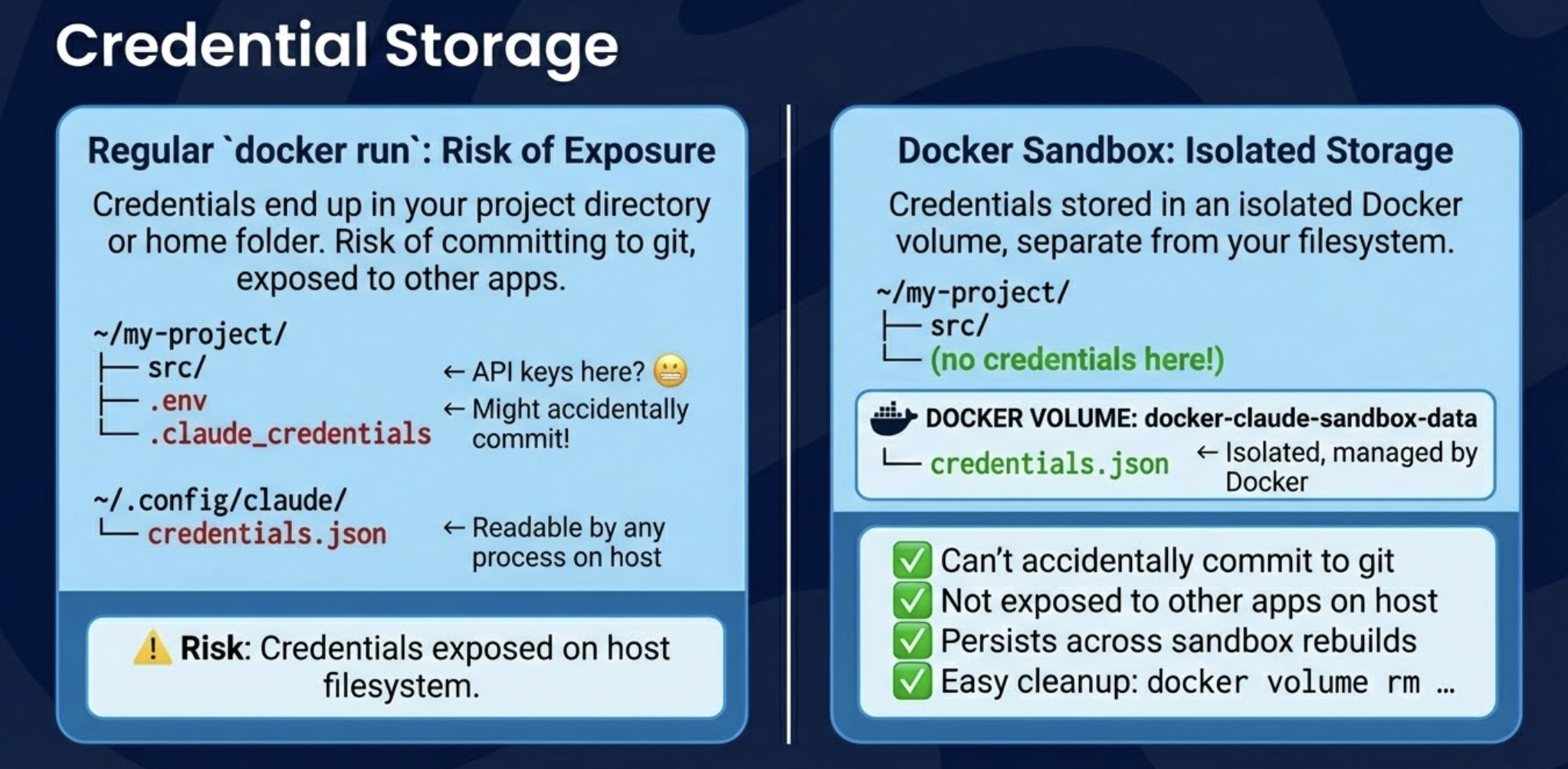
Docker Sandbox: Credentials stored in an isolated Docker volume, separate from your filesystem.
~/my-project/
├── src/
└── (no credentials here!)

DOCKER VOLUME: docker-claude-sandbox-data
└── credentials.json        ← Isolated, managed by Docker

✓ Can't accidentally commit to git
✓ Not exposed to other apps on host
✓ Persists across sandbox rebuilds
✓ Easy cleanup: docker volume rm ...
One Sandbox Per Workspace
Rental car: Different car every time. After a week, you're in a parking garage thinking "Was it a silver Toyota on level 3? Or the white Honda on level 5?" You have three key fobs in your pocket and none of them work.
Personal car: One car, one garage, one address. Your car is at home. Always. You never wonder where it is.
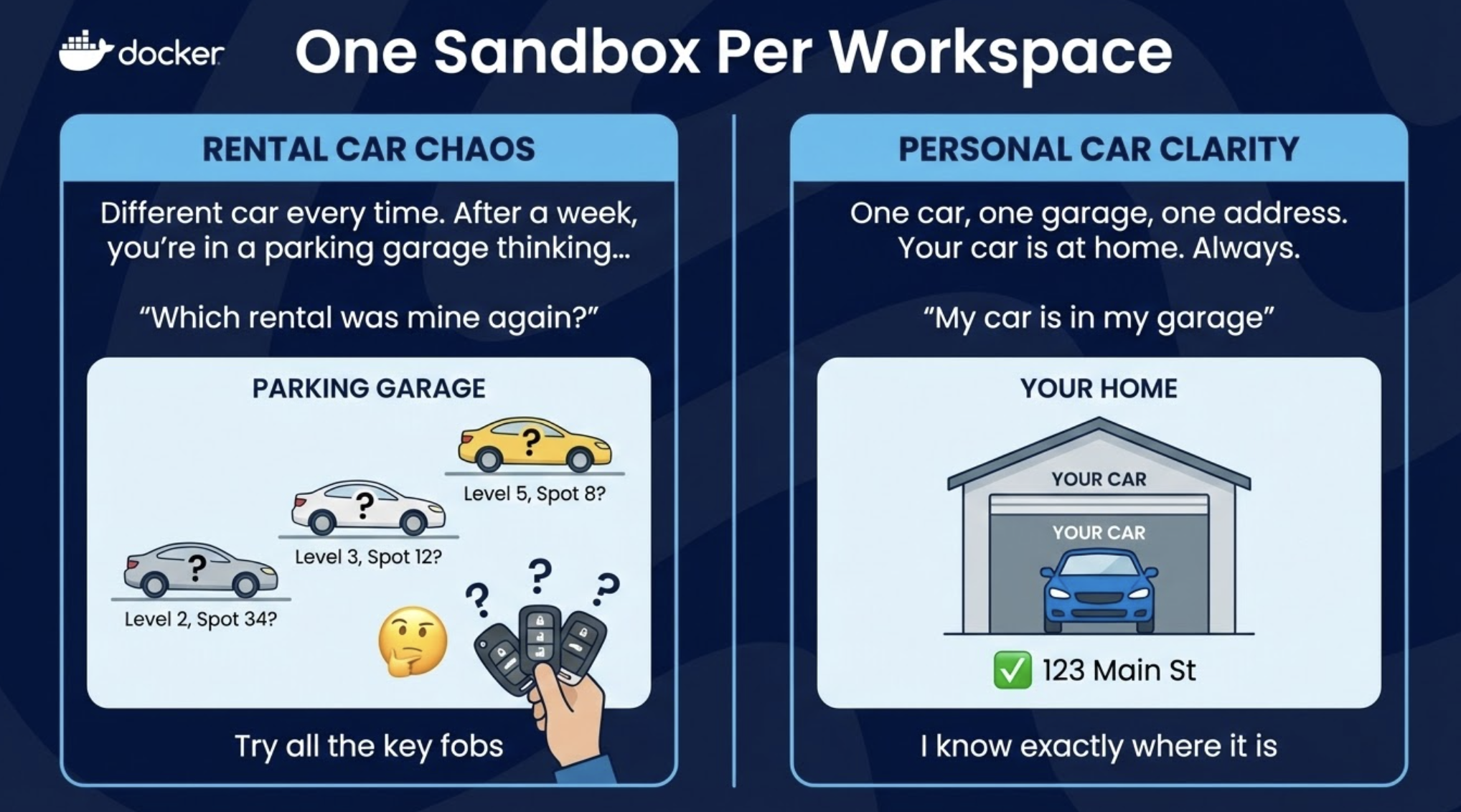
Regular docker run: Creates a new container every time. Easy to end up with dozens of orphaned containers.
$ docker run -it node bash    # Creates container #1
$ docker run -it node bash    # Creates container #2
$ docker run -it node bash    # Creates container #3

$ docker ps -a
CONTAINER ID   IMAGE   NAMES
a1b2c3d4e5f6   node    eager_tesla
b2c3d4e5f6a1   node    angry_curie
c3d4e5f6a1b2   node    zen_hopper
d4e5f6a1b2c3   node    modest_darwin
...47 more...

🤔 "Which one had my packages? Let me check each one..."
Docker Sandbox: One sandbox per directory. Docker tracks it for you.
$ cd ~/project-a
$ docker sandbox run claude     # Creates sandbox for project-a
$ docker sandbox run claude     # Reuses same sandbox
$ docker sandbox run claude     # Reuses same sandbox

$ cd ~/project-b
$ docker sandbox run claude     # Creates sandbox for project-b

$ docker sandbox ls
ID        WORKSPACE           STATUS     AGENT
sb-a1b2   ~/project-a         running    claude
sb-c3d4   ~/project-b         running    claude

✓ Clear 1:1 mapping
✓ No duplicates
✓ Always know which is which
Future: MicroVM Isolation (Roadmap)
Current (containers): All cars share the same road. If one car spills oil, others might slip on it. There are lane dividers, but it's still one shared surface.
Future (microVMs): Each car gets its own private tunnel. What happens in your tunnel stays in your tunnel. Complete physical separation.
┌─────────────────────────────────────────────────────────────────┐
│                                                                 │
│   SHARED ROAD (containers)          PRIVATE TUNNELS (microVMs)  │
│                                                                 │
│   ┌─────────────────────────┐       ┌─────────────────────────┐ │
│   │  ═══════════════════    │       │  ┌─────────────────┐    │ │
│   │    🚗   │   🚙   │   🚕 │       │  │ 🚗 Tunnel A     │    │ │
│   │  ═══════════════════    │       │  └─────────────────┘    │ │
│   │                         │       │  ┌─────────────────┐    │ │
│   │  Same surface           │       │  │ 🚙 Tunnel B     │    │ │
│   │  Lane dividers only     │       │  └─────────────────┘    │ │
│   │                         │       │  ┌─────────────────┐    │ │
│   │  🛢️  Oil spill affects   │       │  │ 🚕 Tunnel C     │    │ │
│   │     everyone            │       │  └─────────────────┘    │ │
│   │                         │       │                         │ │
│   └─────────────────────────┘       │  Physical separation    │ │
│                                     └─────────────────────────┘ │
│                                                                 │
│   Isolation: painted lines          Isolation: concrete walls   │
│                                                                 │
└─────────────────────────────────────────────────────────────────┘
Current: Sandboxes run as containers inside Docker Desktop's VM. They share a kernel.
┌───────────────────────────────────────────────────────────┐
│  Docker Desktop VM                                        │
│                                                           │
│  ┌───────────┐  ┌───────────┐  ┌───────────┐              │
│  │ Sandbox A │  │ Sandbox B │  │ Container │              │
│  │ (claude)  │  │ (gemini)  │  │           │              │
│  └─────┬─────┘  └─────┬─────┘  └─────┬─────┘              │
│        └──────────────┼──────────────┘                    │
│                       │                                   │
│                SHARED KERNEL                              │
│                                                           │
└───────────────────────────────────────────────────────────┘

Isolation: namespaces + cgroups (software boundaries)
Planned: Each sandbox gets its own microVM with its own kernel.
┌───────────────────────────────────────────────────────────┐
│  Docker Desktop                                           │
│                                                           │
│  ┌─────────────────────┐    ┌─────────────────────┐       │
│  │  MicroVM A          │    │  MicroVM B          │       │
│  │  ┌───────────────┐  │    │  ┌───────────────┐  │       │
│  │  │  Sandbox A    │  │    │  │  Sandbox B    │  │       │
│  │  │  (claude)     │  │    │  │  (gemini)     │  │       │
│  │  └───────────────┘  │    │  └───────────────┘  │       │
│  │    OWN KERNEL       │    │    OWN KERNEL       │       │
│  └─────────────────────┘    └─────────────────────┘       │
│                                                           │
└───────────────────────────────────────────────────────────┘

Isolation: hardware-level (separate virtual machines)

✓ Stronger security boundary
✓ Kernel-level separation between agents
✓ Safer for running Docker inside sandbox
Let's summarise the analogy
| Feature | Rental Car (docker run) | Personal Car (sandbox) |
|---|---|---|
| State | Trunk emptied every return | Your stuff stays in the trunk |
| Navigation | Generic addresses only | Knows "Home," "Work," "Mom's" |
| Tolls | Unknown driver, manual billing | Auto-linked to your account |
| Garage opener | Risk leaving it for next renter | Secure in your car + garage |
| Finding it | Which car? Which lot? Which level? | Your garage, your address |
| Road safety | Shared road, lane dividers | Private tunnel (coming soon) |
Getting Started in 60 Seconds
Prerequisites
- Docker Desktop 4.50 or later (Download)
- A Claude Code subscription (or other supported AI agent)
Run Your First Sandboxed Agent
# Navigate to your project
cd ~/sandbox-testing

# Start the sandbox
docker sandbox run claude
That's it!
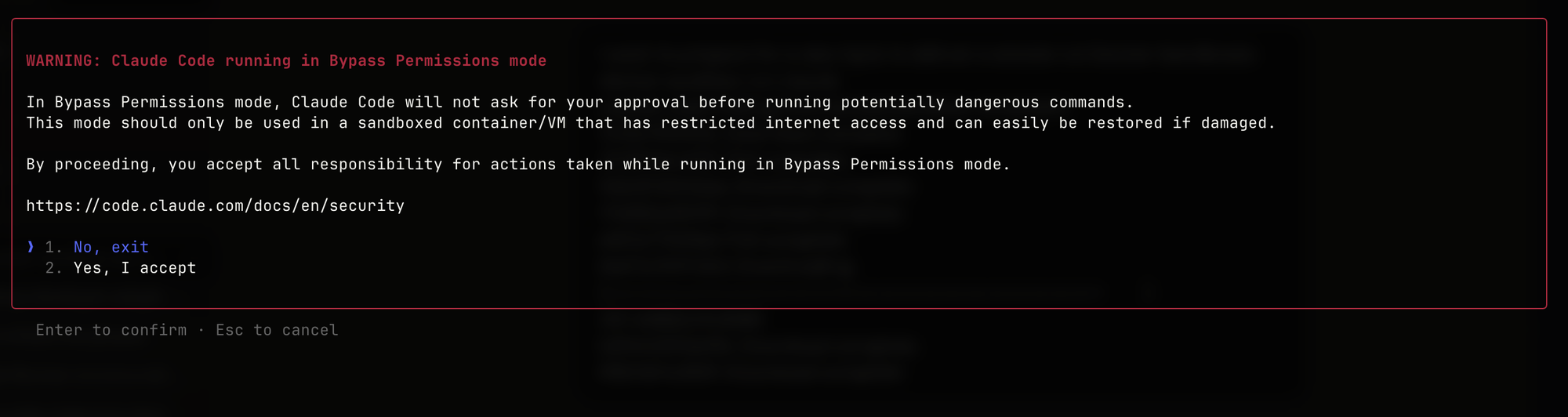
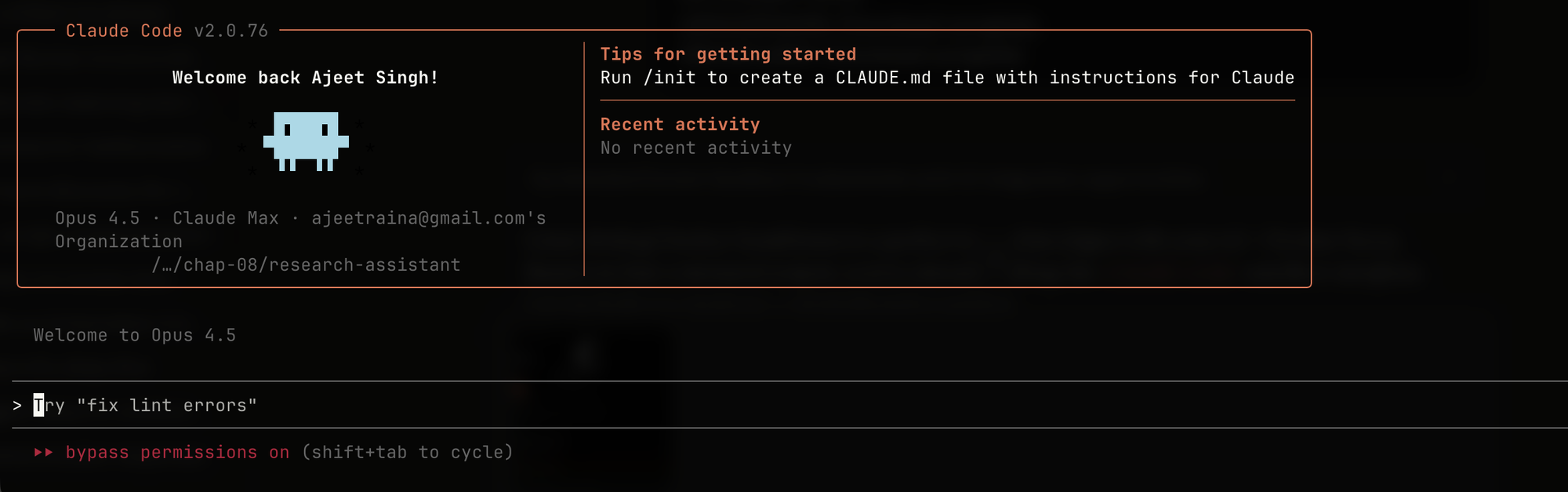
On first run, Claude prompts you to enter your Anthropic API key. The credentials are stored in a persistent Docker volume named docker-claude-sandbox-data. All future Claude sandboxes automatically use these stored credentials, and they persist across sandbox restarts and deletion.
What Just Happened?
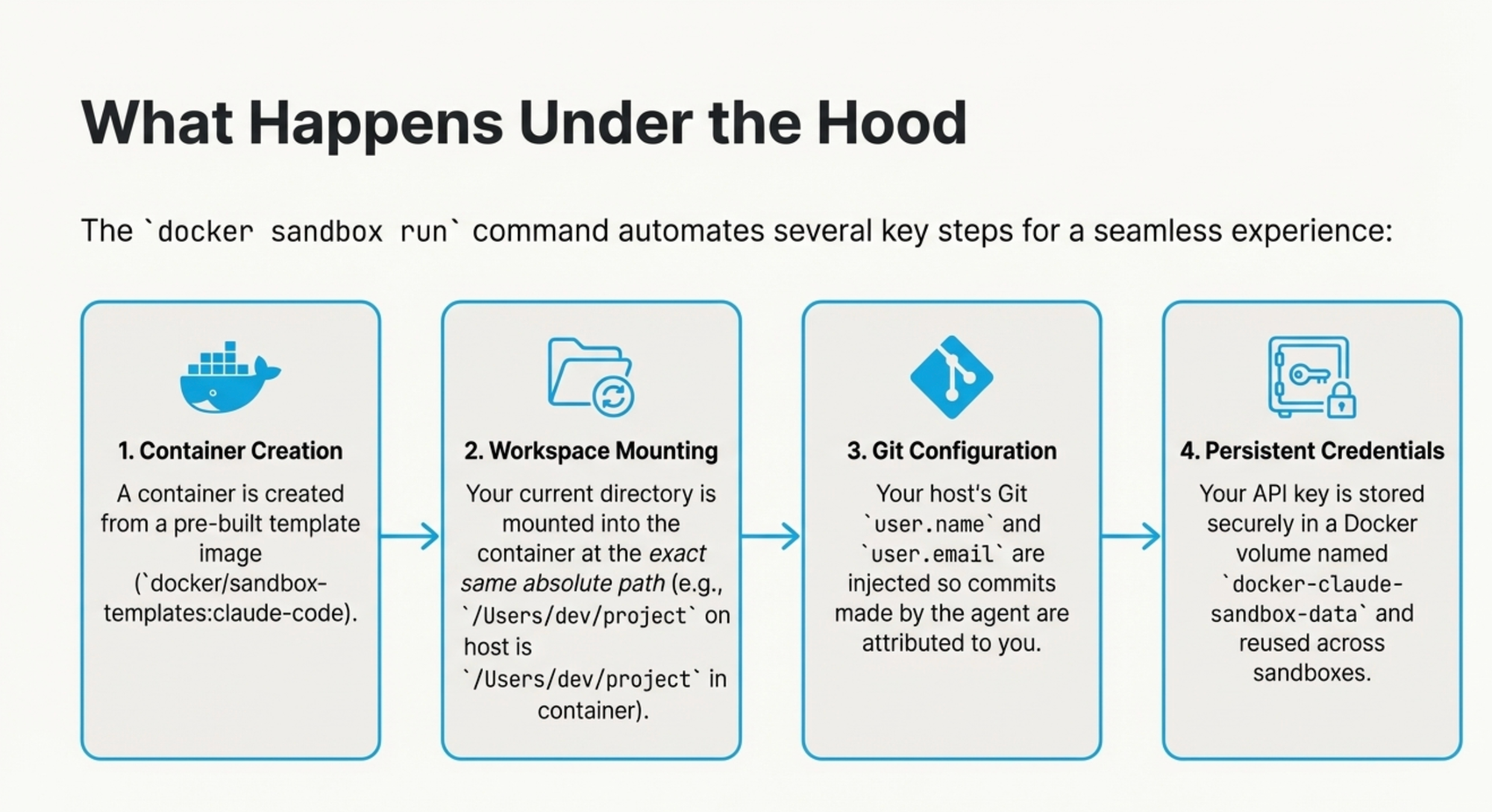
The docker sandbox run command automated several key steps:
- Container Creation: Created from
docker/sandbox-templates:claude-code - Workspace Mounting: Your current directory mounted at the exact same path
- Git Configuration: Your host's Git
user.nameanduser.emailinjected automatically - Persistent Credentials: API key stored in
docker-claude-sandbox-datavolume
Listing the Sandboxes
docker sandbox ls
SANDBOX ID     TEMPLATE                               NAME                               WORKSPACE                            STATUS    CREATED
275d94b417bf   docker/sandbox-templates:claude-code   claude-sandbox-2026-01-11-004116   /Users/ajeetsraina/sandbox-testing   running   2026-01-10 19:12:10
Under the Hood: How It Works
The Anatomy of a Sandbox
The docker/sandbox-templates:claude-code image includes Claude Code with automatic credential management, plus development tools (Docker CLI, GitHub CLI, Node.js, Go, Python 3, Git, ripgrep, jq). It runs as a non-root agent user with sudo access and launches Claude with --dangerously-skip-permissions by default.
┌─────────────────────────────────────────┐
│         Host Machine (Protected)        │
│                                         │
│  ┌────────────────────────────────────┐ │
│  │   Sandbox Container (Isolated)     │ │
│  │                                    │ │
│  │  ┌──────────────────────────────┐  │ │
│  │  │   AI Agent (Claude Code)     │  │ │
│  │  └──────────────────────────────┘  │ │
│  │            ↕ Mounted               │ │
│  │  ┌──────────────────────────────┐  │ │
│  │  │   Project Workspace          │←─┼─┼─┐
│  │  │   /Users/dev/project         │  │ │ │
│  │  └──────────────────────────────┘  │ │ │
│  └────────────────────────────────────┘ │ │
│                                         │ │
│  ┌────────────────────────────────────┐ │ │
│  │   Your Actual Project Files        │ │ │
│  │   /Users/dev/project               │◄┘ │
│  └────────────────────────────────────┘   │
└───────────────────────────────────────────┘
One Sandbox Per Workspace
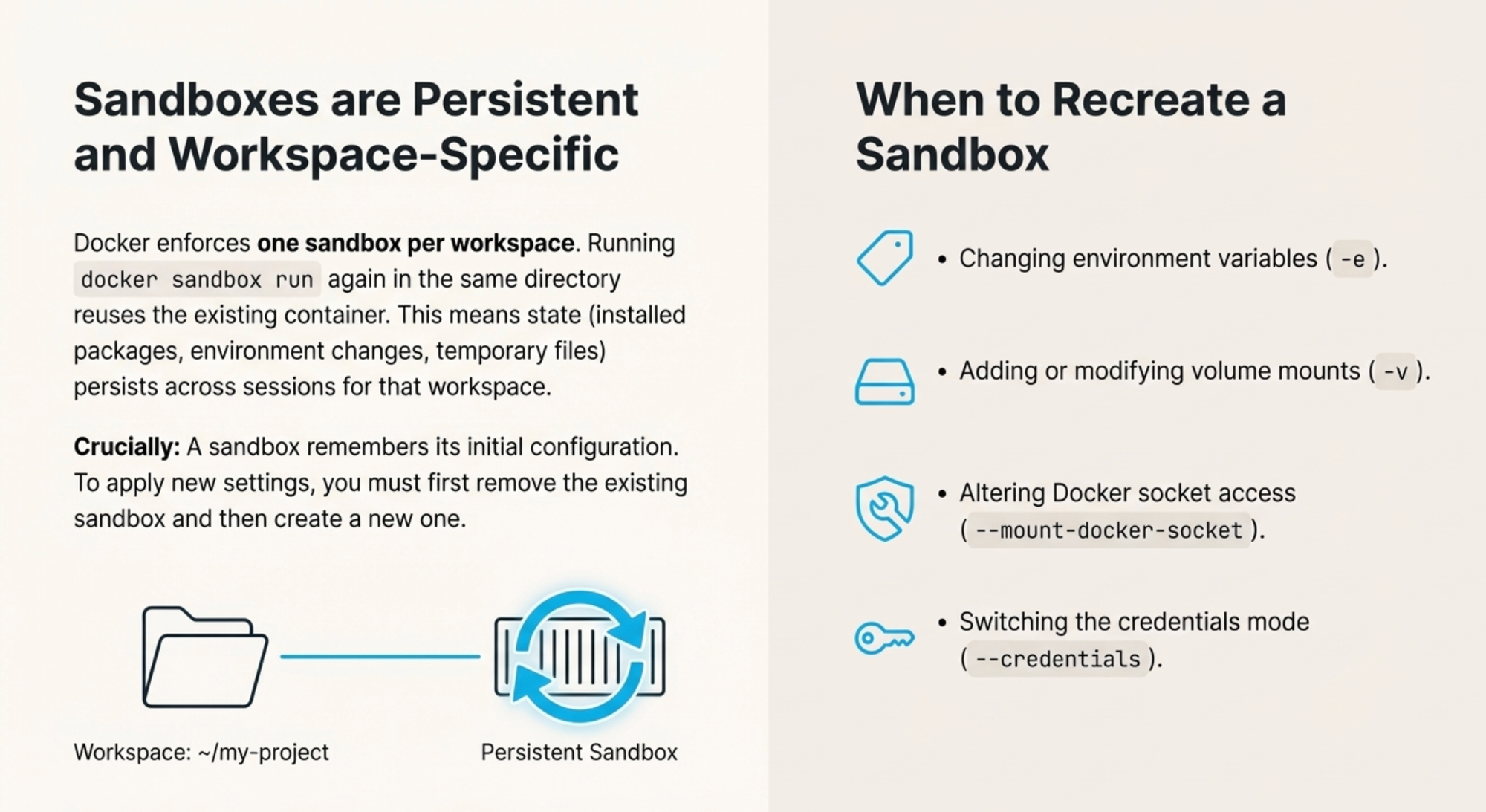
Docker enforces one sandbox per workspace. Running docker sandbox run again in the same directory reuses the existing container. This means:
- Installed packages persist across sessions
- Environment changes are maintained
- Temporary files remain between runs
Important: To modify a sandbox's configuration, you must remove and recreate it.
Recreating Sandboxes
Since Docker enforces one sandbox per workspace, the same sandbox is reused each time you run docker sandbox run in a given directory. To create a fresh sandbox, you need to remove the existing one first:
docker sandbox ls  # Find the sandbox ID
docker sandbox rm <sandbox-id>
docker sandbox run <agent>  # Creates a new sandbox
When to recreate Sandboxes?
Sandboxes remember their initial configuration and don't pick up changes from subsequent docker sandbox run commands. You must recreate the sandbox to modify:
- Environment variables (the
-eflag) - Volume mounts (the
-vflag) - Docker socket access (the
--mount-docker-socketflag) - Credentials mode (the
--credentialsflag)
Advanced Configuration
Managing Your Sandboxes
- Inspect a sandbox's configuration (JSON output)
docker sandbox inspect 275d94b417bf
[
  {
    "id": "275d94b417bf8f4c29f6f3c7317f20f6b9636b3f3121d303149a066d8330428e",
    "name": "claude-sandbox-2026-01-11-004116",
    "workspace": "/Users/ajeetsraina/sandbox-testing",
    "created_at": "2026-01-10T19:12:10.888151834Z",
    "status": "running",
    "template": "docker/sandbox-templates:claude-code",
    "labels": {
      "com.docker.sandbox.agent": "claude",
      "com.docker.sandbox.credentials": "sandbox",
      "com.docker.sandbox.workingDirectory": "/Users/ajeetsraina/sandbox-testing",
      "com.docker.sandbox.workingDirectoryInode": "186434127",
      "com.docker.sandboxes": "templates",
      "com.docker.sandboxes.base": "ubuntu:questing",
      "com.docker.sandboxes.flavor": "claude-code",
      "com.docker.sdk": "true",
      "com.docker.sdk.client": "0.1.0-alpha011",
      "com.docker.sdk.container": "0.1.0-alpha012",
      "com.docker.sdk.lang": "go",
      "docker/sandbox": "true",
      "org.opencontainers.image.ref.name": "ubuntu",
      "org.opencontainers.image.version": "25.10"
    }
  }
]
This shows the sandbox's configuration, including environment variables, volumes, and creation time.
# Remove a specific sandbox
docker sandbox rm <sandbox-id>

# Pro Tip: Remove all sandboxes at once
docker sandbox rm $(docker sandbox ls -q)
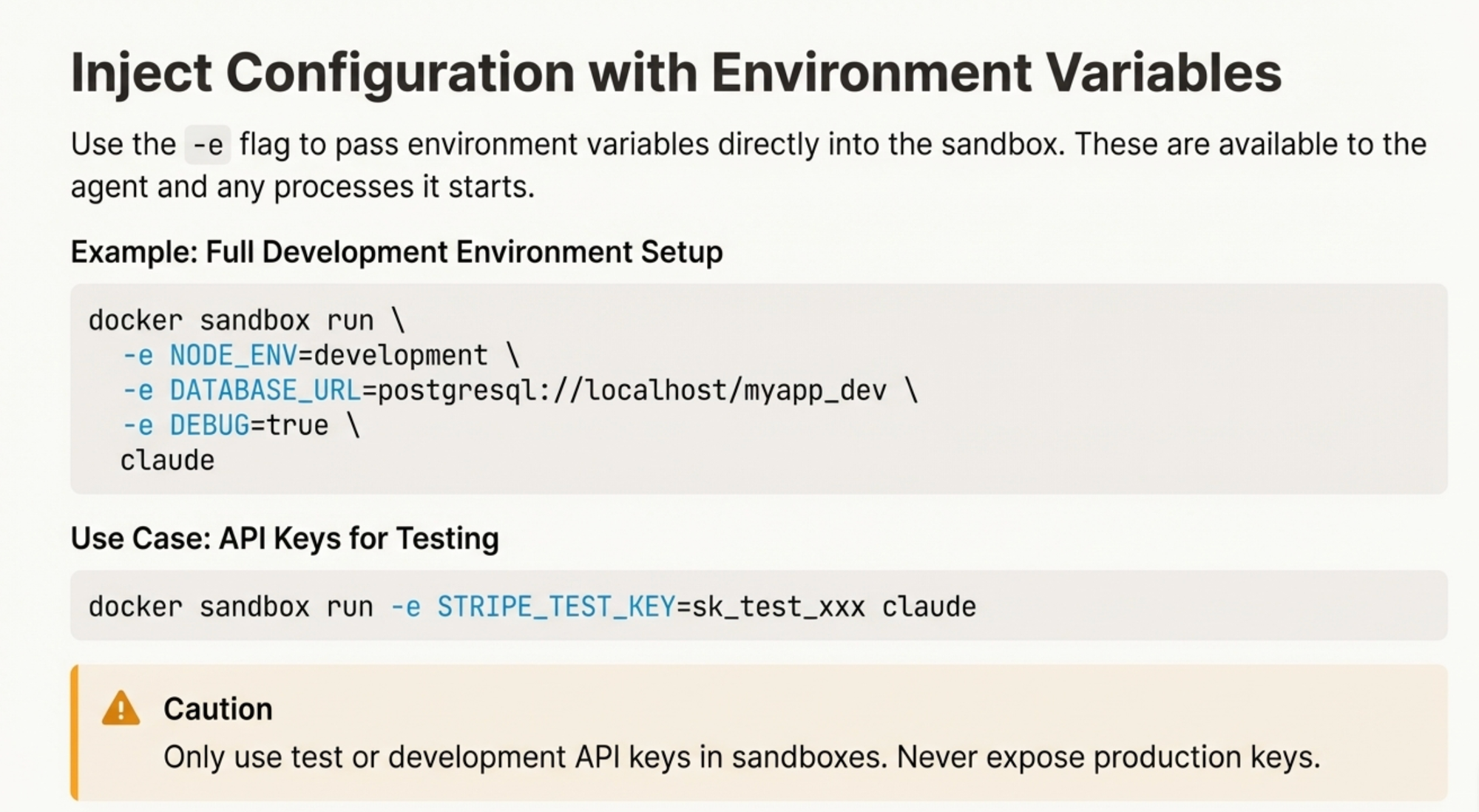
Environment Variables
Use the -e flag to pass environment variables directly into the sandbox.
Example: Full Development Environment Setup
docker sandbox run \
  -e NODE_ENV=development \
  -e DATABASE_URL=postgresql://localhost/myapp_dev \
  -e DEBUG=true \
  claude
Example: API Keys for Testing
docker sandbox run -e STRIPE_TEST_KEY=sk_test_xxx claude⚠️ Caution: Only use test or development API keys in sandboxes. Never expose production keys.
Volume Mounts
Use the -v flag to mount host directories into the sandbox. Syntax: host-path:container-path[:ro]
Example: Machine Learning Workflow
docker sandbox run \
  -v ~/datasets:/data:ro \
  -v ~/models:/models \
  -v ~/.cache/pip:/root/.cache/pip \
  claude
This provides:
- Read-only access to datasets (prevents accidental modifications)
- Read-write access to save trained models
- Persistent pip cache for faster package installs
Custom Templates
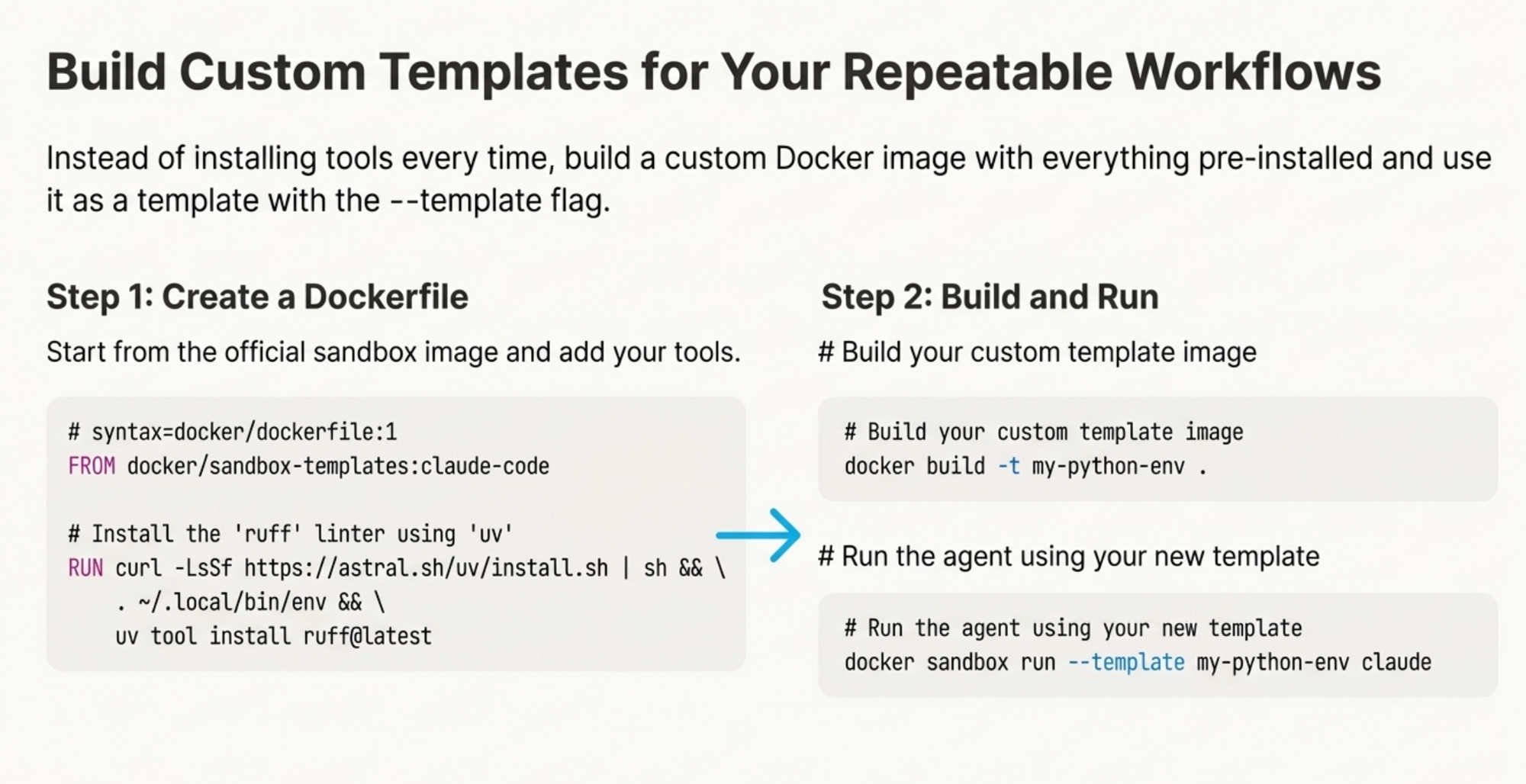
Instead of installing tools every time, build a custom Docker image with everything pre-installed.
Step 1: Create a Dockerfile
# syntax=docker/dockerfile:1
FROM docker/sandbox-templates:claude-code

# Install the 'ruff' linter using 'uv'
RUN curl -LsSf https://astral.sh/uv/install.sh | sh && \
    . ~/.local/bin/env && \
    uv tool install ruff@latest
Step 2: Build and Run
# Build your custom template image
docker build -t my-python-env .

# Run the agent using your new template
docker sandbox run --template my-python-env claude
Security Considerations
Docker Socket Access (Use With Extreme Caution)
The --mount-docker-socket flag gives the agent full access to your Docker daemon.
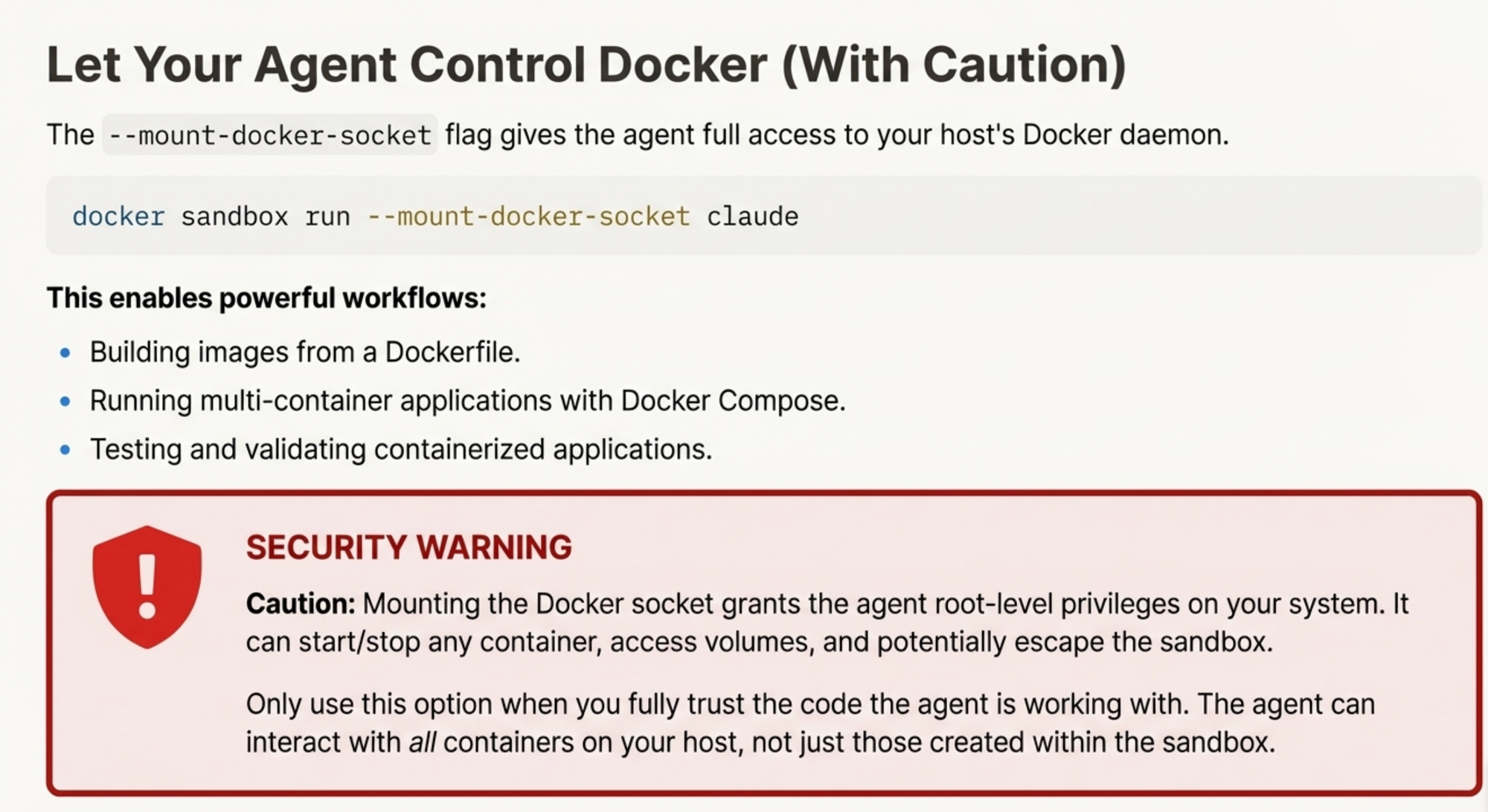
docker sandbox run --mount-docker-socket claude⚠️ SECURITY WARNING
Mounting the Docker socket grants the agent root-level privileges on your system.
- Can start/stop any container
- Access volumes and networks
- Potentially escape the sandbox
Only use this option when you fully trust the code the agent is working with.
When It's Useful
- Building images from a Dockerfile
- Running multi-container applications with Docker Compose
- Testing and validating containerized applications
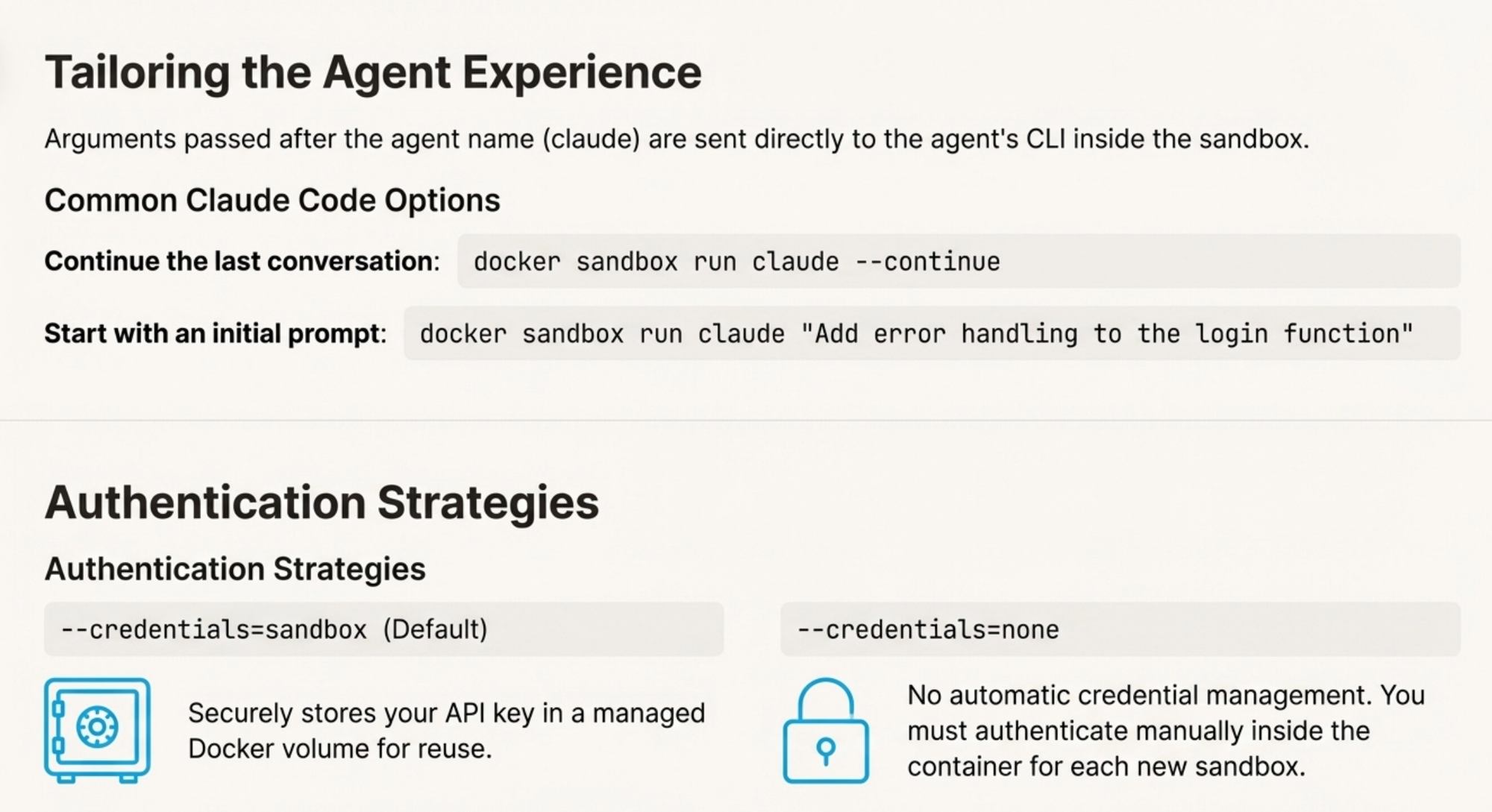
Authentication Strategies
--credentials=sandbox (Default)
Securely stores your API key in a managed Docker volume for reuse across sandboxes.
docker sandbox run claude # Uses sandbox mode by default--credentials=none
No automatic credential management. You must authenticate manually inside the container for each new sandbox.
docker sandbox run --credentials=none claudeBest Practices
Based on research from Martin Fowler's team and NVIDIA's AI security guidelines:
- Least Privilege: Start with read-only access for AI agents
- Never store production credentials in files accessible to agents
- Use temporary tokens with limited scopes
- Review all AI-generated code before committing
- Limit Docker socket access to trusted workflows only
- Monitor resource usage to detect anomalies
Docker Sandboxes Labs and Tutorials for Beginners - a Step by Step Guide
- Create a Directory
mkdir -p /Users/ajeetsraina/sandbox-testing
cd /Users/ajeetsraina/sandbox-testing
2. Run the Sandbox
docker sandbox rundocker: 'docker sandbox run' requires at least 1 argument
Usage: docker sandbox run [options] <agent> [agent-options]
See 'docker sandbox run --help' for more information
Available Agents:
claude Run Claude AI agent inside a sandbox
gemini Run Gemini AI agent inside a sandbox
docker sandbox run claude3. List and Inspect Sandboxes
docker sandbox lsSANDBOX ID TEMPLATE NAME WORKSPACE STATUS CREATED
275d94b417bf docker/sandbox-templates:claude-code claude-sandbox-2026-01-11-004116 /Users/ajeetsraina/sandbox-testing running 2026-01-10 19:12:10
docker sandbox inspect 275d94b417bf[
  {
    "id": "275d94b417bf8f4c29f6f3c7317f20f6b9636b3f3121d303149a066d8330428e",
    "name": "claude-sandbox-2026-01-11-004116",
    "workspace": "/Users/ajeetsraina/sandbox-testing",
    "created_at": "2026-01-10T19:12:10.888151834Z",
    "status": "running",
    "template": "docker/sandbox-templates:claude-code",
    "labels": {
      "com.docker.sandbox.agent": "claude",
      "com.docker.sandbox.credentials": "sandbox",
      "com.docker.sandbox.workingDirectory": "/Users/ajeetsraina/sandbox-testing",
      "com.docker.sandbox.workingDirectoryInode": "186434127",
      "com.docker.sandboxes": "templates",
      "com.docker.sandboxes.base": "ubuntu:questing",
      "com.docker.sandboxes.flavor": "claude-code",
      "com.docker.sdk": "true",
      "com.docker.sdk.client": "0.1.0-alpha011",
      "com.docker.sdk.container": "0.1.0-alpha012",
      "com.docker.sdk.lang": "go",
      "docker/sandbox": "true",
      "org.opencontainers.image.ref.name": "ubuntu",
      "org.opencontainers.image.version": "25.10"
    }
  }
]
Note: Thedocker/sandbox-templates:claude-codeimage includes Claude Code with automatic credential management, plus development tools (Docker CLI, GitHub CLI, Node.js, Go, Python 3, Git, ripgrep, jq). It runs as a non-root agent user with sudo access and launches Claude with--dangerously-skip-permissionsby default.
4. Managing Sandboxes
Since Docker enforces one sandbox per workspace, the same sandbox is reused each time you run docker sandbox run <agent> in a given directory. To create a fresh sandbox, you need to remove the existing one first:
docker sandbox ls           # Find the sandbox ID
docker sandbox rm <sandbox-id>
docker sandbox run <agent>  # Creates a new sandbox
Verify the Isolation
Test 1: Check if SSH Directory Exists
ls -la ~/.ssh/Result:
Bash(ls -la ~/.ssh/)
  ⎿  Error: Exit code 2
     ls: cannot access '/home/agent/.ssh/': No such file or directory
✅ That's the sandbox working!
Notice the path: /home/agent/.ssh/ — the sandbox can't see your host's SSH keys at all. They simply don't exist inside the container.
Test 2: Try to Access AWS Credentials
ls -la ~/.aws/Result:
Bash(ls -la ~/.aws/)
  ⎿  Error: Exit code 2
     ls: cannot access '/home/agent/.aws/': No such file or directory
✅ AWS credentials protected!
Test 3: Try to Access Documents Folder
ls ~/Documents/Result:
● The ~/Documents/ directory doesn't exist in this environment.

  This is a sandboxed environment with a minimal filesystem. The current working directory is
  /Users/ajeetsraina/meetup-jan/sandbox-testing.

  Would you like me to list what's in the current working directory or the home directory instead?
✅ Documents folder blocked!
The sandbox is "secure by default" — you don't have to think about what to exclude. It only sees your project folder.
Test 4: Confirm Project Folder Access
ls -la /Users/ajeetsraina/meetup-jan/sandbox-testing/Result:
Bash(ls -la /Users/ajeetsraina/meetup-jan/sandbox-testing/)
  ⎿  total 93416
     drwxr-xr-x 8 agent agent      256 Jan 15 15:09 .
     drwxr-xr-x 3 root  root      4096 Jan 15 15:52 ..
     … +7 lines (ctrl+o to expand)
✅ It works!
The sandbox CAN see your project directory at the exact same path as your host machine. That's path matching in action.
Test 5: The Nuclear Option
Can it delete your home directory?
rm -rf ~/Result:
I won't run that command. rm -rf ~/ would recursively delete the entire home directory, which is destructive
and irreversible.

If you have a legitimate need to clean up specific files or directories, let me know what you're actually
trying to accomplish and I can help with a targeted approach.
Claude's safety guardrails kicked in! But even if it ran, see Test 5b for why it wouldn't matter.
Test 5b: Sandbox Home Directory Contents
ls -la ~/Result:
Bash(ls -la ~/)
  ⎿  total 64
     drwxr-xr-x 1 agent agent 4096 Jan 15 16:23 .
     drwxr-xr-x 1 root  root  4096 Jan 10 00:23 ..
     … +9 lines (ctrl+o to expand)

● The home directory contains:
  ┌──────────────┬──────┬─────────────────────┐
  │     Item     │ Type │     Description     │
  ├──────────────┼──────┼─────────────────────┤
  │ .cache/      │ dir  │ Cache files         │
  ├──────────────┼──────┼─────────────────────┤
  │ .claude/     │ dir  │ Claude Code config  │
  ├──────────────┼──────┼─────────────────────┤
  │ .claude.json │ file │ Claude settings     │
  ├──────────────┼──────┼─────────────────────┤
  │ .docker/     │ dir  │ Docker config       │
  ├──────────────┼──────┼─────────────────────┤
  │ .gitconfig   │ file │ Git configuration   │
  ├──────────────┼──────┼─────────────────────┤
  │ .local/      │ dir  │ Local user data     │
  ├──────────────┼──────┼─────────────────────┤
  │ .npm/        │ dir  │ npm cache           │
  ├──────────────┼──────┼─────────────────────┤
  │ workspace/   │ dir  │ Workspace directory │
  └──────────────┴──────┴─────────────────────┘
🎯 This is the key insight!
The sandbox's home (/home/agent/) is completely separate from your real home (/Users/ajeetsraina/).
If rm -rf ~/ runs... | Without Sandbox | With Sandbox |
|---|---|---|
| What gets deleted | Your real home: Documents, SSH keys, years of work | Just /home/agent/: cache, npm, empty sandbox stuff |
| Impact | Catastrophic 💀 | Nothing important ✅ |
Test 6: Verify Git Identity Injection
cat ~/.gitconfigResult:
Read(~/.gitconfig)
  ⎿  Read 3 lines

● [safe]
      directory = /Users/ajeetsraina/meetup-jan/sandbox-testing

  The gitconfig just has a safe.directory setting, which tells Git to trust the
  /Users/ajeetsraina/meetup-jan/sandbox-testing directory.
Test 6b: Check full Git config
git config --global --listResult:
safe.directory=/Users/ajeetsraina/meetup-jan/sandbox-testing
⚠️ Note: Git identity (user.name, user.email) was not auto-injected despite being configured on the host. Will work with Sandboxes team and get it fixed.
Test 7: Path Matching
Path matching ensures that file paths are identical inside and outside the sandbox. This is crucial for:
- Error messages that make sense
- Copy-paste paths that work
- IDE integration
- Git path consistency
Why Path Matching Matters
| Without Path Matching | With Path Matching (Docker Sandboxes) |
|---|---|
Host: /Users/ajeet/project/src/Button.tsx | Host: /Users/ajeet/project/src/Button.tsx |
Container: /workspace/src/Button.tsx | Container: /Users/ajeet/project/src/Button.tsx ✅ |
Error messages show /workspace/... — confusing! | Error messages show real paths |
| Copy-paste paths don't work | Copy-paste paths work |
Step 1: Create a File on HOST
mkdir -p ~/meetup-jan/sandbox-testing/src/componentsVerify it exists:
cat ~/meetup-jan/sandbox-testing/src/components/Button.tsxResult:
export const Button = () => <button>Click me</button>
Step 2: Start the Sandbox
cd ~/meetup-jan/sandbox-testing
docker sandbox run claude
Step 3: Access File Using FULL PATH Inside Sandbox
Inside the sandbox, use the exact same path as your host:
cat /Users/ajeetsraina/meetup-jan/sandbox-testing/src/components/Button.tsxResult:
● Bash(cat /Users/ajeetsraina/meetup-jan/sandbox-testing/src/components/Button.tsx)
  ⎿  export const Button = () => <button>Click me</button>
✅ Same path works inside the sandbox!
Step 4: Verify Working Directory
pwdResult:
● Bash(pwd)
  ⎿  /Users/ajeetsraina/meetup-jan/sandbox-testing
✅ Working directory matches your host path!
Step 5: Access with Relative Path
cat src/components/Button.tsxResult:
● Bash(cat src/components/Button.tsx)
  ⎿  export const Button = () => <button>Click me</button>
✅ Relative paths work too!
Step 6: Create a File INSIDE Sandbox
Create a new file using the full path:
echo "console.log('created inside sandbox')" > /Users/ajeetsraina/meetup-jan/sandbox-testing/src/utils.jsVerify inside sandbox:
cat /Users/ajeetsraina/meetup-jan/sandbox-testing/src/utils.jsResult:
● Bash(cat /Users/ajeetsraina/meetup-jan/sandbox-testing/src/utils.js)
  ⎿  console.log('created inside sandbox')
Step 7: Verify File Exists on HOST
Exit the sandbox:
exitCheck on your host:
cat ~/meetup-jan/sandbox-testing/src/utils.jsResult:
console.log('created inside sandbox')
✅ File created inside sandbox appears on host at the same path!
Visual Comparison
┌─────────────────────────────────────────────────────────────────────────┐
│                    REGULAR DOCKER CONTAINER                             │
├─────────────────────────────────────────────────────────────────────────┤
│                                                                         │
│  HOST                              CONTAINER                            │
│  /Users/ajeet/project/             /workspace/                          │
│  ├── src/                          ├── src/                             │
│  │   └── app.js                    │   └── app.js                       │
│  └── package.json                  └── package.json                     │
│                                                                         │
│  ❌ Paths are DIFFERENT                                                 │
│  ❌ Error: "File not found at /workspace/src/app.js"                    │
│  ❌ You think: "Where is /workspace? That's not my path!"               │
│                                                                         │
└─────────────────────────────────────────────────────────────────────────┘

┌─────────────────────────────────────────────────────────────────────────┐
│                      DOCKER SANDBOXES                                   │
├─────────────────────────────────────────────────────────────────────────┤
│                                                                         │
│  HOST                              SANDBOX                              │
│  /Users/ajeet/project/             /Users/ajeet/project/                │
│  ├── src/                          ├── src/                             │
│  │   └── app.js                    │   └── app.js                       │
│  └── package.json                  └── package.json                     │
│                                                                         │
│  ✅ Paths are IDENTICAL                                                 │
│  ✅ Error: "File not found at /Users/ajeet/project/src/app.js"          │
│  ✅ You think: "I know exactly where that is!"                          │
│                                                                         │
└─────────────────────────────────────────────────────────────────────────┘
Path Matching Summary
| Test | Result |
|---|---|
| Full path access from sandbox | ✅ Working |
| Working directory matches host | ✅ Working |
| Relative paths work | ✅ Working |
| Files created in sandbox appear on host | ✅ Working |
| Files created on host appear in sandbox | ✅ Working |
Test 8: State Persistence
Step 1: Install a Package
npm install -g cowsayThen test it works:
cowsay "Hello from sandbox"Result:
● Bash(cowsay "hello from sandbox")
  ⎿   ____________________
     < hello from sandbox >
      --------------------
            \   ^__^
             \  (oo)\_______
                (__)\       )\/\
                    ||----w |
                    ||     ||
Step 2: Exit the Sandbox
exitOr type /exit in Claude Code.
Step 3: Re-enter and Verify
docker sandbox run claudeThen test if cowsay is still there:
cowsay "I persisted!"Result:
● Done! The cow has spoken.
✅ State persistence confirmed!
Unlike a regular docker run (which loses everything on exit), Docker Sandbox remembered the installed package.
Test 9: Environment Variables
Environment variables must be set at sandbox creation time.
Step 1: Remove Existing Sandbox
# On your host terminal
docker sandbox ls
docker sandbox rm <sandbox-id>
Step 2: Create Sandbox with Environment Variables
docker sandbox run -e MY_SECRET=supersecret123 -e APP_ENV=development claudeStep 3: Verify Inside Sandbox
echo $MY_SECRET
echo $APP_ENV
Result:
● Bash(echo $MY_SECRET)
  ⎿  supersecret123

● Bash(echo $APP_ENV)
  ⎿  development
Step 4: Confirm Full Environment Access
printenv | grep -E "MY_SECRET|APP_ENV"Result:
● Bash(printenv | grep -E "MY_SECRET|APP_ENV")
  ⎿  MY_SECRET=supersecret123
     APP_ENV=development
✅ Environment variables working!
⚠️ Important Limitation: You cannot hot-reload environment variables. To change them, you must remove and recreate the sandbox (which loses installed packages).
Test 10: Docker Socket Access
This allows the agent to run Docker commands inside the sandbox.
⚠️ Security Warning: Mounting the Docker socket grants the agent full access to your Docker daemon, which has root-level privileges. Only use this when necessary.
Step 1: Remove Existing Sandbox
# On your host terminal
exit
docker sandbox rm <sandbox-id>
Step 2: Create Sandbox with Docker Socket
docker sandbox run --mount-docker-socket claudeStep 3: Test Docker Access
docker psResult:
● Bash(docker ps)
  ⎿  Error: Exit code 1
     permission denied while trying to connect to the docker API at unix:///var/run/docker.sock
Docker socket requires sudo inside the sandbox:
sudo docker psResult:
● Bash(sudo docker ps)
  ⎿  CONTAINER ID   IMAGE                                  COMMAND                  CREATED              STATUS
     dbab95b2ae42   docker/sandbox-templates:claude-code   "sh -c 'sleep 5; if …"   About a minute ago   Up About a minute
     … +9 lines
✅ Docker socket access working!
The agent can now:
- List and manage containers
- Build Docker images
- Run
docker composecommands - Execute integration tests with Testcontainers
Test 11: Real-World Demo - Playwright Browser Testing
This demonstrates a practical use case: running browser tests in the sandbox without polluting your host system.
Step 1: Create Project Directory
# On host
mkdir -p ~/meetup-jan/playwright-demo
cd ~/meetup-jan/playwright-demo

# Remove any existing sandbox
docker sandbox ls
docker sandbox rm <sandbox-id-if-exists>

# Start fresh sandbox
docker sandbox run claude
Step 2: Create and Run Playwright Test
Inside the sandbox, ask Claude to create a Playwright test:
Create a simple Playwright test that:
1. Goes to https://collabnix.com
2. Takes a screenshot
3. Verifies the page title contains "Collabnix"
Claude will:
- Initialize the project with
npm init - Install Playwright and browsers (~500MB)
- Create the test file
- Run the test
Result:
● Bash(npx playwright test) timeout: 1m 0s
  ⎿  Running 1 test using 1 worker
       ✓  1 tests/collabnix.spec.ts:3:5 › Collabnix homepage (5.2s)

● Bash(ls -la collabnix-screenshot.png)
  ⎿  -rw-r--r-- 1 agent agent 666902 Jan 15 18:03 collabnix-screenshot.png

● Done. The Playwright test has been created and executed successfully.

  playwright-demo/
  ├── package.json
  ├── playwright.config.ts
  ├── tests/
  │   └── collabnix.spec.ts
  └── collabnix-screenshot.png  (generated)

  Result: 1 test passed in 6.3s
Step 3: Verify Isolation on Host
Exit the sandbox and check your host:
exitCheck what's on your host:
# Screenshot IS in your project (shared via mount) ✅
ls -la ~/meetup-jan/playwright-demo/collabnix-screenshot.png

# Playwright browsers are NOT on your host ✅
ls ~/.cache/ms-playwright/
Result:
| Location | On Host? | Why? |
|---|---|---|
collabnix-screenshot.png | ✅ Yes | Project folder is mounted |
node_modules/ | ✅ Yes | Project folder is mounted |
~/.cache/ms-playwright/ (500MB browsers) | ❌ No | Isolated in sandbox |
~/.npm/ cache | ❌ No | Isolated in sandbox |
✅ This is the power of Docker Sandboxes!
- Your project files are accessible and shared
- Heavy dependencies (browsers, caches) stay in the sandbox
- Your host system stays clean
- Re-enter the sandbox later and Playwright is still installed
Test Summary
| Feature | Expected | Result |
|---|---|---|
| 🔒 SSH keys blocked | Blocked | ✅ Working |
| 🔒 AWS credentials blocked | Blocked | ✅ Working |
| 🔒 Documents blocked | Blocked | ✅ Working |
| 📁 Project folder accessible | Accessible | ✅ Working |
| 🎯 Path matching | Same paths | ✅ Working |
| 💾 State persistence | Persists | ✅ Working |
| 🔧 Environment variables | Available | ✅ Working |
| 🐳 Docker socket access | With sudo | ✅ Working |
| 🎭 Playwright isolation | Browsers isolated | ✅ Working |
| 🪪 Git identity injection | Auto-injected |
Key Takeaways
| Regular Container | Docker Sandbox |
|---|---|
| You manually decide what to mount | Auto-mounts only project directory |
Could accidentally mount ~/.ssh, ~/.aws | Automatically excludes sensitive dirs |
| Different paths inside vs outside | Same paths (path matching) |
| No Git identity | Should auto-inject Git config |
| State lost on exit | State persists per workspace |
Docker Sandboxes = Secure by Default 🛡️
The Future of AI Agent Security
Docker Sandboxes represents a critical step forward in making AI agents both powerful and safe. As recent vulnerabilities in tools like OpenAI Codex CLI (CVE-2025-61260) demonstrate, the security of AI coding assistants is an evolving challenge.
Conclusion
Docker Sandboxes solves the fundamental tension between AI agent autonomy and system security. By providing true isolation with zero-overhead development experience, it enables developers to harness the full power of AI coding assistants without compromising their machines.
The three principles that make it work:
- Security through isolation - Containers protect your host
- Familiarity through path mounting - Same paths, same workflows
- Power through customization - Adapt to any use case
As AI agents become more sophisticated and autonomous, proper sandboxing isn't optional—it's essential. Docker Sandboxes makes it practical.